
Access App via API
Access FastGPT app via API
In FastGPT, the API entry under Publish Channels shows API Keys available to the current signed-in member. API Keys are member credentials for OpenAPI calls and are no longer created as app-scoped keys.
When calling this app through chat/completions, passing appId in the request body is recommended. If a third-party app only supports OpenAI SDK-style key configuration, you can use the apiKey-appId compatibility format. For details, see the OpenAPI Introduction.
Get an API Key
Go to App -> "Publish Channels" -> "API", then click "New" to create a key.
An API Key represents the current signed-in member's OpenAPI credential. Keep your key safe. To copy it again later, use the copy button in the API list.

Tip: For security, you can set a quota or expiration time to prevent key abuse.
Replace Variables in Third-Party Apps
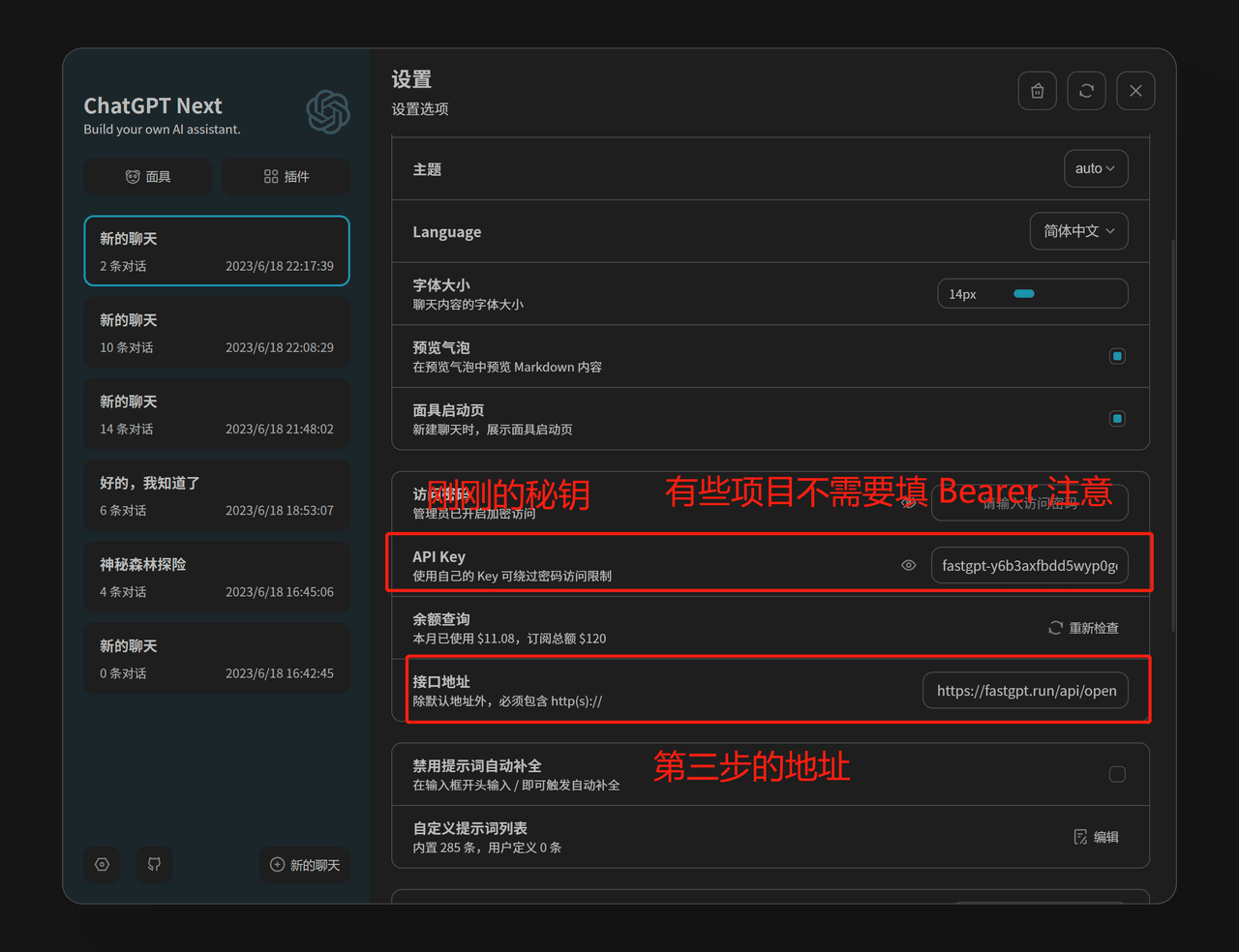
OPENAI_API_BASE_URL: http://localhost:3000/api (replace with your deployed domain)
OPENAI_API_KEY = the key obtained in the previous step (passing appId in the request body is recommended; if the third-party app only accepts a key, use the apiKey-appId compatibility format)
ChatGPT Next Web Example:
ChatGPT Web Example:
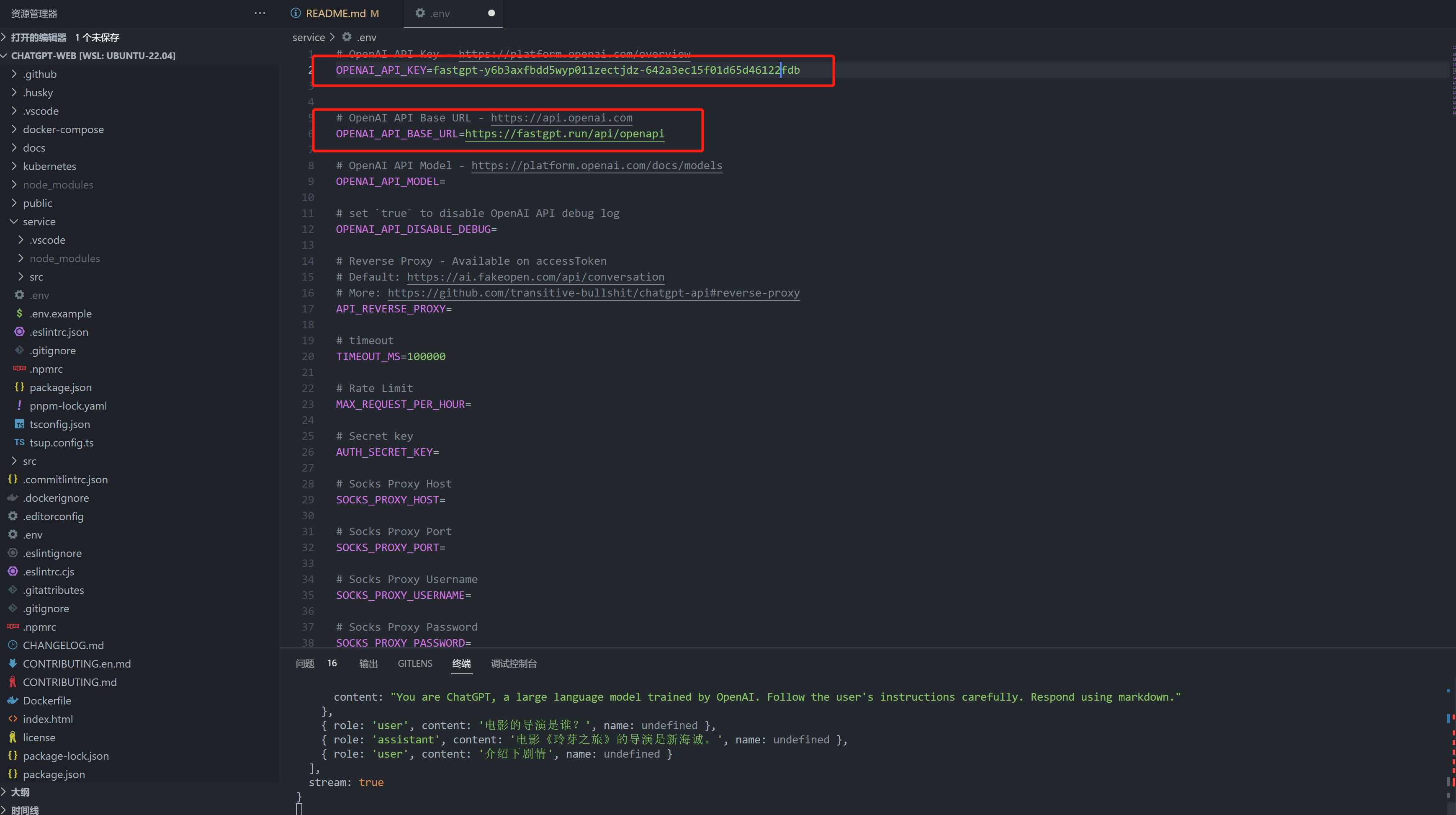
File Updated