
Dataset Chunk Reader
FastGPT Chunk Reader feature overview
The Dataset Chunk Reader, introduced in FastGPT 4.9.1, helps users verify AI citations by showing the source document and highlighting the cited passages.
Why a Chunk Reader?
In traditional AI conversations, when a model cites content from an enterprise Dataset, users typically only see the cited fragment without the full context. This makes content verification and deeper understanding difficult. The Chunk Reader lets users view the complete source document directly within the conversation and jump to the exact citation location, bringing true explainability to AI citations.
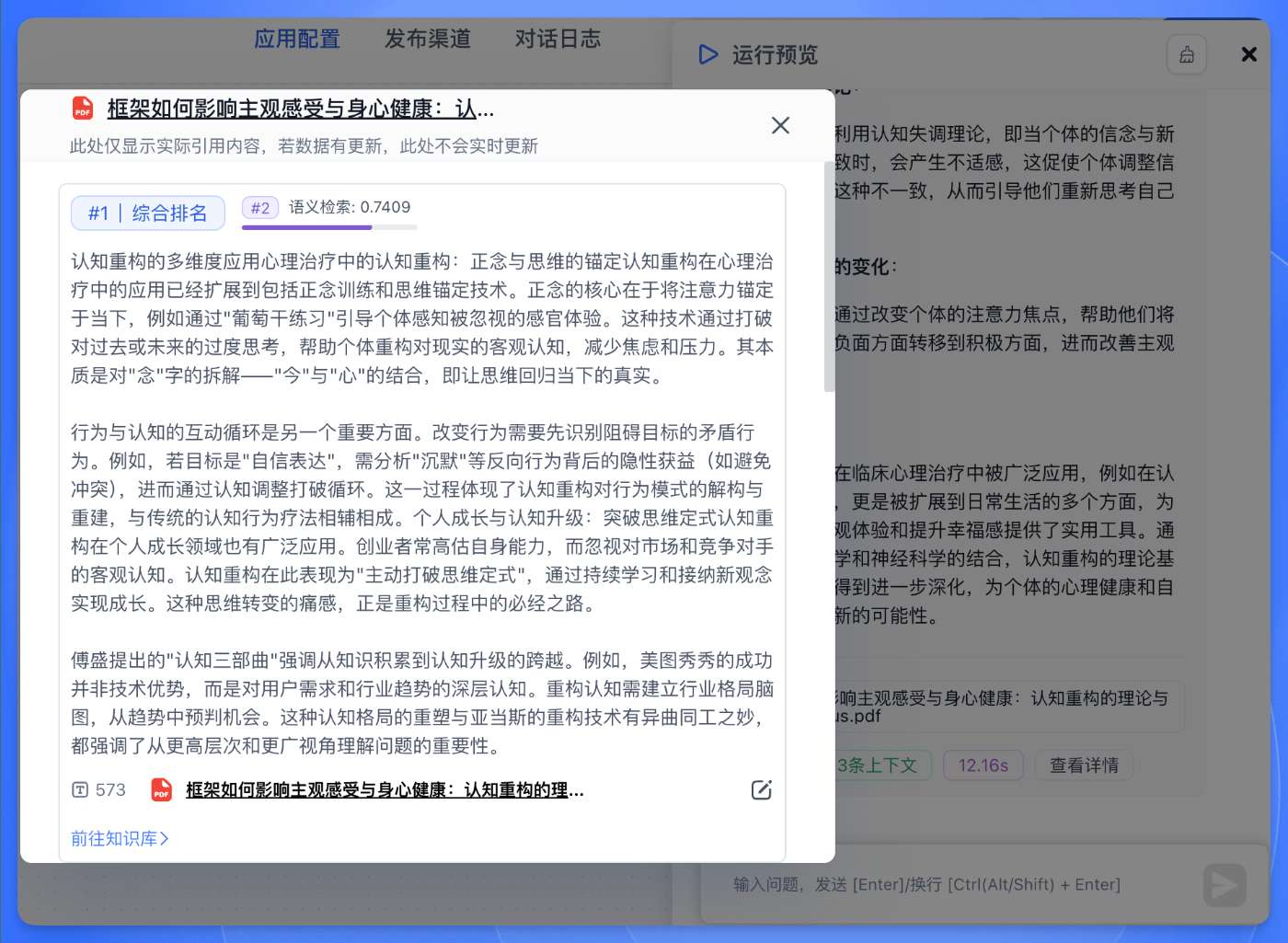
Limitations of Traditional Citations
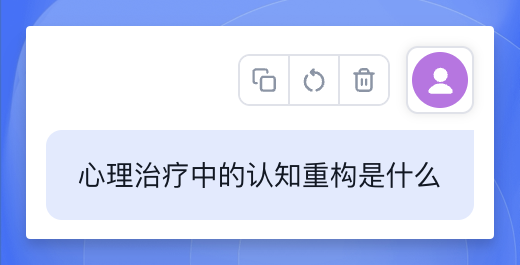
Previously, after uploading documents to the Dataset, traditional citations only displayed the matched chunks with no way to see the surrounding context:
| Question | Citation |
|---|---|
 |  |
FastGPT Chunk Reader: Precise Positioning, Seamless Reading
FastGPT's Chunk Reader displays the cited passage within its source document:
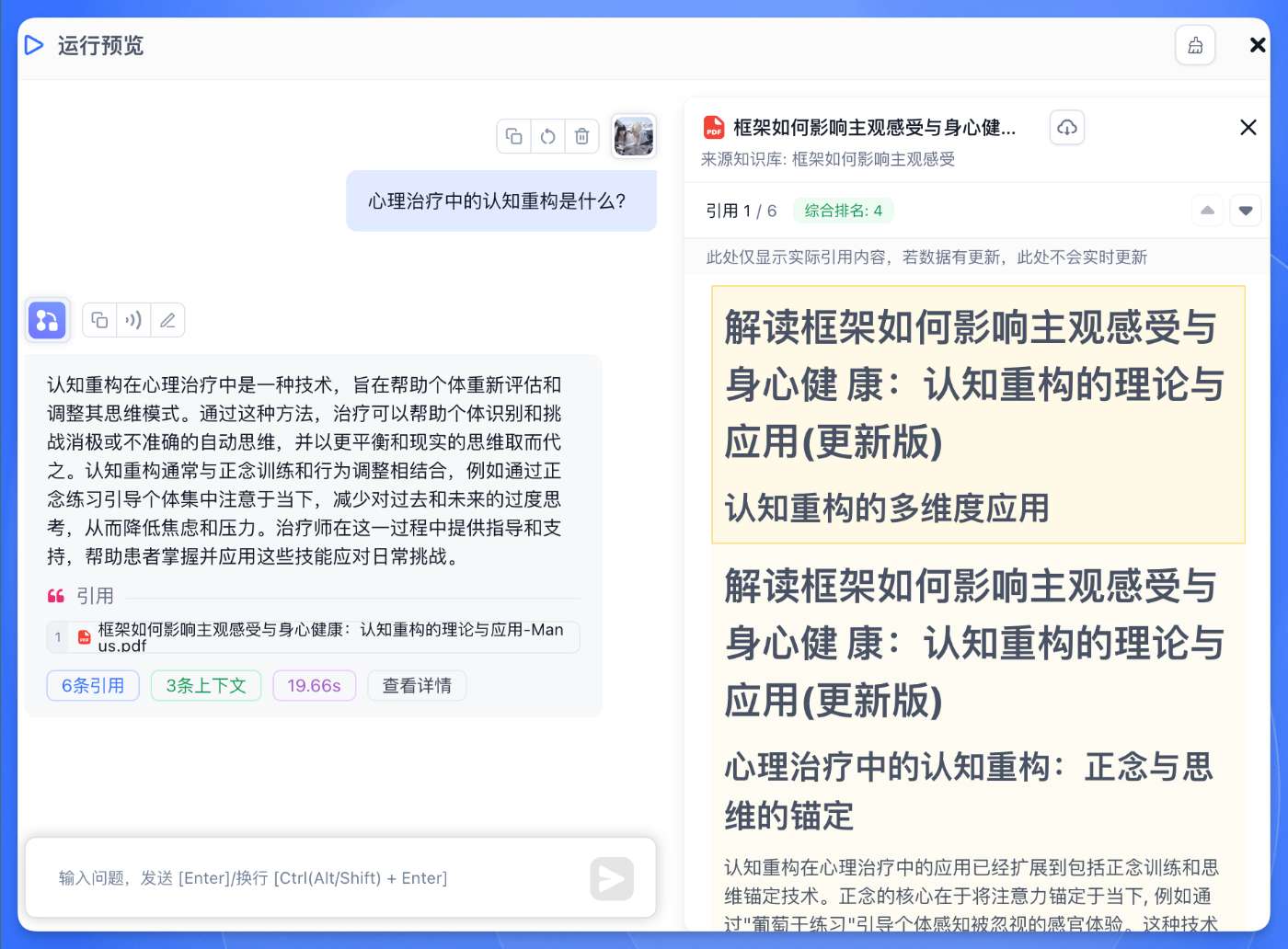
When AI cites Dataset content, click the citation link to open a popup showing the full original text with the cited passage clearly highlighted. This ensures traceability while providing a convenient reading experience.
Core Features
Full-Text Display & Positioning
The Chunk Reader lets users see exactly where AI responses draw from in the Dataset.
In the conversation interface, when AI cites Dataset content, source information appears below the reply. Click any citation link to open a popup with the complete original text and the cited passage highlighted.
This design ensures answer traceability and makes it easy to verify AI accuracy and review surrounding context.

Citation Navigation
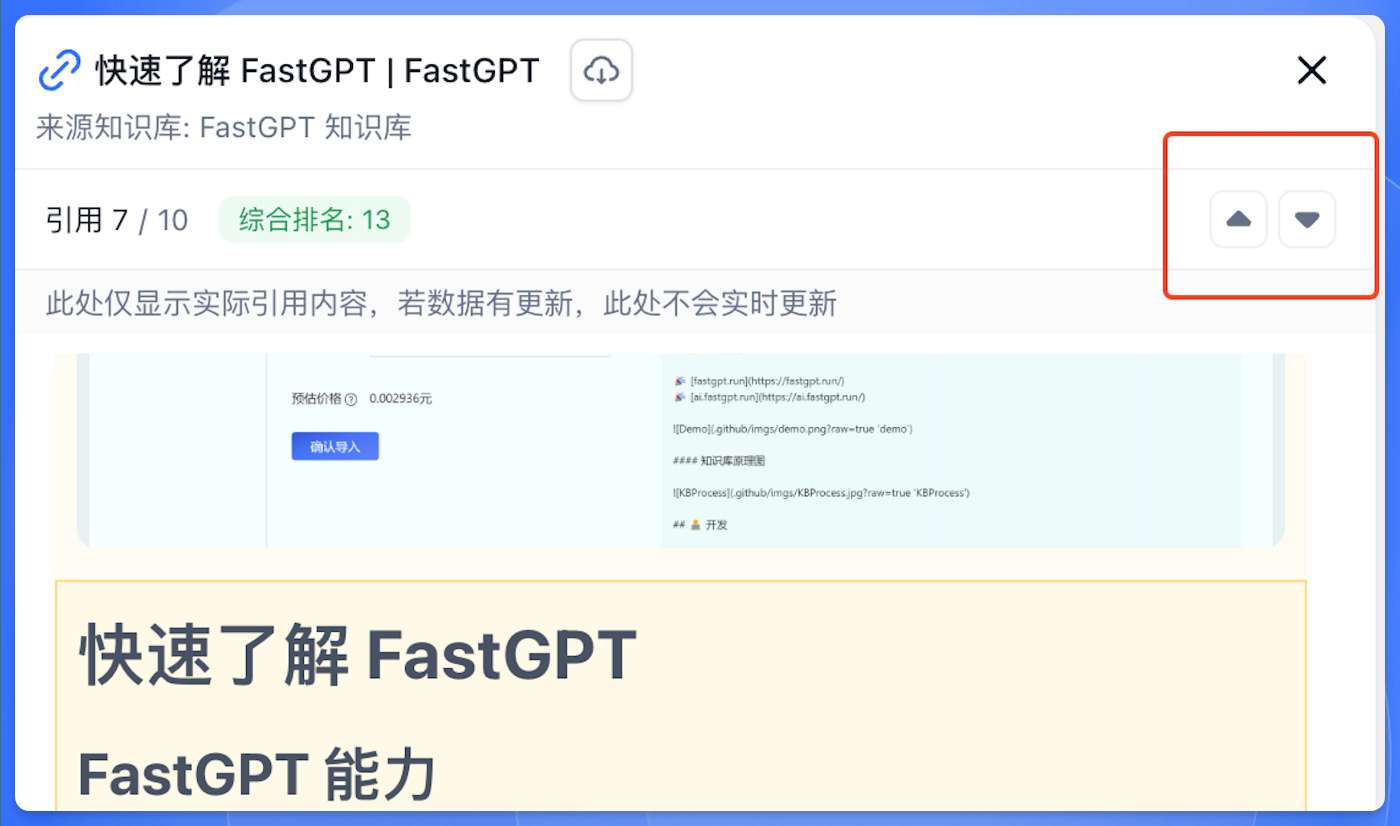
The top-right corner of the Chunk Reader provides simple navigation controls for switching between multiple citations. The navigation area displays the current citation index and total count (e.g., "7/10"), so you always know your browsing progress.
Citation Quality Scoring
Each citation includes a relevance score label showing its ranking among all matched knowledge fragments. Hover over the label to see full scoring details, including why the citation was selected and how its relevance score breaks down.

One-Click Document Export
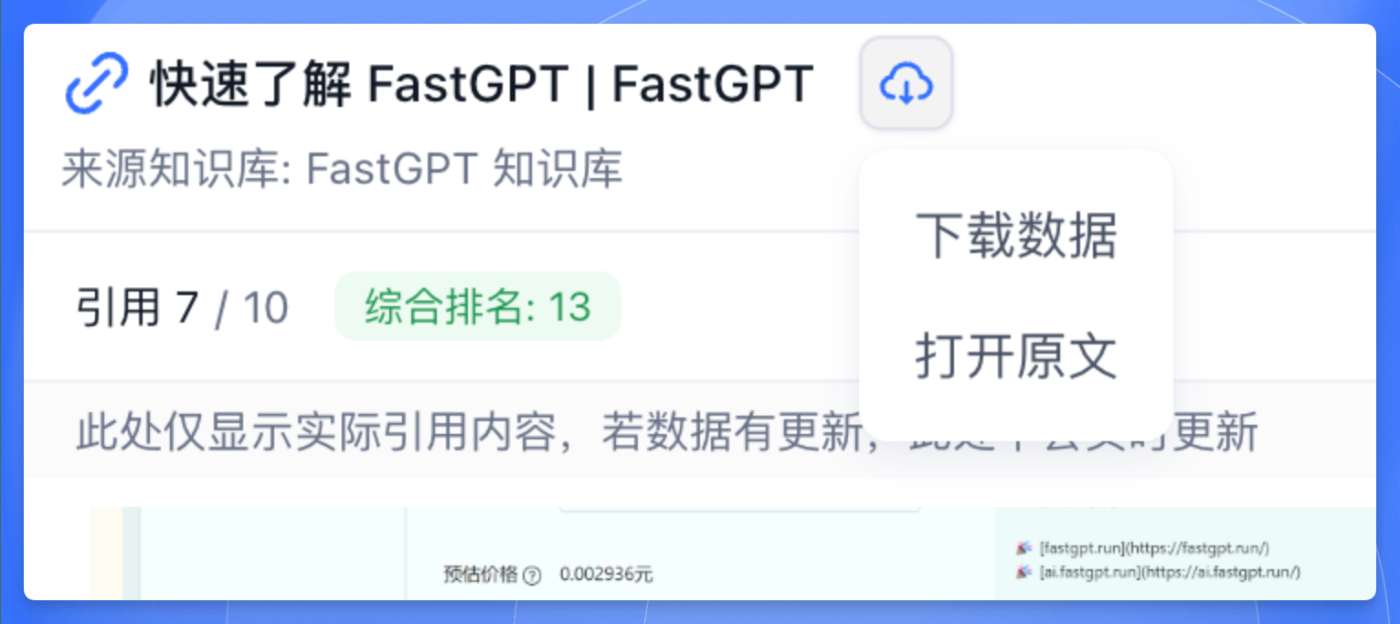
Users with read access to the Dataset can save the full cited document locally. Click the download icon beside the document title, then choose Download Data. The same menu also offers Open Original.
Advanced Features
Flexible Visibility Control
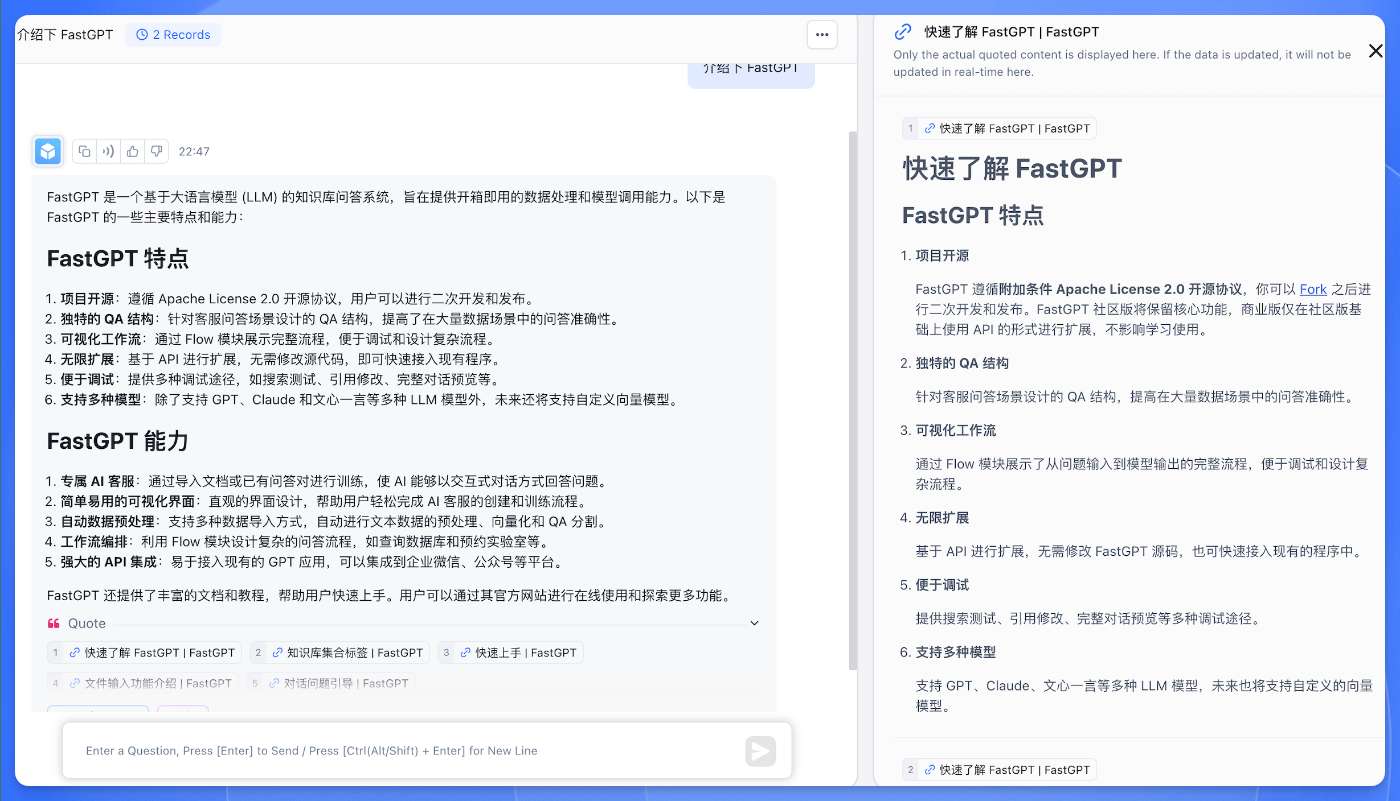
FastGPT provides flexible citation visibility settings to balance openness and security. For example, with anonymous share links, administrators can precisely control what external visitors can see.
When set to "citation content only," external users clicking a citation link will see the specific cited text fragments. The Chunk Reader automatically adjusts its display mode accordingly.
 |  |
Instant Annotation
While browsing, authorized users can annotate and correct citation content in real time. The system processes updates without interrupting the conversation. Modified content is clearly marked with an "Updated" label, maintaining both citation accuracy and conversation history integrity.
This seamless knowledge refinement workflow is ideal for team collaboration, allowing the Dataset to evolve during actual use so AI responses always draw from the latest, most accurate sources.
Smart Document Performance
For real-world scenarios with ultra-long documents containing thousands of chunks, FastGPT uses advanced performance optimization to keep the Chunk Reader responsive.
The system manages loading intelligently based on citation relevance ranking and database indexing, implementing on-demand rendering -- only content the user actually needs to view is loaded into memory. Whether jumping to a specific citation or scrolling through a document, the experience stays smooth regardless of document size.
This optimization lets FastGPT handle enterprise-scale datasets efficiently, even for professional documents with massive amounts of content.
Last updated