
Dataset Usage
Common Dataset usage questions
File Parsing Fails
Check the Enhanced PDF Parsing setting when uploading the file. Enhanced parsing also requires a correctly configured OCR module in the Admin console.
Garbled File Content
Re-save the file with UTF-8 encoding.
Processing Model vs. Embedding model
- File Processing Model: Used for Enhanced Processing and Q&A Splitting during data ingestion. Enhanced Processing generates related questions and summaries; Q&A Splitting generates question-answer pairs.
- Embedding model: Used for vectorization — it processes and organizes text data into a structure optimized for fast retrieval.
Excel File Import
You can upload XLSX files and other supported spreadsheet formats, including CSV.
Token Calculation
All token counts use the GPT-3.5 tokenizer as the standard.
Restore a Rerank Model
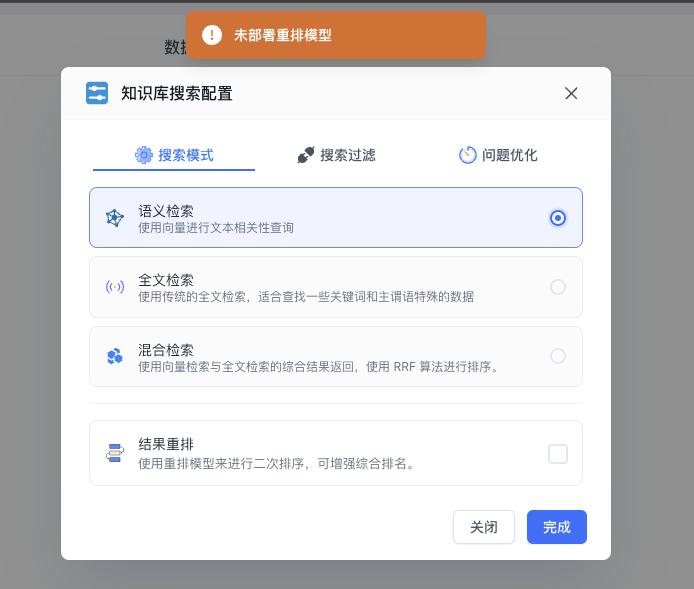
Add the rerank model configuration in your config.json file, then you'll be able to select it again.
Data Retention After Expiration
On the free plan, Dataset data is cleared after 30 days of inactivity (no login). Apps are not affected. Paid plans automatically downgrade to the free plan upon expiration.

Too Many Results Interrupt Answers
FastGPT calculates the maximum response length as:
Max Response = min(Configured Max Response, Max Context Window - History)
For example, with an 18K context model, input + output share the same window. As output grows, available input shrinks.
To fix this:
- Check your configured max response (response limit) setting.
- Reduce input to free up space for output — specifically, reduce the number of chat history turns included in the workflow.
Where to find the max response setting:
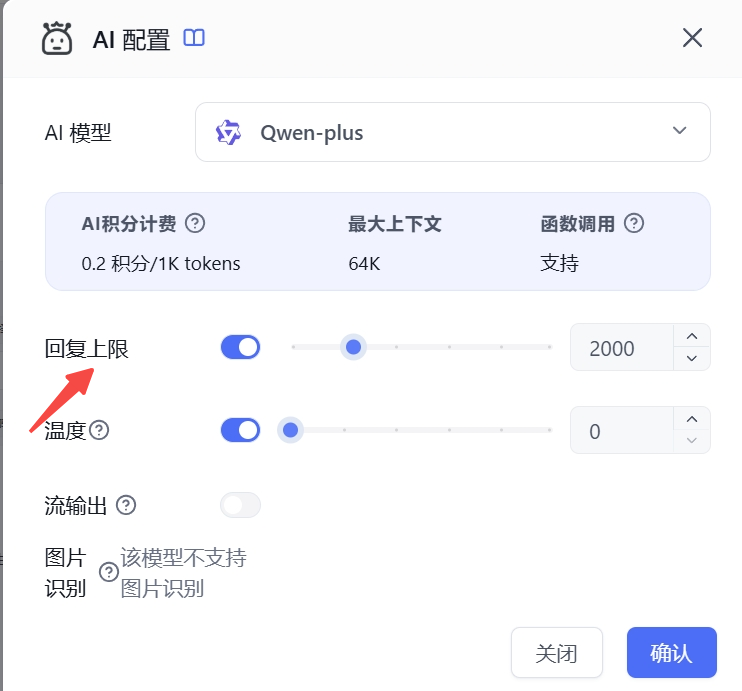
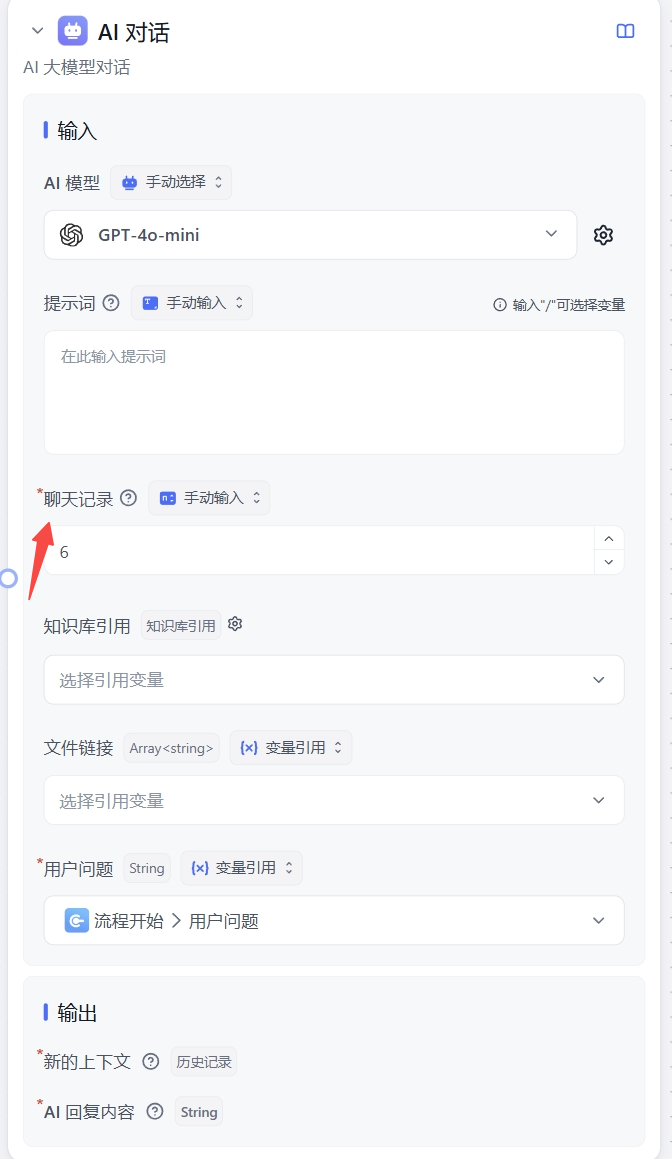
For self-hosted deployments, you can reserve headroom when configuring model context limits. For example, set a 128K model to 120K — the remaining space will be allocated to output.
Chat History Context Limits
FastGPT calculates the maximum response length as:
Max Response = min(Configured Max Response, Max Context Window - History)
For example, with an 18K context model, input + output share the same window. As output grows, available input shrinks.
To fix this:
- Check your configured max response (response limit) setting.
- Reduce input to free up space for output — specifically, reduce the number of chat history turns included in the workflow.
Where to find the max response setting:
For self-hosted deployments, you can reserve headroom when configuring model context limits. For example, set a 128K model to 120K — the remaining space will be allocated to output.
Dataset Page Flickers
Configure an Embedding model for the Dataset to resolve this issue.
Last updated