
MCP Toolkit
A quick guide to integrating an MCP Toolkit with FastGPT
Starting from FastGPT v4.9.6, a new app type called MCP Toolkit has been added. It lets you provide a remote MCP URL to batch-create tools that models can easily call. Here's how to create an MCP Toolkit and have AI use its tools.
Create an MCP Toolkit
First, select "New MCP Toolkit." We'll use the Amap (Gaode Maps) MCP Server as an example: Amap MCP Server
You'll need an MCP URL, e.g., https://mcp.amap.com/sse?key=xxx
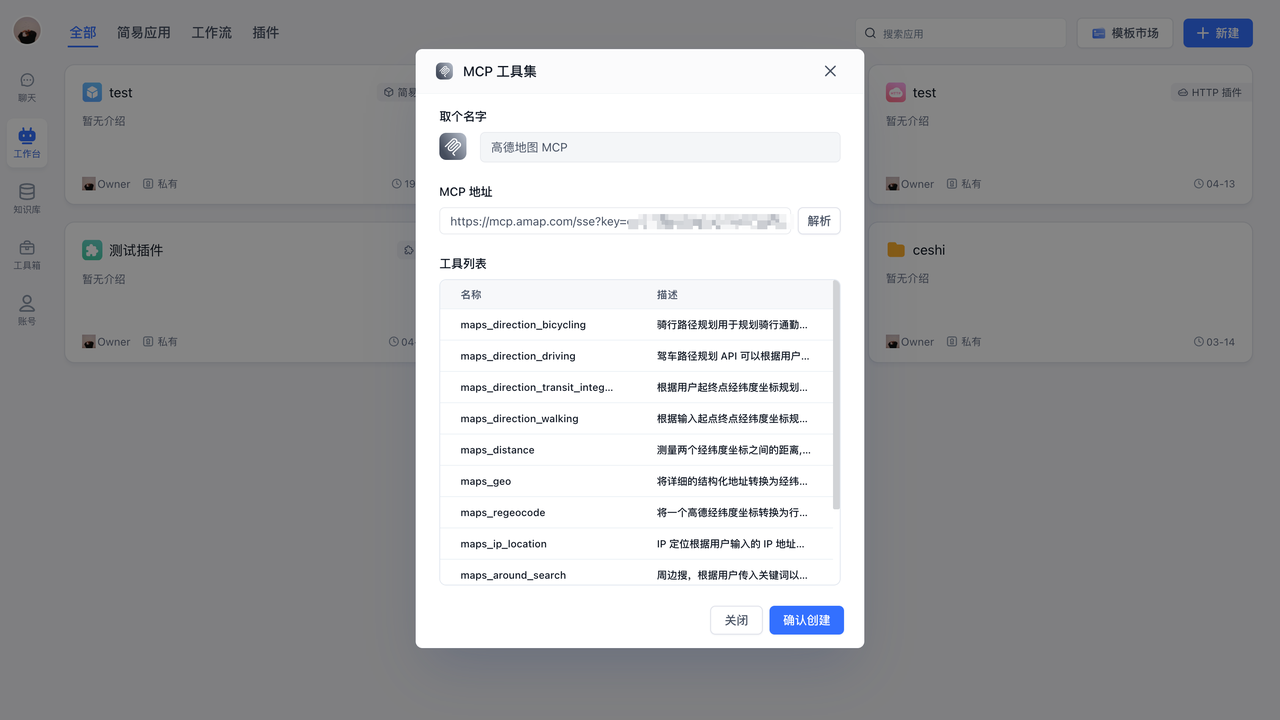
Enter the URL in the dialog and click Parse. The system will discover and list the available tools.
Click Create to finish setting up the MCP tools and Toolkit.
Connect an authenticated Streamable HTTP service
The current client also supports Streamable HTTP. For example, Baizhi Cloud Browser (also known as CapyBrowser) lets FastGPT inspect the current credential identity, prices, and cloud browser run status without an additional FastGPT plugin.
Prepare an API key you are authorized to use in the Baizhi Cloud console and review the integration guide. Create an MCP Toolkit, fill in the following settings, then click Parse and create the Toolkit.
| Setting | Value |
|---|---|
| MCP URL | https://capybrowser.app.baizhi.cloud/mcp |
| Header authentication type | Bearer |
| Authentication value | The raw API key, without a Bearer prefix |
Bearer mode generates Authorization: Bearer <API_KEY>. For a custom header, use the name Authorization and the complete value Bearer <API_KEY> instead. Choose one method to avoid a duplicate prefix. Keep the key in the authentication settings, out of URLs, chat messages, and public workflows.
Start with a read-only check
In the Toolkit debugging page, run only browser_auth_check with {}. Inspect isError and the text in content to confirm the expected service and account; treat missing ownership fields as unknown. Call browser_pricing if you need current prices. Neither step creates a browser run.
For a model call, first add only browser_auth_check as an individual tool to a controlled application with a model that supports tool calling, and ask it to check the current credential identity. A successful read-only check does not establish that a complete webpage task works.
Discovery also lists lifecycle tools that can change resources. People allowed to call these tools through an application may exercise the configured key's resource permissions. Do not share the entire Toolkit with untrusted applications or users. Confirm the task, prices, and permissions before creating a run; this example does not add an automatic per-call approval mechanism.
Webpage operations and ending a run
This MCP manages cloud browser runs. Navigation, clicks, and page reads still require a compatible CDP client; adding the MCP alone does not give FastGPT page control. Prepare the CDP execution client before creating a run, then follow the integration guide and retain the original Session ID.
A run may incur charges after creation. Whether the task succeeds or fails, stop a run you created and query the same Session until it reports released; verify billing settlement separately. Closing chat, removing a tool node, or deleting the MCP Toolkit does not stop the cloud browser. Do not stop a run owned by somebody else merely because you connected to it.
Public integration materials are available in the Chaitin integration repository. The contributor, ctcbyzx, contributes to that repository and maintains client integration guidance in the personal repository. For questions about this connection, use its issue tracker.
Test MCP Tools
Inside the MCP Toolkit, you can debug each tool individually.
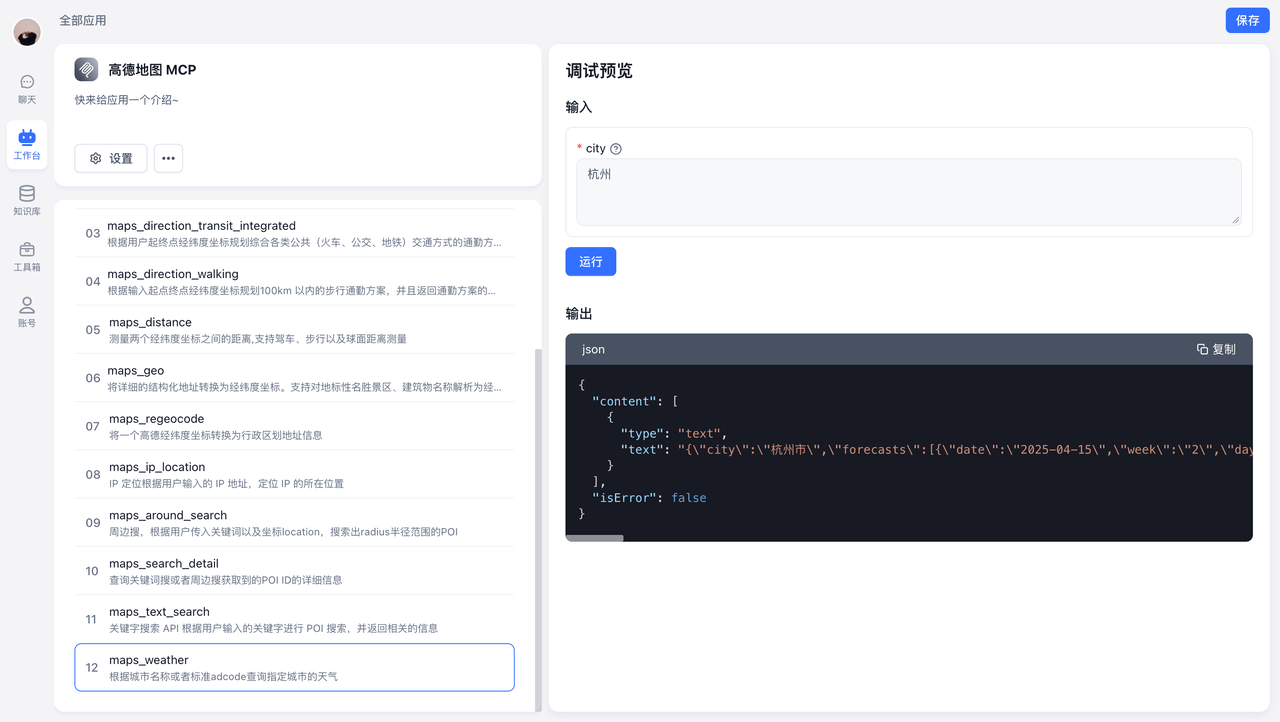
For example, select the maps_weather tool and click Run to see the weather data for Hangzhou.
AI Calling Tools
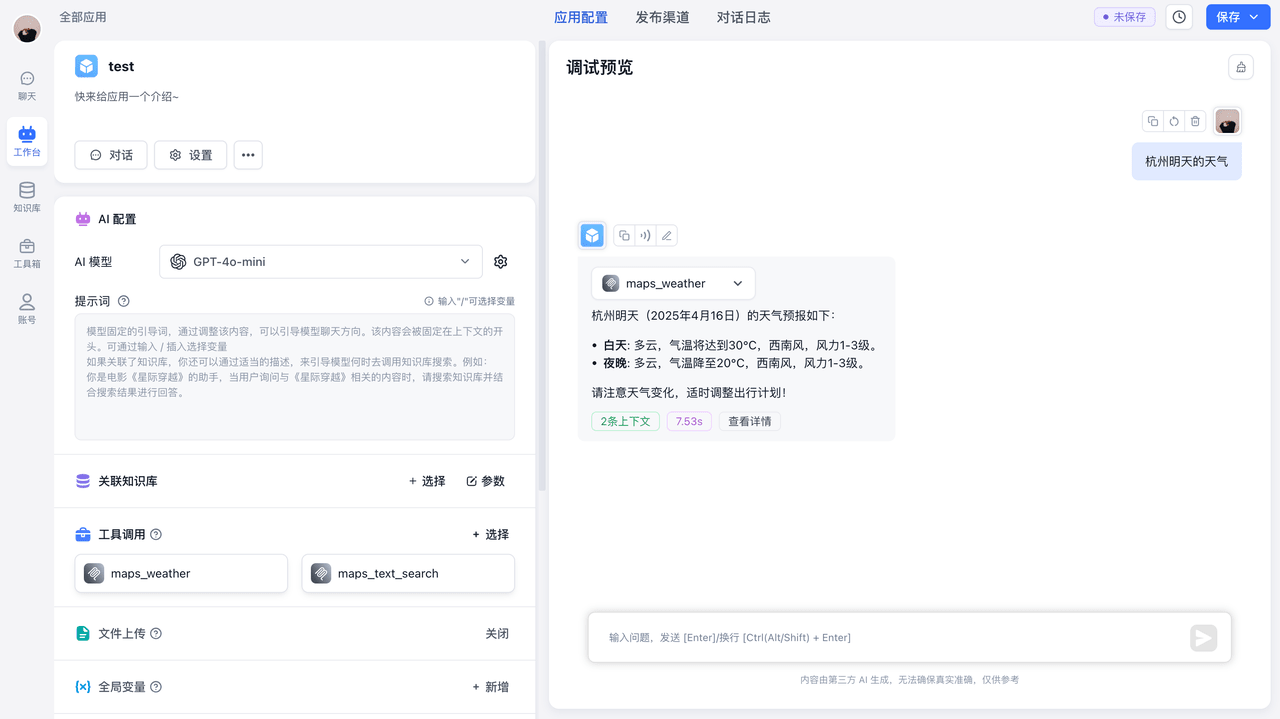
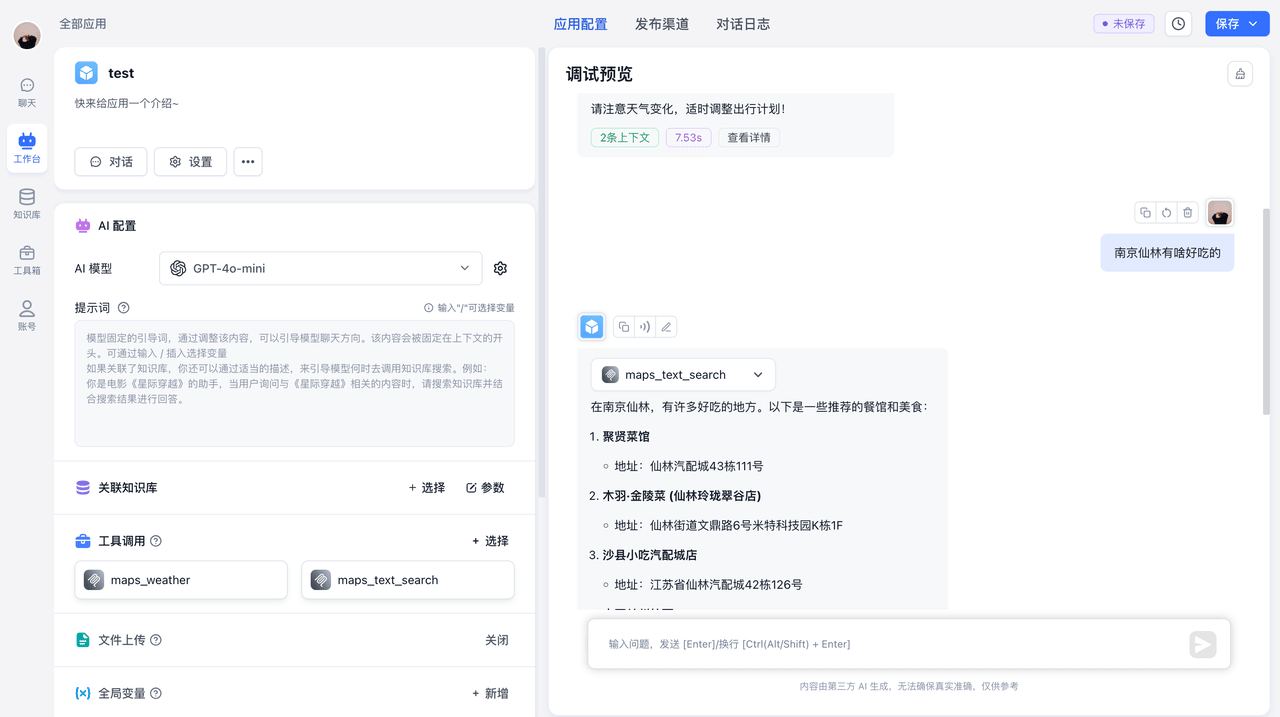
Call Individual Tools
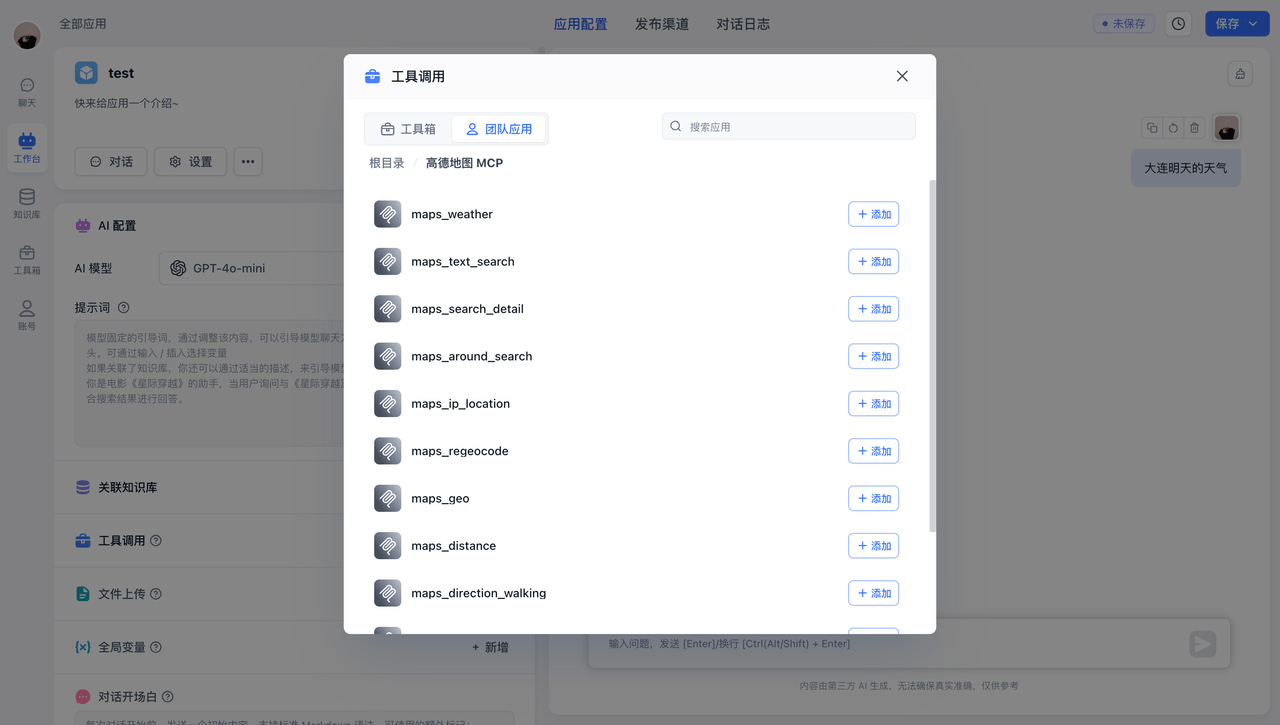
Using maps_weather and maps_text_search as examples, ask the AI two different questions. The AI intelligently selects the appropriate tool, retrieves the needed information, and responds based on the results.
 |  |
Call an Entire Toolkit
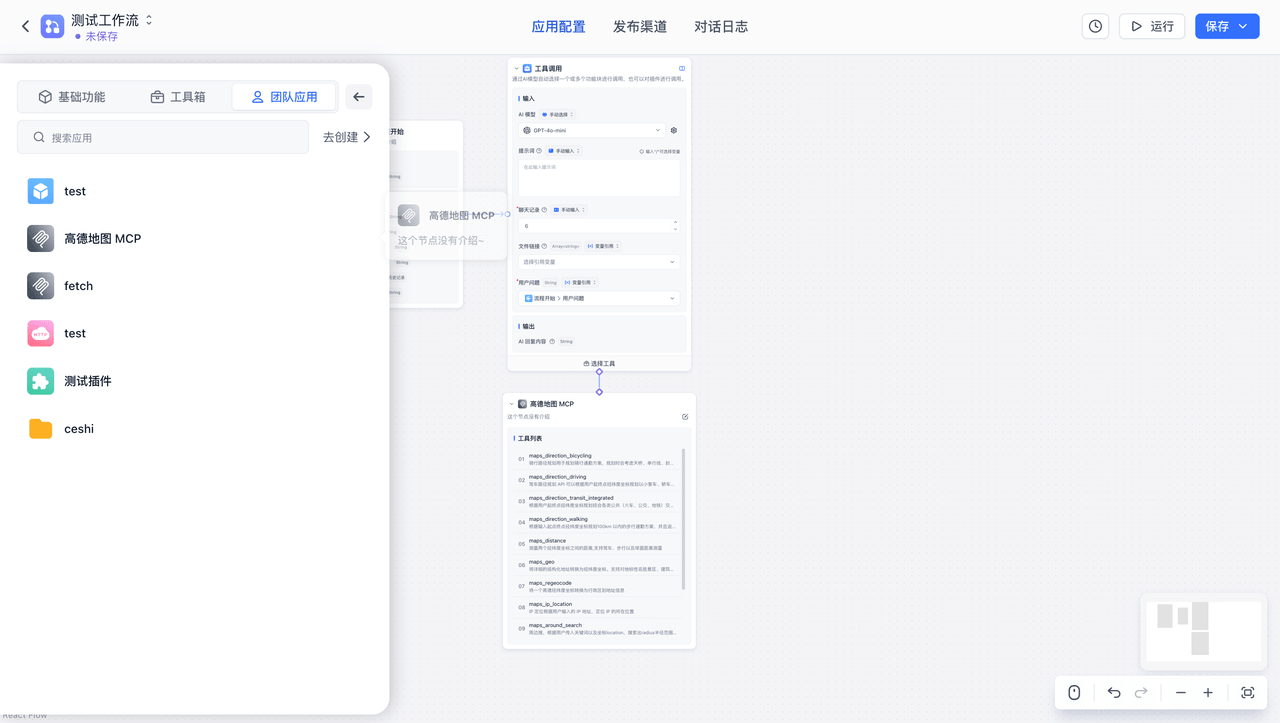
FastGPT also supports calling an entire MCP Toolkit. The AI automatically picks the right tool to run.
Click the MCP Toolkit to add a Toolkit node, then connect it using the Tool Call node.
 | 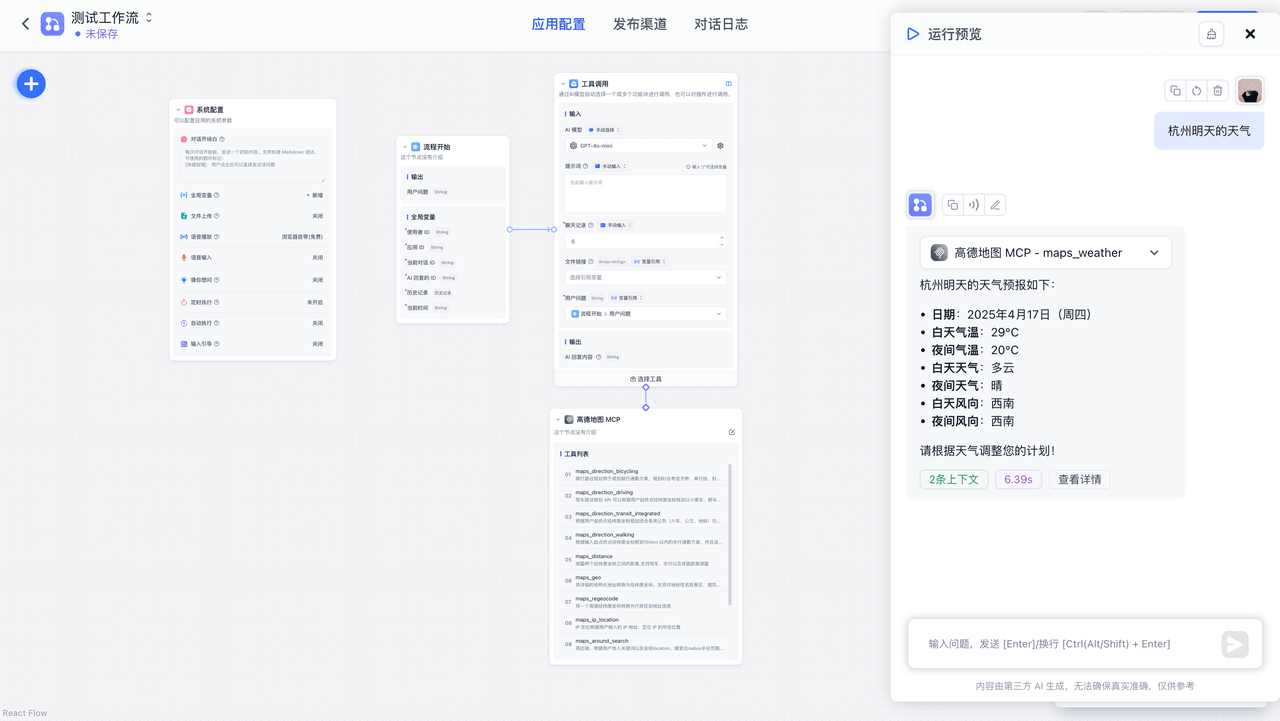 |
The AI similarly selects the appropriate tool, retrieves the needed information, and responds based on the results.
Last updated