
Access App via API
Access FastGPT app via API
In FastGPT, you can create multiple API keys for each app to access the app's API endpoints. Each key can only access one app. For complete endpoint documentation, see the Chat API reference.
Get API Key
Go to App -> "API Access", then click "API Key" to create a key.
Keep your key safe. Once the dialog is closed, you cannot copy the key again -- you can only create a new key and copy it.

🍅
Tip: For security, you can set a quota or expiration time to prevent key abuse.
Replace Variables in Third-Party Apps
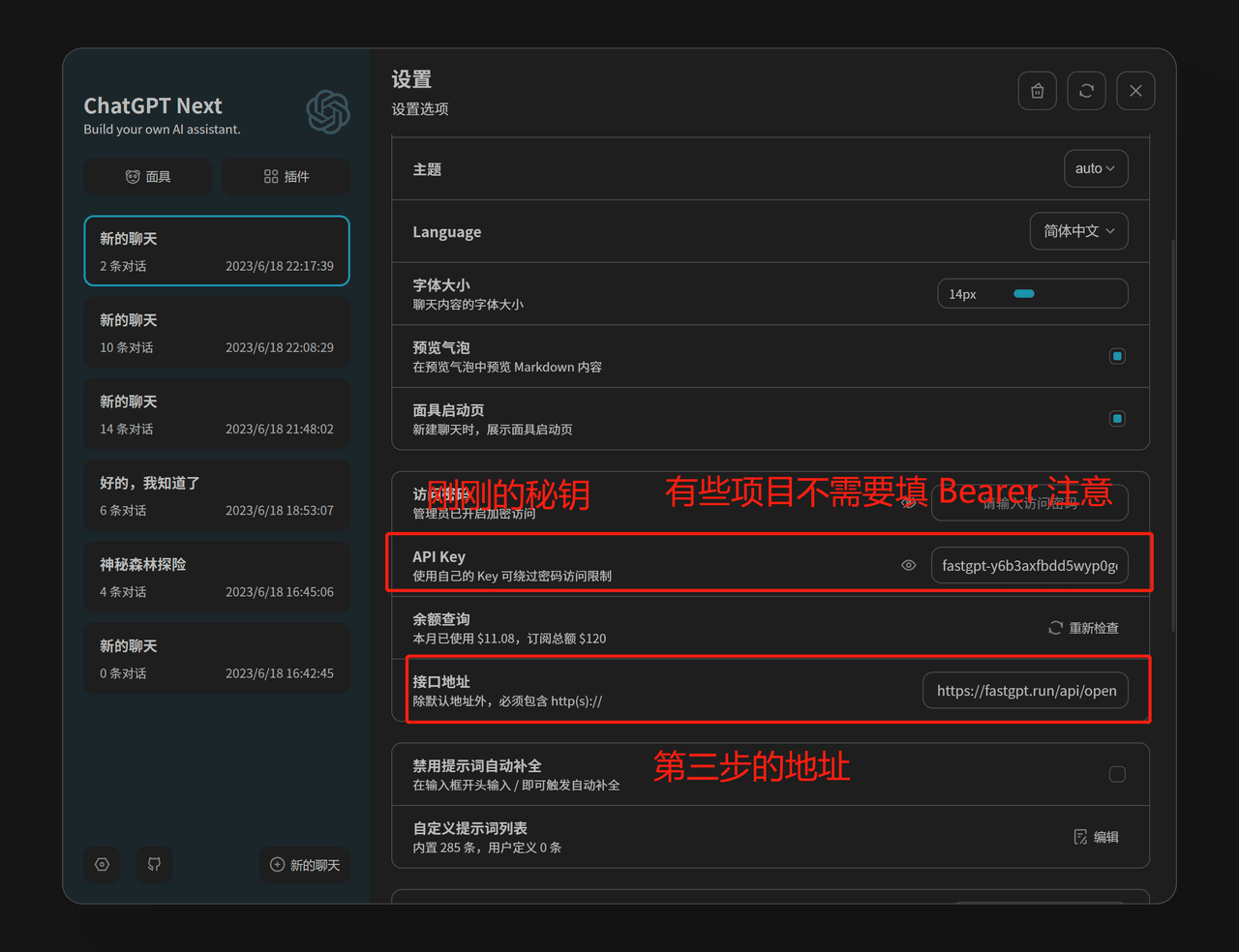
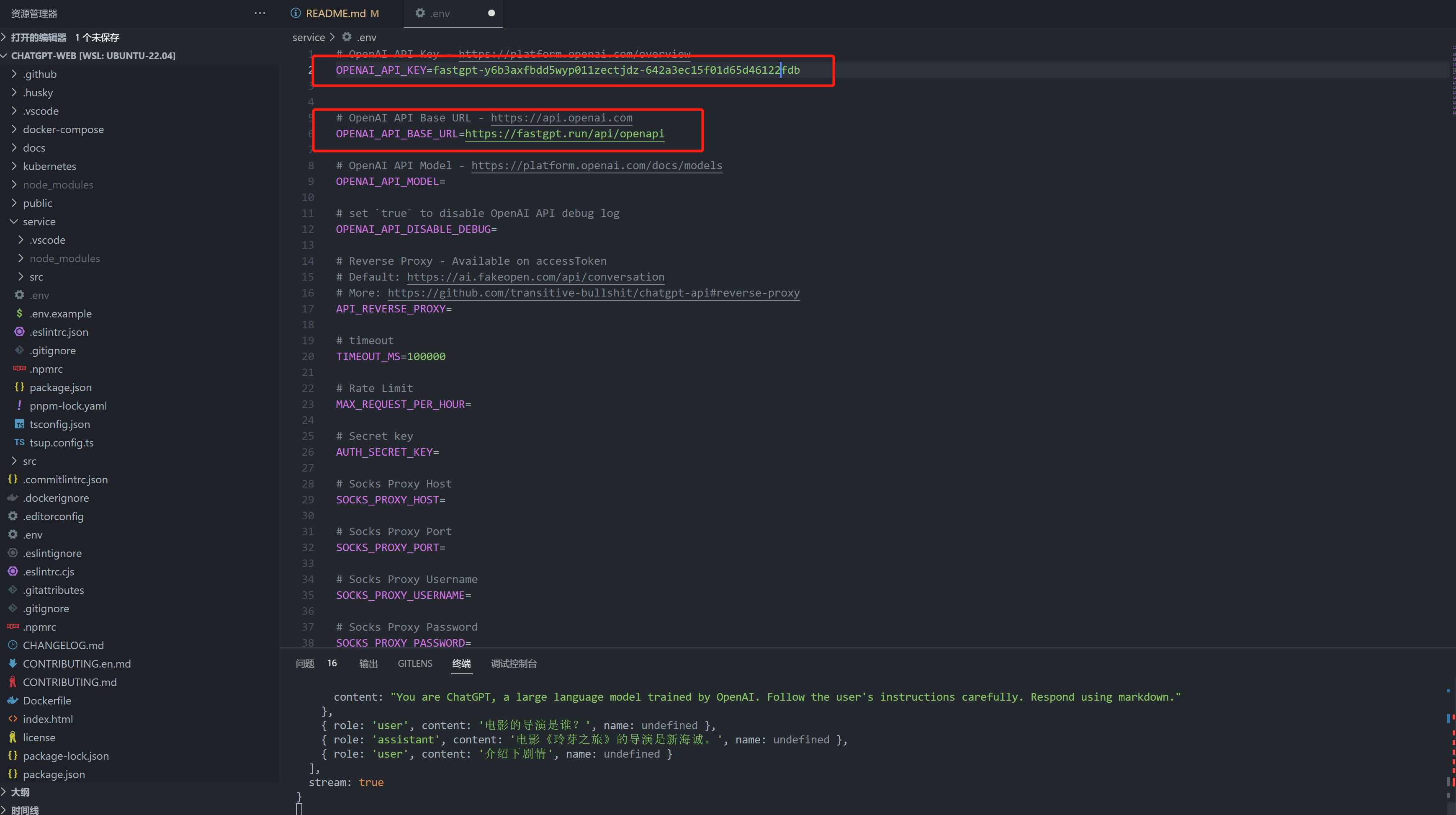
OPENAI_API_BASE_URL: http://localhost:3000/api (replace with your deployed domain)
OPENAI_API_KEY = the key obtained in the previous step
ChatGPT Next Web Example:
ChatGPT Web Example:
Edit on GitHub
File Updated