
English Essay Correction Bot
Build an English essay correction bot with FastGPT to detect and fix language errors
FastGPT provides a straightforward way to build applications powered by LLM models.
This article demonstrates how to use Workflows by building an English essay correction bot.
Building Process
1. Create a Workflow
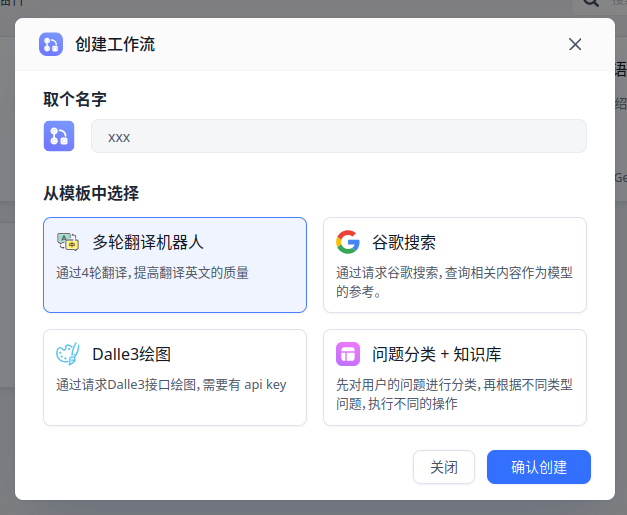
You can start from the Multi-turn Translation Bot template.
The Multi-turn Translation Bot was created by @米开朗基杨 — also a great workflow worth studying.
2. Get Input and Analyze with LLM
We want the LLM to process text and return structured data that we handle ourselves.
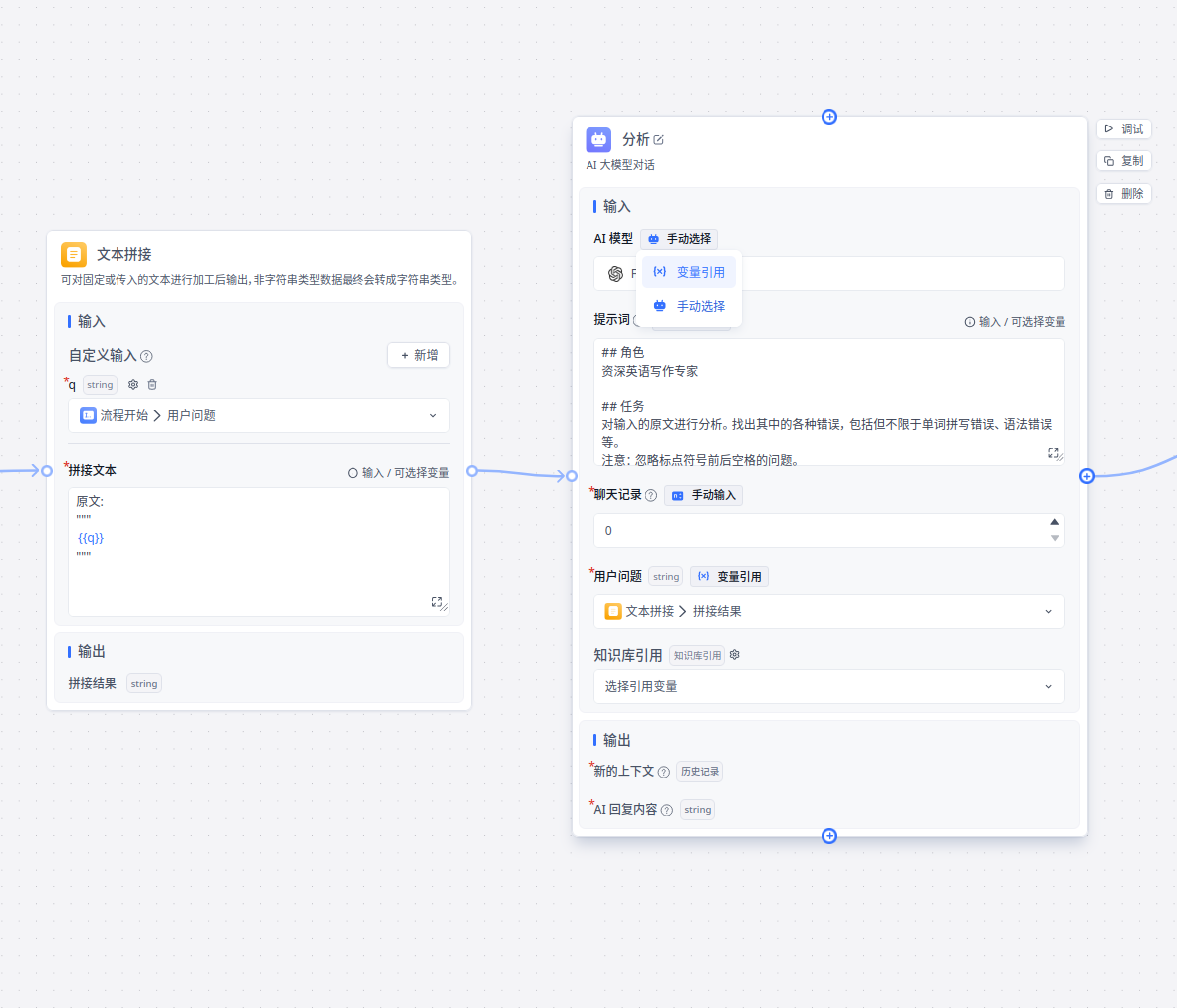
The System Prompt is the most critical parameter. Here is a reference prompt:
## Role
Senior English Writing Expert

## Task
Analyze the input text. Find all types of errors, including but not limited to spelling mistakes and grammar errors.
Note: Ignore spacing issues around punctuation.
Note: For sentences with errors, the suggestion should identify the specific part of the sentence and propose what to replace it with.

## Output Format
Do not use Markdown syntax. Output in JSON format.
Output the "reason" field in Chinese.
Directly output a list whose members are objects of the same type, defined as follows:
```
{
"raw": string; // the original text
"reason": string; // the reason
"suggestion": string; // suggested correction
}
```
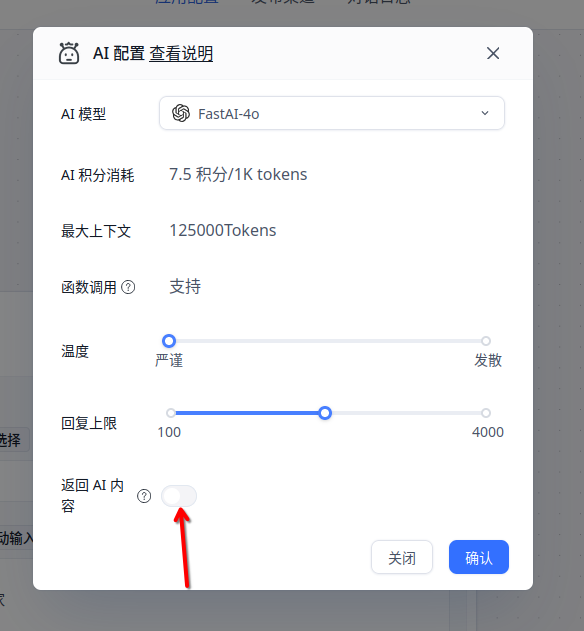
You can disable AI reply in the model selection window.
This hides the raw JSON output from the user.
3. Data Processing
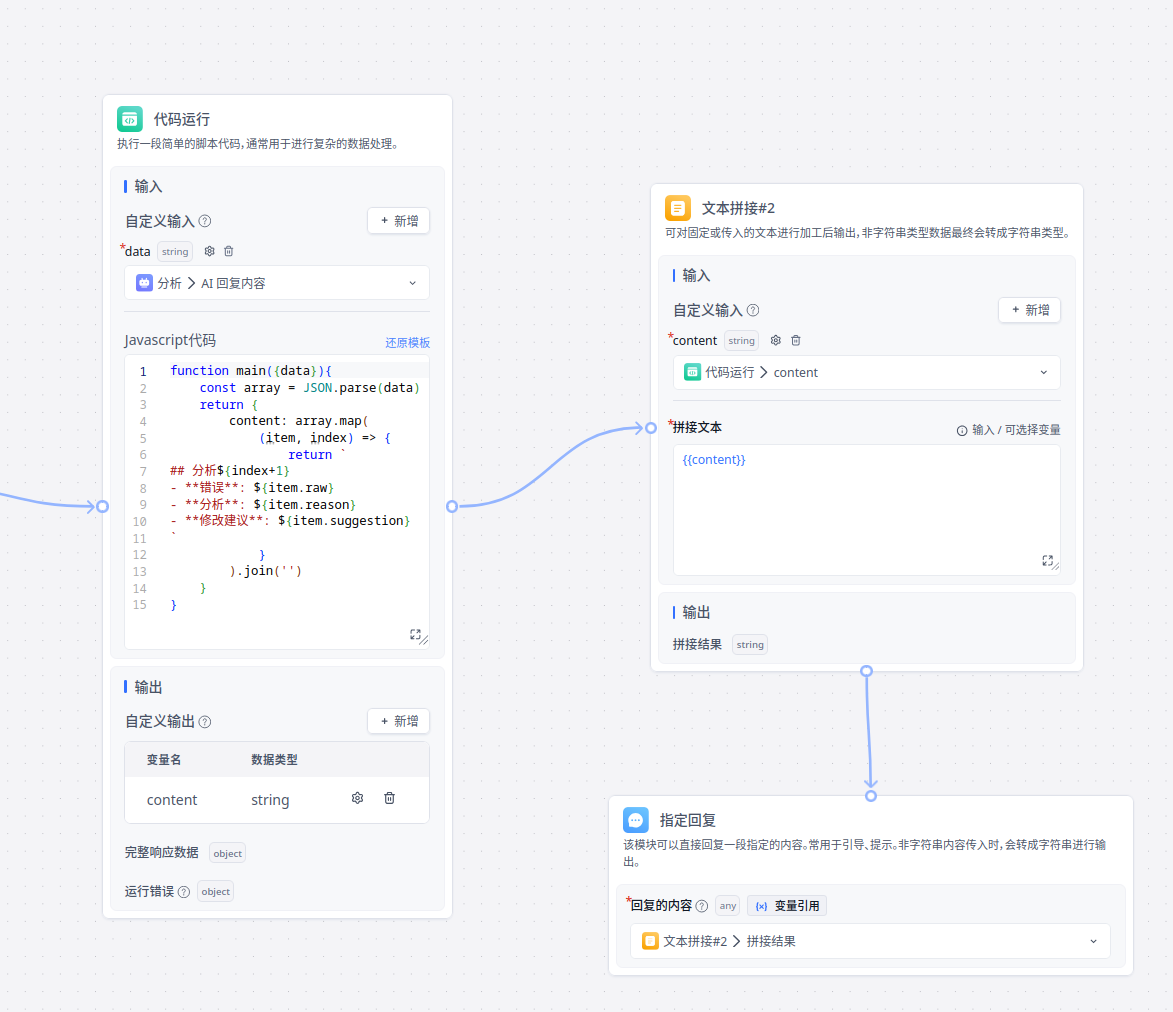
The LLM outputs JSON, which needs further processing. Use the Code Execution module for this.
function main({data}){
    const array = JSON.parse(data)
    return {
        content: array.map(
            (item, index) => {
                return `
## Analysis ${index+1}
- **Error**: ${item.raw}
- **Analysis**: ${item.reason}
- **Suggestion**: ${item.suggestion}
`
            }
        ).join('')
    }
}
The code parses the JSON into an object, then concatenates it into a Markdown-formatted string.
FastGPT's Specified Reply module renders Markdown as HTML in the response.
Publishing
Publish through the available publishing channels.
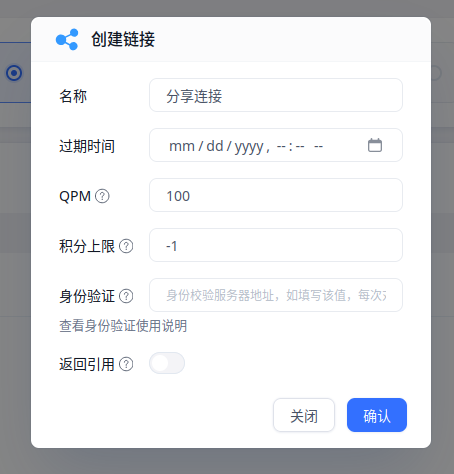
You can access it via URL or embed it directly into your webpage.
File Updated