
WeChat Official Account Integration
FastGPT WeChat Official Account Integration Tutorial
Starting from version 4.8.10, FastGPT commercial edition supports direct WeChat Official Account integration without additional APIs.
Note: Currently only verified official accounts are supported (both Service Accounts and Subscription Accounts).
1. Create a Publishing Channel in FastGPT
In FastGPT, select the app you want to integrate. On the Publishing Channels page, create a new WeChat Official Account publishing channel and fill in the basic information.
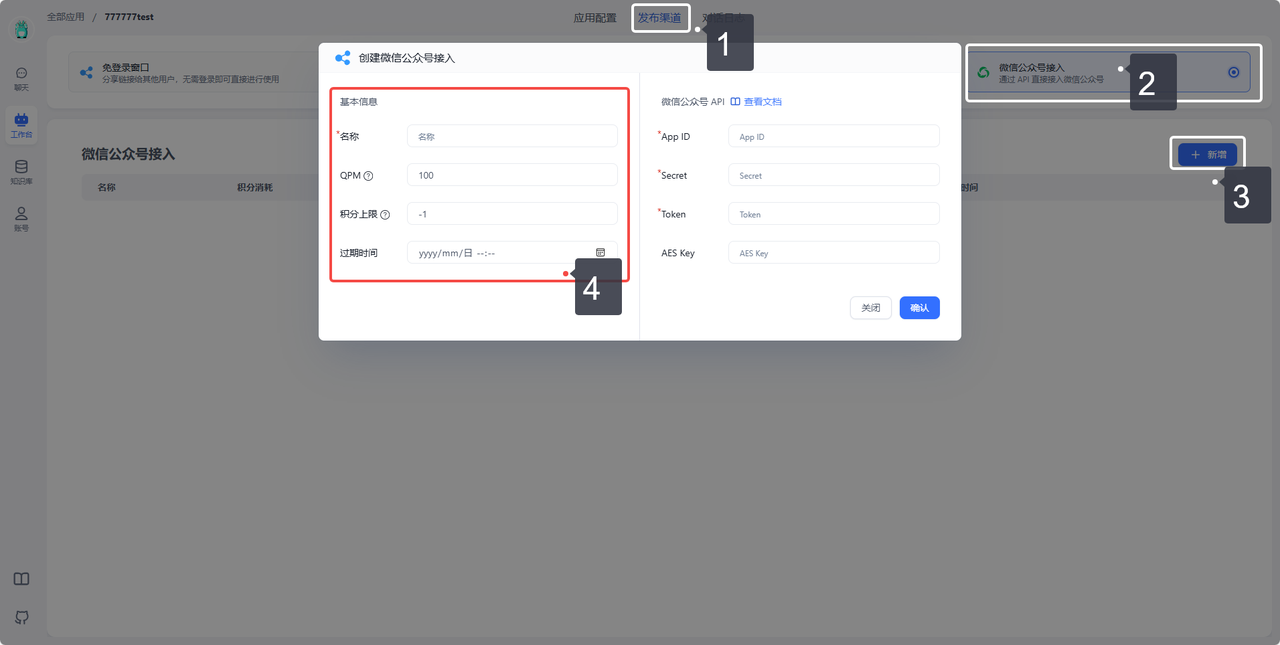
2. Get AppID, Secret, and Token
1. Log in to the WeChat Official Account Platform and select your account.
Open the WeChat Official Account website: https://mp.weixin.qq.com
Only verified official accounts are supported. Unverified accounts are not currently supported.
Developers can apply for a WeChat Official Account test account from this link for testing. Test accounts work normally but cannot configure AES Key.
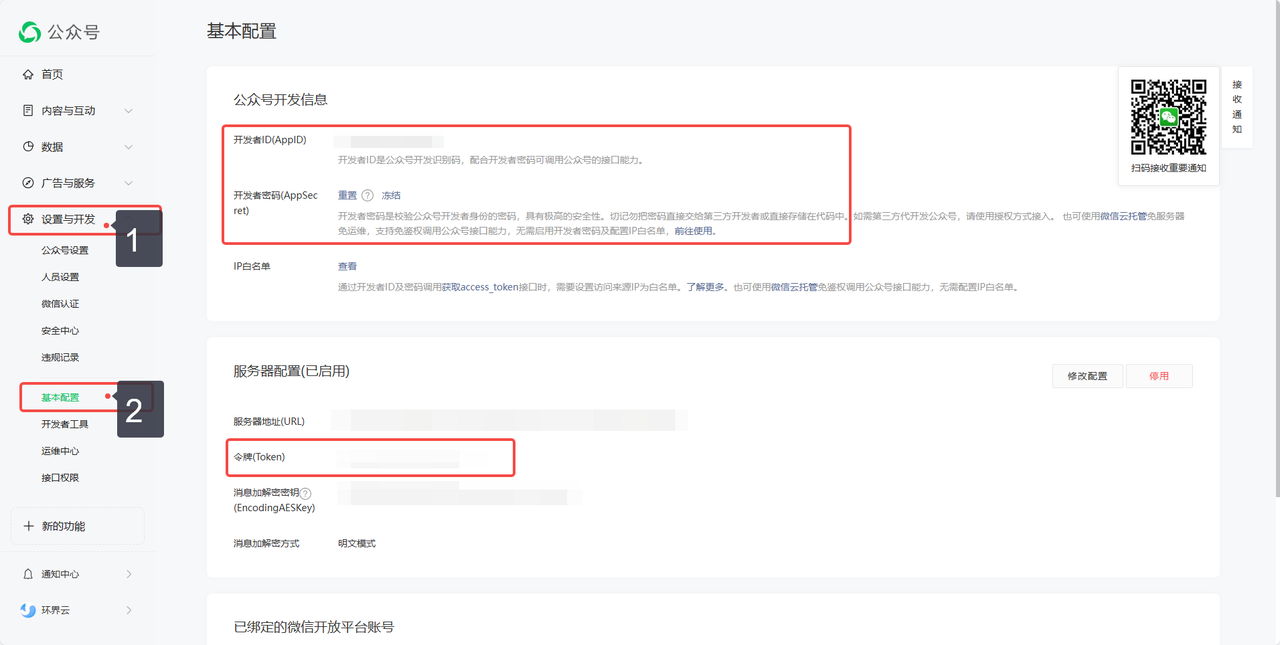
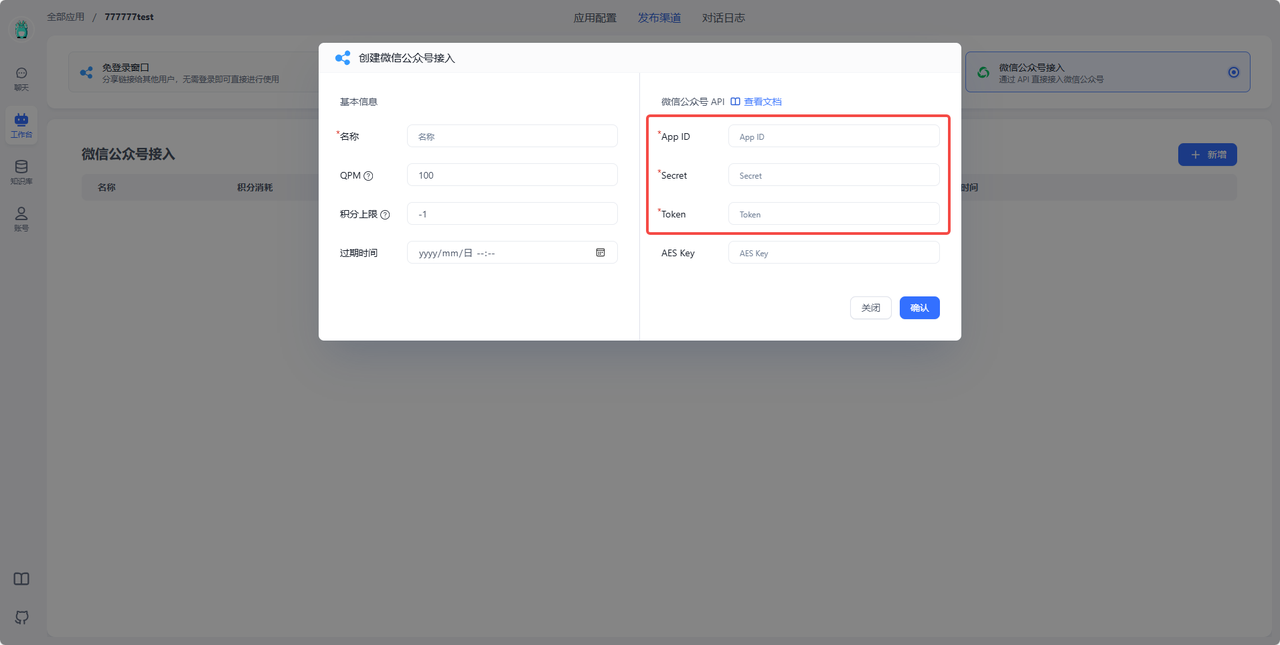
2. Enter the 3 parameters into the FastGPT configuration dialog.
3. Add FastGPT IP to IP Whitelist
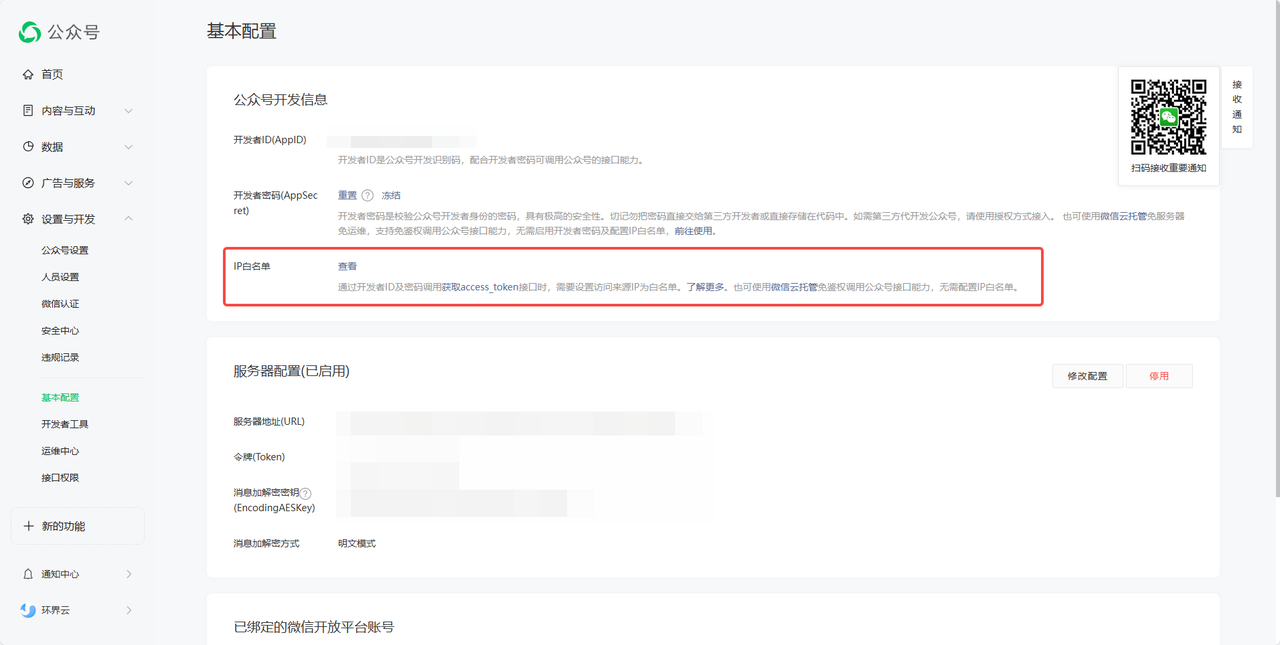
Self-hosted users can check their own IP address.
International edition users (cloud.fastgpt.io) can add the following IP whitelist:
35.240.227.100
34.124.237.188
34.143.240.160
34.87.51.146
34.87.79.202
35.247.163.68
34.87.102.86
35.198.192.104
34.126.163.205
34.124.189.116
34.143.149.171
34.87.173.252
34.142.157.52
34.87.180.104
34.87.20.189
34.87.110.152
34.87.44.74
34.87.152.33
35.197.149.75
35.247.161.35
China Mainland users (fastgpt.cn) can add the following IP whitelist:
47.97.1.240
121.43.105.217
121.41.178.7
121.40.65.187
47.97.59.172
101.37.205.32
120.55.195.90
120.26.229.115
120.55.193.112
47.98.190.173
112.124.41.79
121.196.235.183
121.41.75.88
121.43.108.48
112.124.12.6
121.43.52.222
121.199.162.43
121.199.162.102
120.55.94.163
47.99.59.223
112.124.46.5
121.40.46.247
120.26.145.73
120.26.147.199
121.43.125.163
121.196.228.45
121.43.126.202
120.26.144.37
4. Get AES Key and Select Encryption Mode
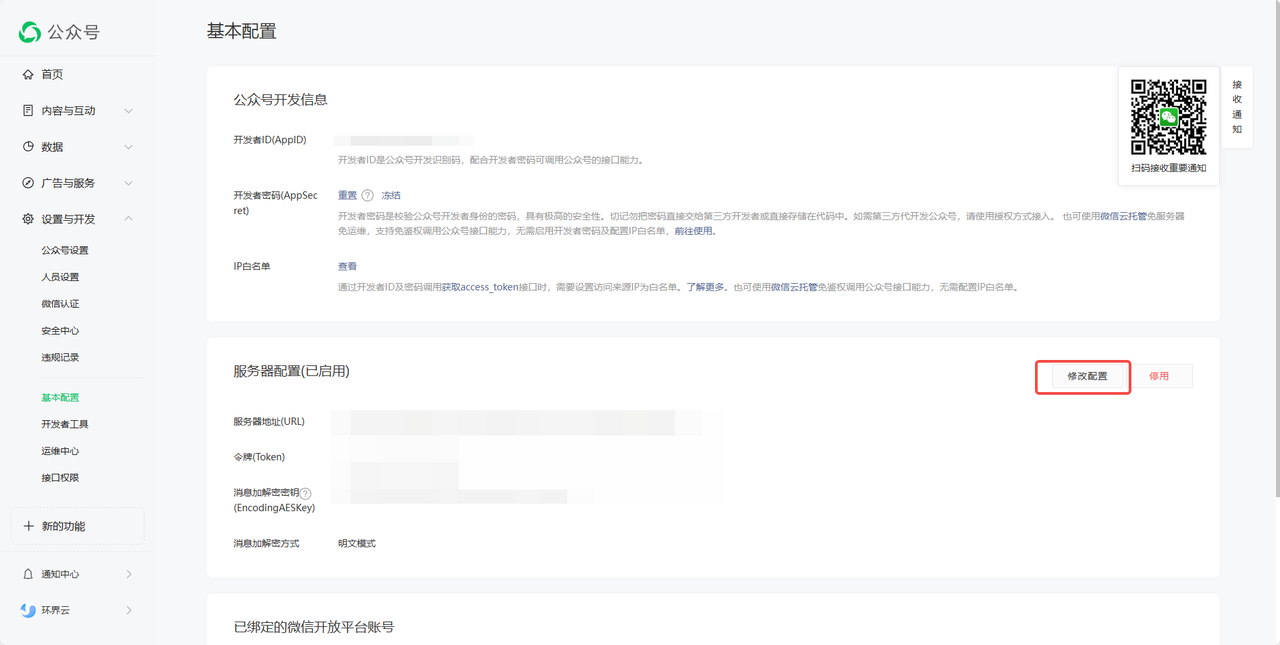
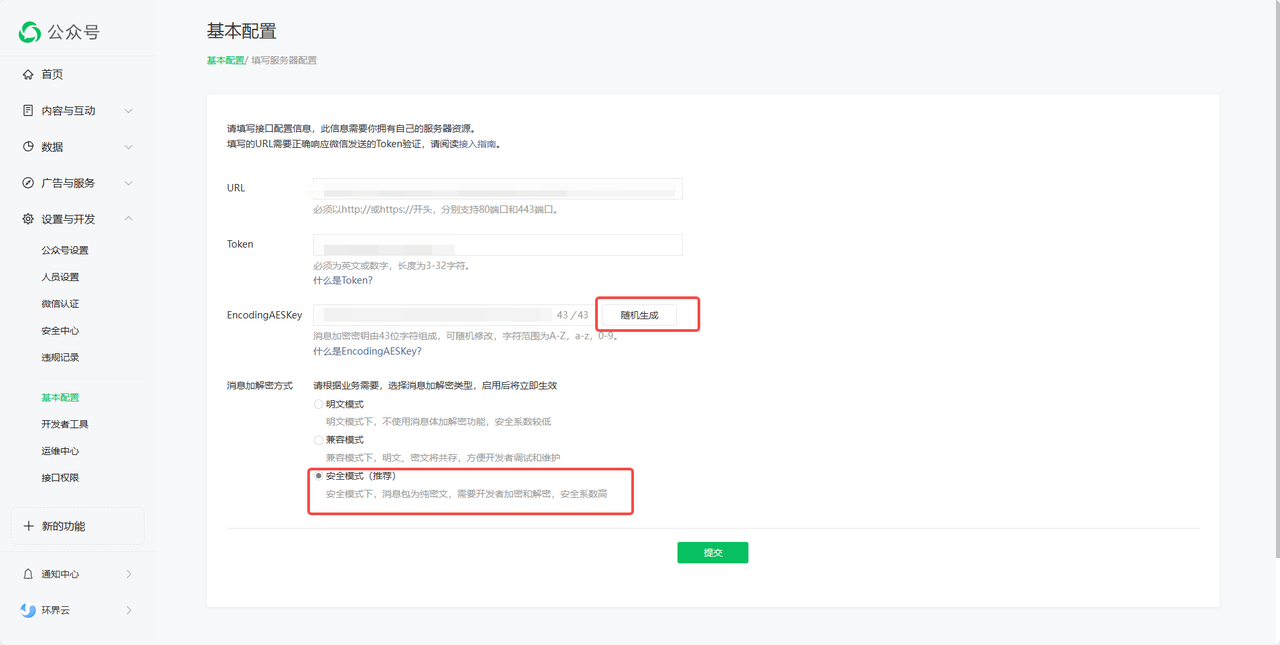
-
Randomly generate an AES Key and enter it into the FastGPT configuration dialog.
-
Select the encryption mode as Secure Mode.
5. Get URL
- Confirm creation in FastGPT and get the URL.
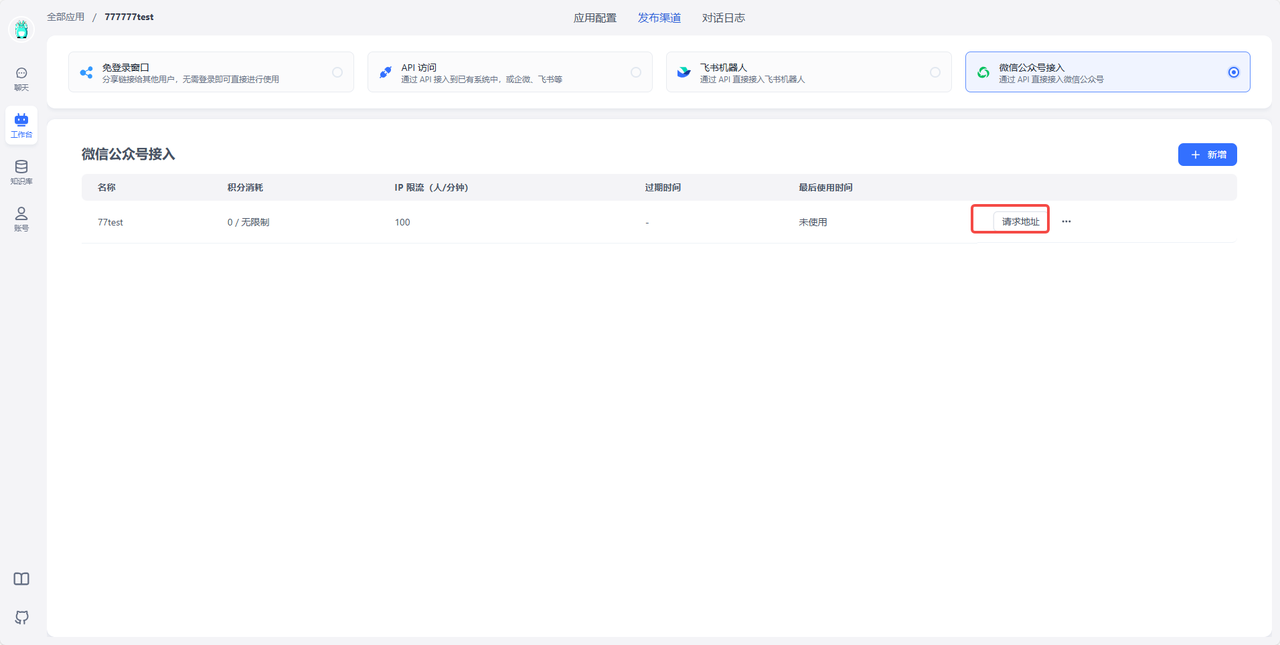
- Enter it in the URL field on the WeChat Official Account Platform, then submit and save.
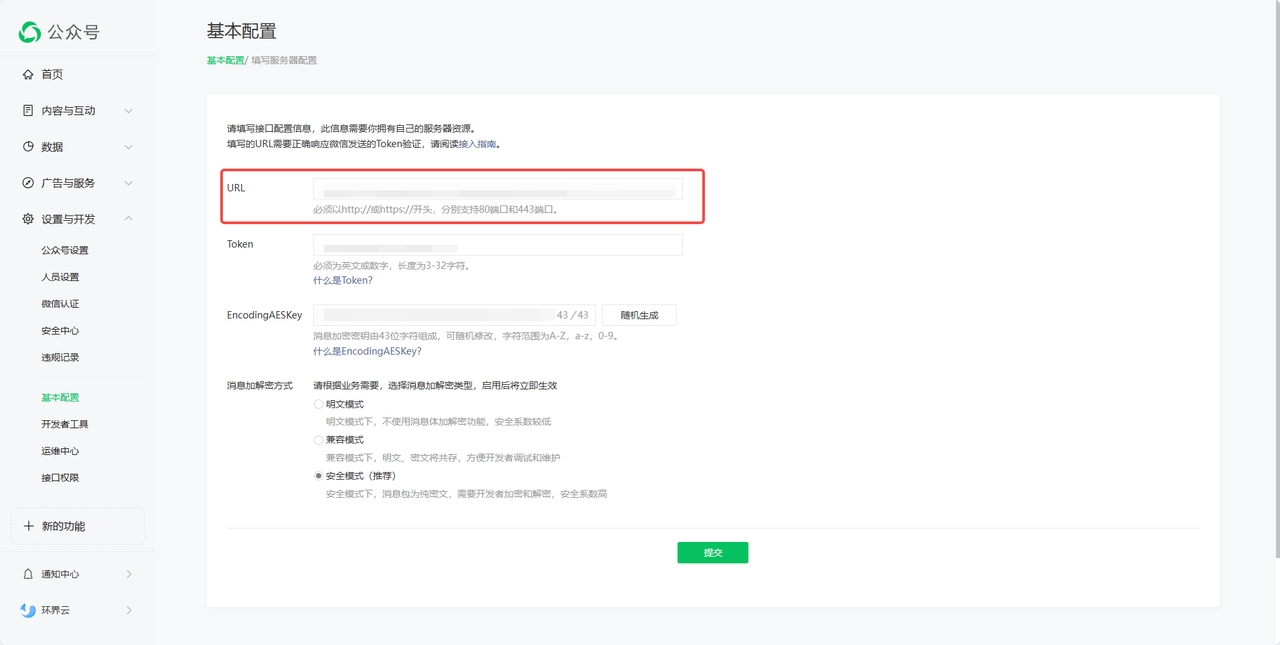
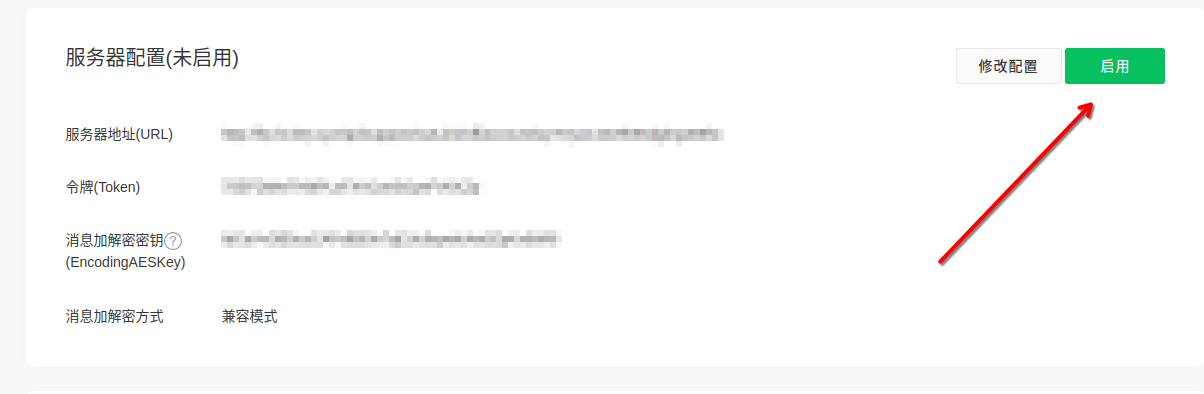
6. Enable Server Configuration (Skip if already auto-enabled)
7. Start Using
Now when users send messages to the official account, messages will be forwarded to FastGPT, and conversation results will be returned through the official account.
FAQ
How to start a new chat history
To reset your chat history, send a Reset message to the bot (case-sensitive), and the bot will start a new chat history.
File Updated