
Integrating MinerU PDF Parsing
Use MinerU to parse PDF documents with image extraction, layout recognition, table recognition, and formula recognition
Background
PDF is a relatively complex file format. FastGPT's built-in PDF parser relies on the pdfjs library, which uses logical parsing and cannot effectively handle complex PDF files. When parsing PDFs containing images, tables, formulas, or other non-plain-text content, the results are often poor.
There are several PDF parsing solutions available. MinerU uses YOLO, PaddleOCR, and table recognition models for vision-based parsing, effectively extracting images, tables, formulas, and other complex content.
Community edition users can add the systemEnv.customPdfParse configuration in config.json to use MinerU for PDF parsing. Commercial edition users can configure this directly in the Admin panel via the form -- details are covered in the tutorial below.
Tutorial
Hardware requirements: 16GB+ GPU VRAM, minimum 16GB+ RAM (32GB+ recommended). See the official page for other requirements.
1. Install MinerU
Quick Docker installation:
Pull the fastgpt-mineru image --> Create and start the parsing service container --> Add the deployed URL to the FastGPT configuration file
docker pull crpi-h3snc261q1dosroc.cn-hangzhou.personal.cr.aliyuncs.com/fastgpt_ck/mineru:v1
docker run --gpus all -itd -p 7231:8001 --name mode_pdf_minerU crpi-h3snc261q1dosroc.cn-hangzhou.personal.cr.aliyuncs.com/fastgpt_ck/mineru:v1
This MinerU integration uses pipeline mode with built-in parallelization inside the Docker container. It creates multiple processes based on the number of GPUs to handle uploaded PDFs concurrently.
2. Add FastGPT Configuration
{
  xxx
  "systemEnv": {
    xxx
    "customPdfParse": {
      "url": "http://xxxx.com/v2/parse/file", // Custom PDF parsing service URL for MinerU
      "key": "", // Custom PDF parsing service key
      "doc2xKey": "", // doc2x service key
      "price": 0 // PDF parsing service price
    }
  }
}
For the commercial edition, configure as shown below:
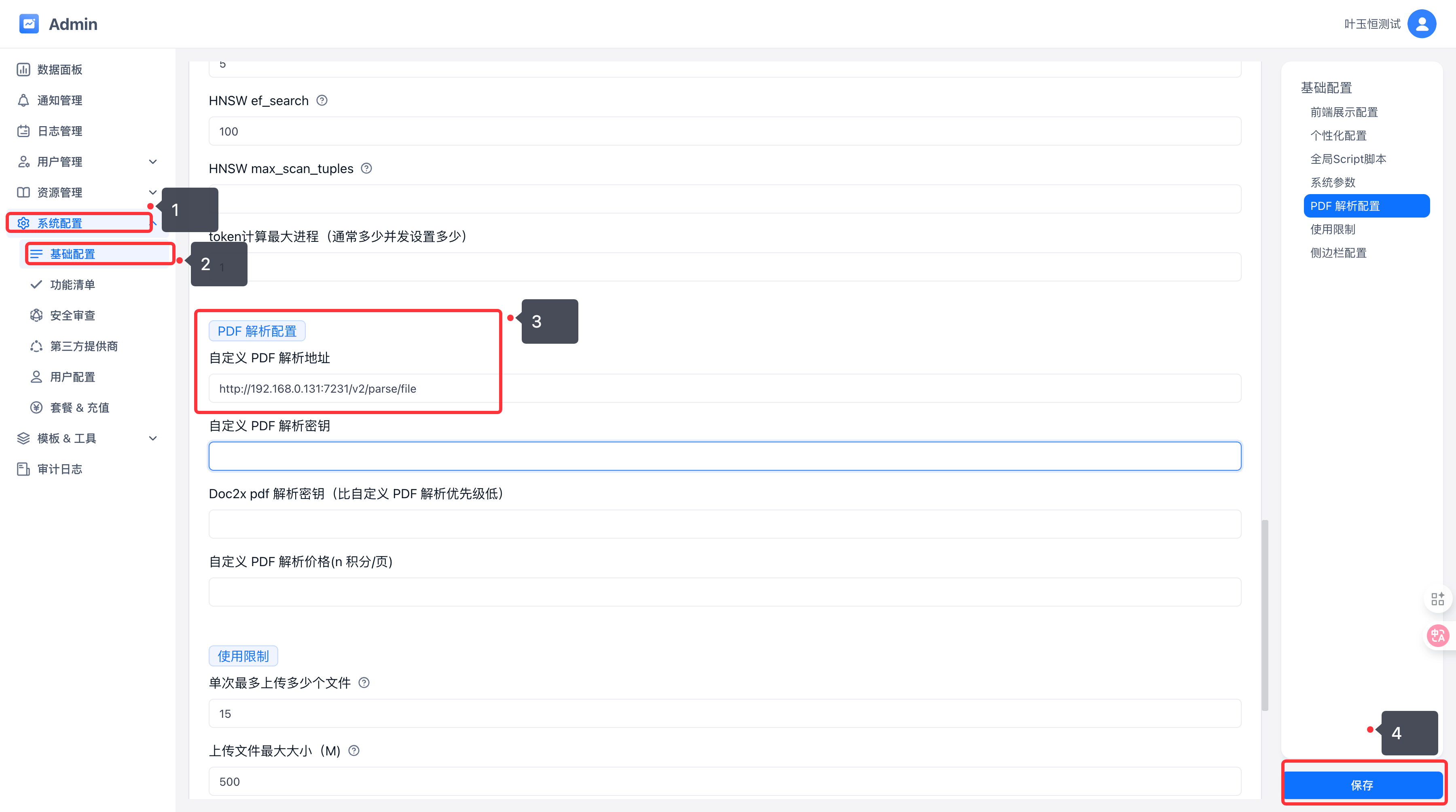
Note: Services added via the configuration file require a restart to take effect.
3. Test
Upload a PDF file through the Knowledge Base and enable the Enhanced PDF Parsing option.
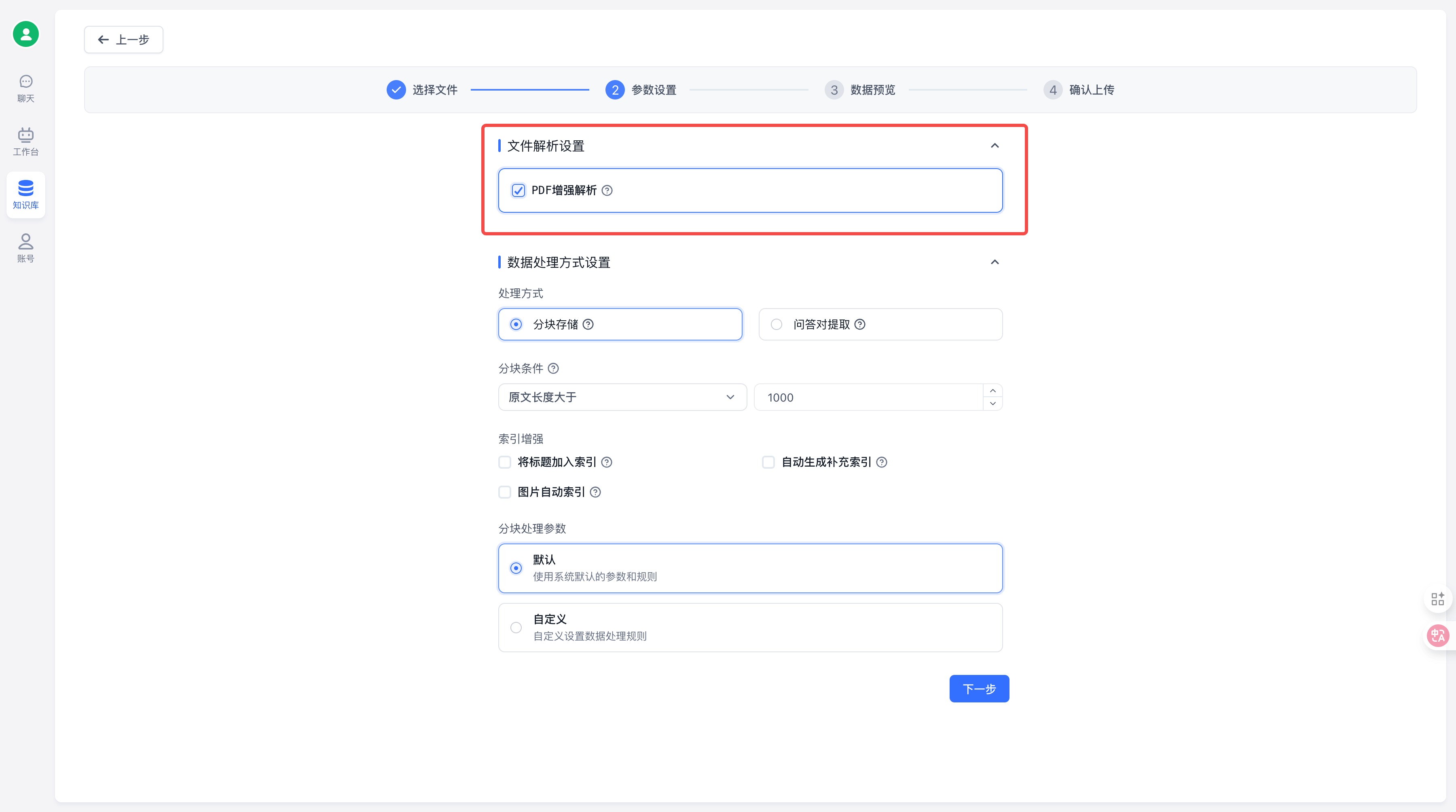
After uploading, you should see the following logs (LOG_LEVEL must be set to info or debug):
[Info] 2024-12-05 15:04:42 Parsing files from an external service
[Info] 2024-12-05 15:07:08 Custom file parsing is complete, time: 1316ms
Similarly, in apps you can enable Enhanced PDF Parsing in the file upload settings.
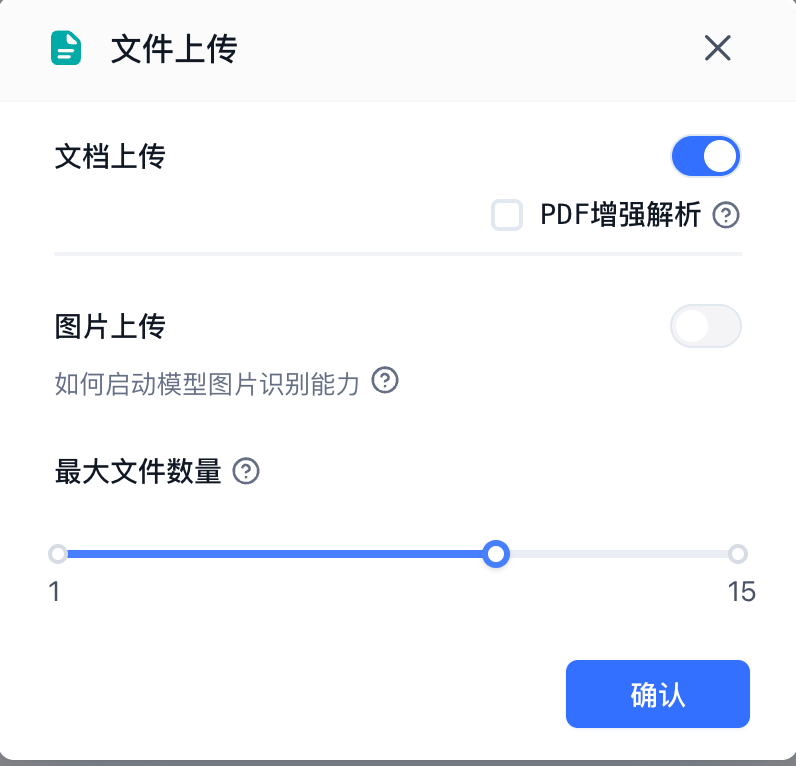
Results
Using Tsinghua's ChatDev Communicative Agents for Software Develop.pdf as an example:
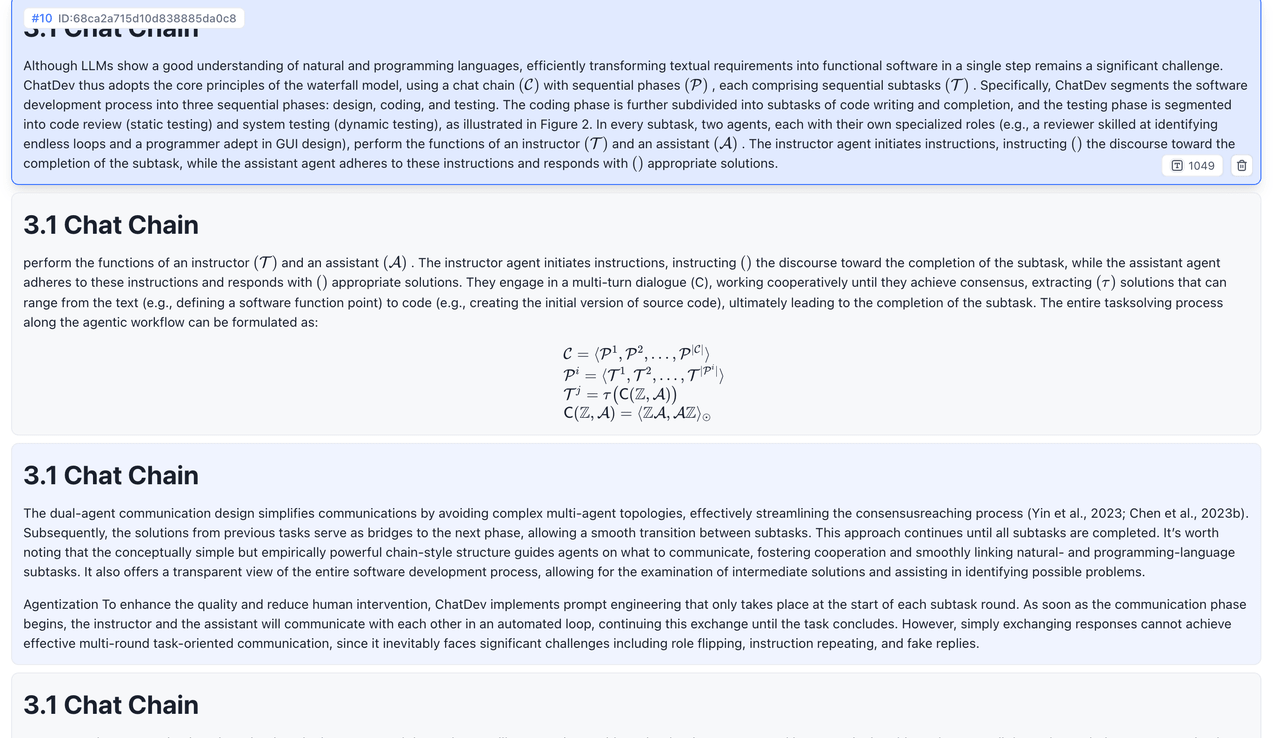 | 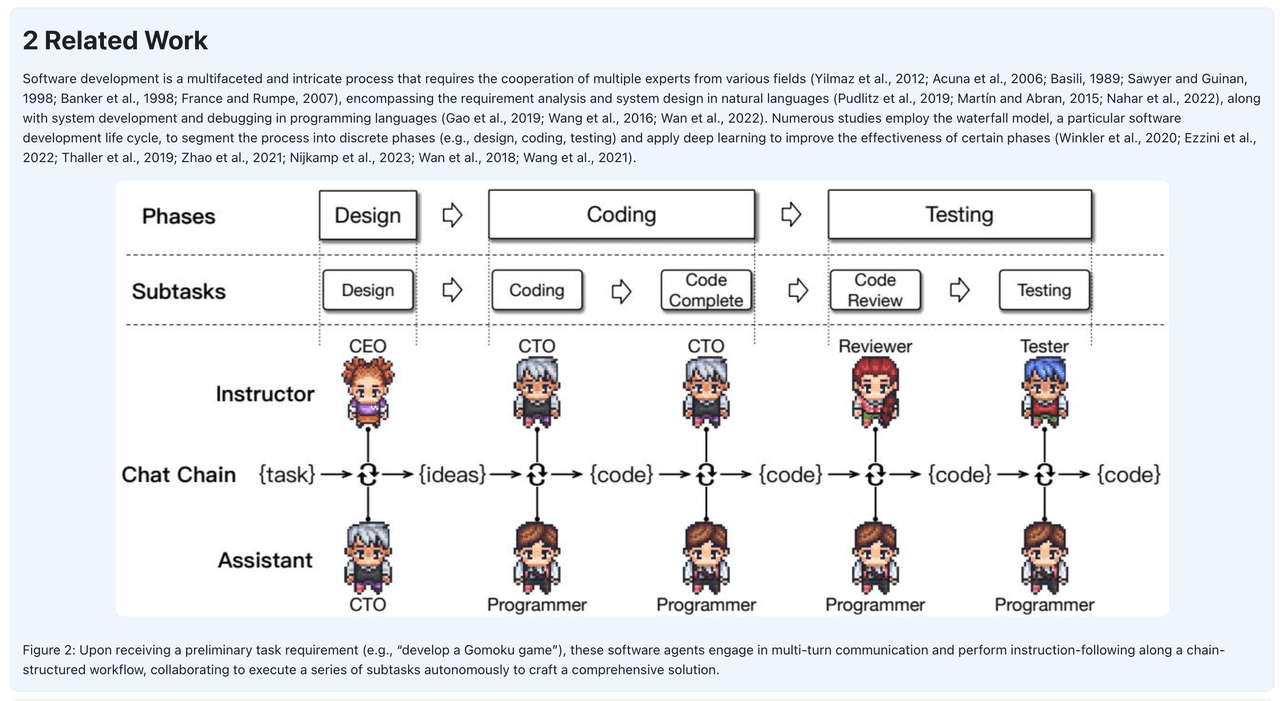 | 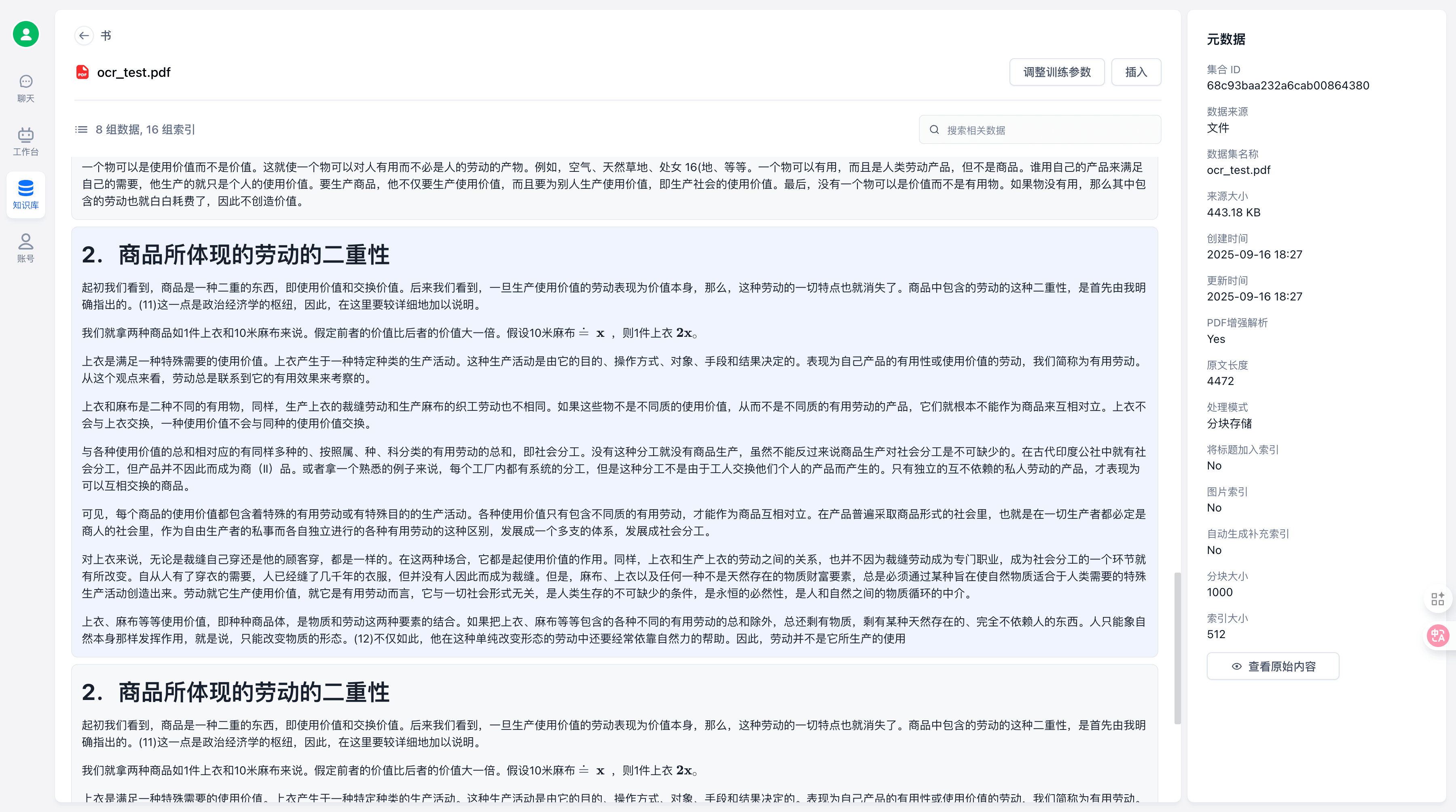 |
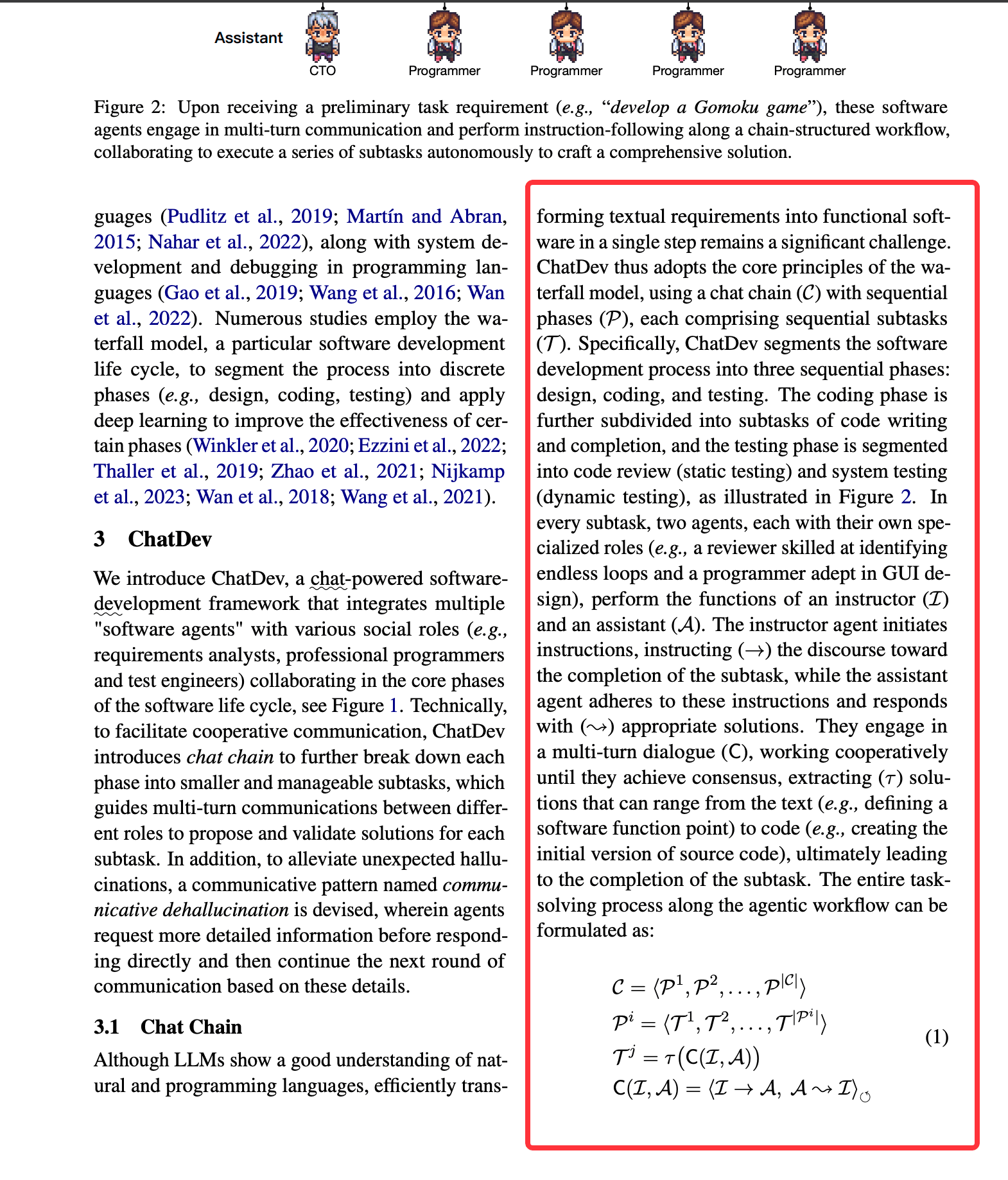 | 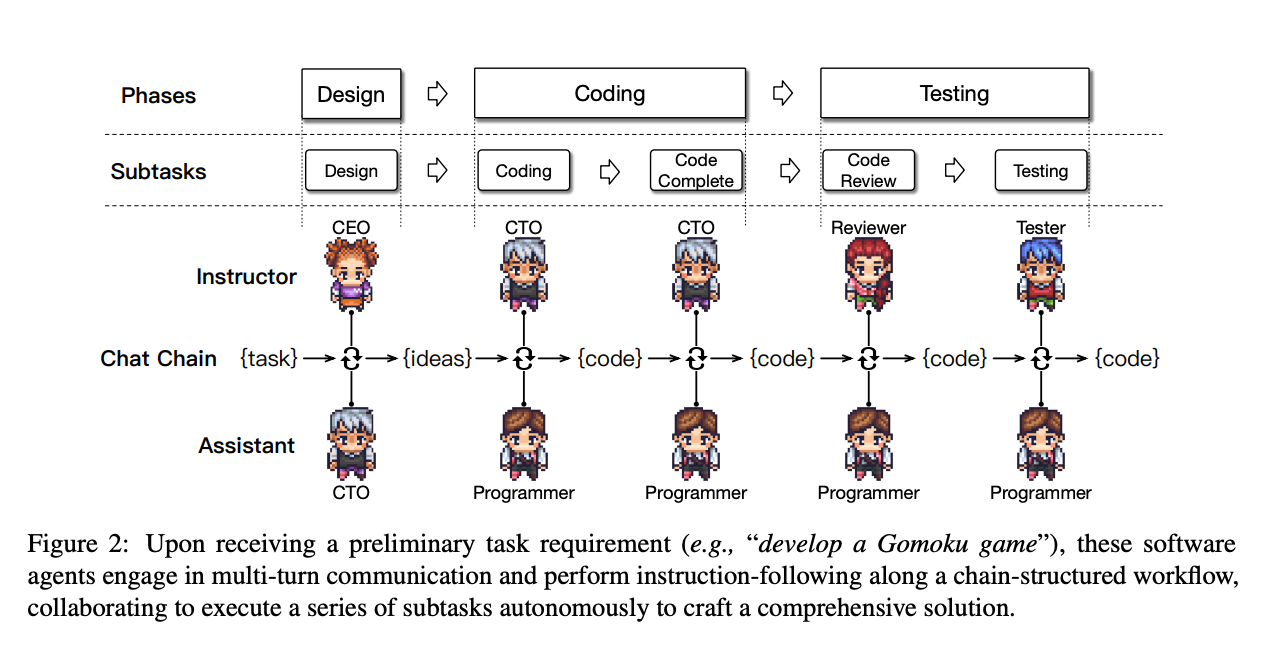 |  |
The top row shows chunked results; the bottom row shows the original PDF. Images, formulas, and OCR handwriting are all extracted effectively.
Note that MinerU is licensed under GPL-3.0 license. Please ensure compliance with the license when using it.
File Updated