
App Evaluation (Beta)
A quick overview of FastGPT app evaluation
Starting from FastGPT v4.11.0, batch app evaluation is supported. By providing multiple QA pairs, the system automatically scores your app's responses, enabling quantitative assessment of app performance.
The system supports three evaluation metrics: answer accuracy, question relevance, and semantic accuracy. The current beta only includes answer accuracy — the remaining metrics will be added in future releases.
Create an App Evaluation
Go to the Evaluation Page

Navigate to the App Evaluation section under Workspace and click the "Create Task" button in the upper right corner.
Fill in Evaluation Details
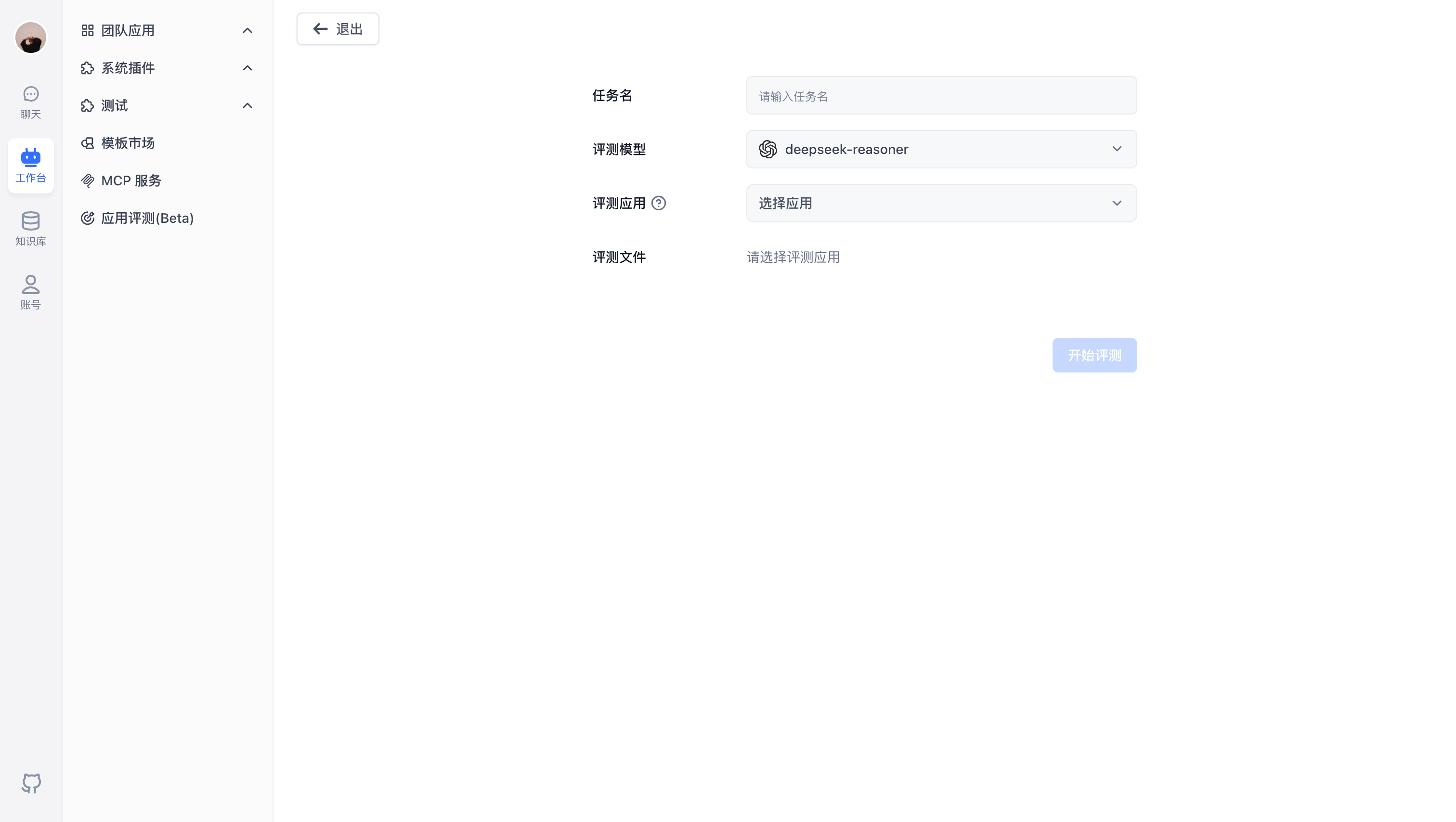
On the task creation page, provide the following:
- Task Name: A label to identify this evaluation
- Evaluation Model: The model used for scoring
- Target App: The app to be evaluated
Prepare Evaluation Data
After selecting the target app, a button appears to download the CSV template. The template includes these fields:
- Global variables
- q (question)
- a (expected answer)
- Chat history
Notes:
- Maximum of 1,000 QA pairs
- Follow the template format when filling in data
Upload the completed file and click "Start Evaluation" to create the task.
View Evaluation Results
Evaluation List

The evaluation list shows all tasks with key information:
- Progress: Current execution status
- Created By: The user who created the task
- Target App: The app being evaluated
- Start/End Time: Execution time range
- Overall Score: The task's aggregate score
Use this to compare results across iterations as you improve your app.
Evaluation Details

Click "View Details" to open the detail page:
Task Overview: The top section shows overall task information, including evaluation configuration and summary statistics.
Detailed Results: The bottom section lists each QA pair with its score, showing:
- User question
- Expected output
- App output
File Updated