
Import Agent Tools with Gapier
Quickly import Agent tools into FastGPT using Gapier
FastGPT V4.7 introduced tool calling, compatible with GPTs Actions. This means you can directly import GPTs-compatible Agent tools.
Gapier is an online GPTs Actions platform offering 50+ ready-made tools with a daily free quota for testing. Official site: https://gapier.com/.

Let's walk through importing Gapier tools into FastGPT.
1. Create a Plugin
| Step1 | Step2 | Step3 |
|---|---|---|
 |  | Log in to Gapier and copy the relevant parameters 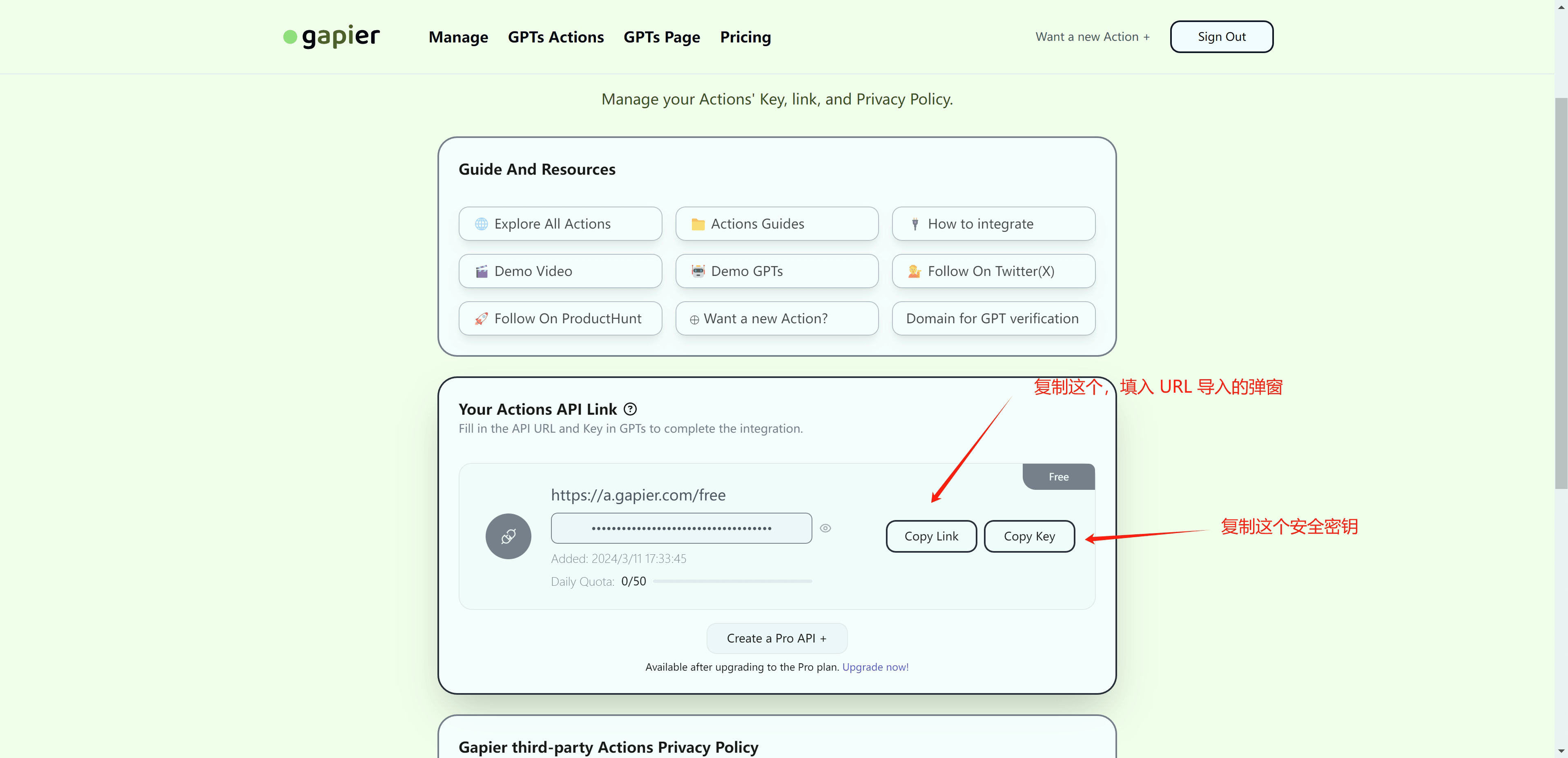 |
| Step4 | Step5 | Step6 |
| Custom request header: Authorization Value: Bearer your_copied_key  |  |  |
After creation, if you need to make changes, there's no need to recreate — just modify the parameters and the system will automatically detect and apply the differences.

2. Bind Tools to an Application
Basic Mode
| Step1 | Step2 |
|---|---|
 |  |
| Step3 | Step4 |
 |  |
Advanced Workflow
| Step1 | Step2 |
|---|---|
 |  |
| Step3 | Step4 |
 |  |

3. Tool Calling Notes
Differences Between Models
Different models use different methods for tool calling. Models that support toolChoice and functionCall produce better results. Models without these capabilities fall back to prompt-based calling, which is less reliable. To ensure smooth operation, FastGPT's built-in prompts only support calling one tool at a time.
Check the official documentation to see which models support functionCall (OneAPI support is also required), and adjust the corresponding fields in the model configuration file (see the configuration field reference for details).
Cloud version users can see whether function calling is supported when selecting a model.

File Updated