
MCP Tools
A quick guide to integrating MCP tools with FastGPT
Starting from FastGPT v4.9.6, a new application type called MCP Tools has been added. It lets you provide an MCP SSE URL to batch-create tools that models can easily call. Here's how to create MCP tools and have AI use them.
Create an MCP Tools Collection
First, select "New MCP Tools Collection." We'll use the Amap (Gaode Maps) MCP Server as an example: Amap MCP Server
You'll need an MCP URL, e.g., https://mcp.amap.com/sse?key=xxx

Enter the URL in the dialog and click Parse. The system will discover and list the available tools.
Click Create to finish setting up the MCP tools and collection.
Test MCP Tools
Inside the MCP Tools collection, you can debug each tool individually.
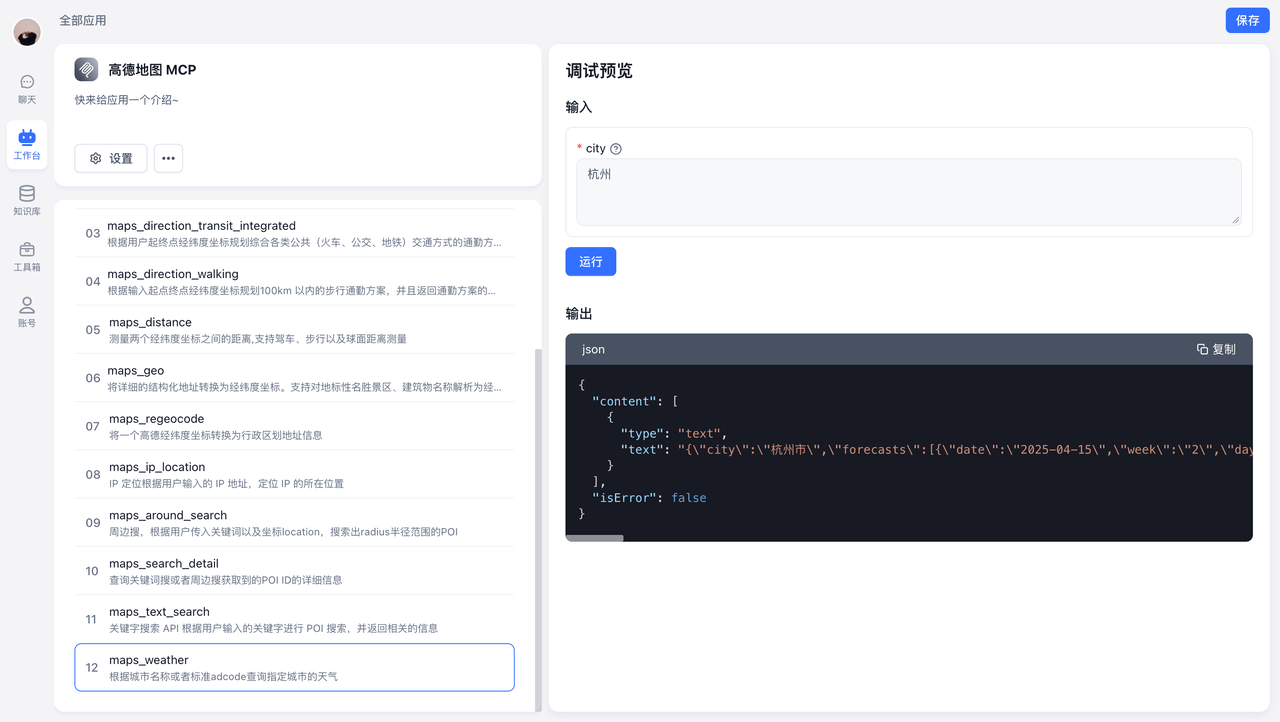
For example, select the maps_weather tool and click Run to see the weather data for Hangzhou.
AI Calling Tools
Call Individual Tools
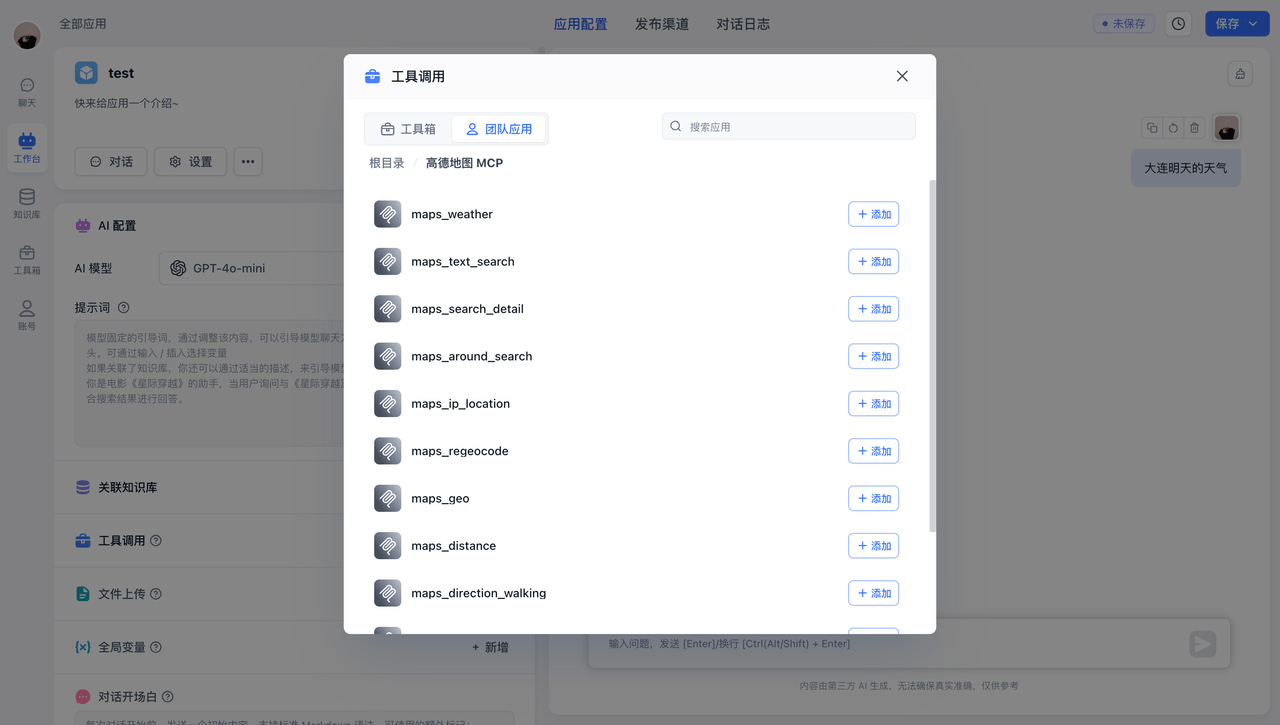
Using maps_weather and maps_text_search as examples, ask the AI two different questions. The AI intelligently selects the appropriate tool, retrieves the needed information, and responds based on the results.
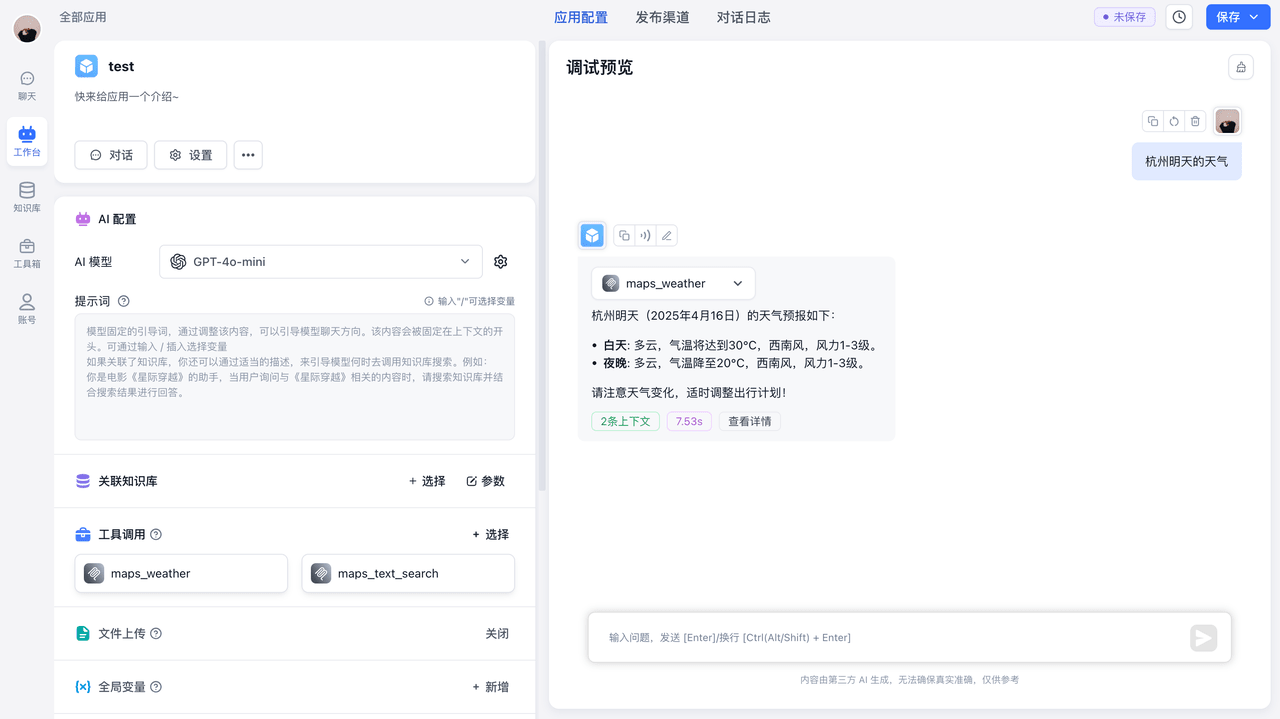 | 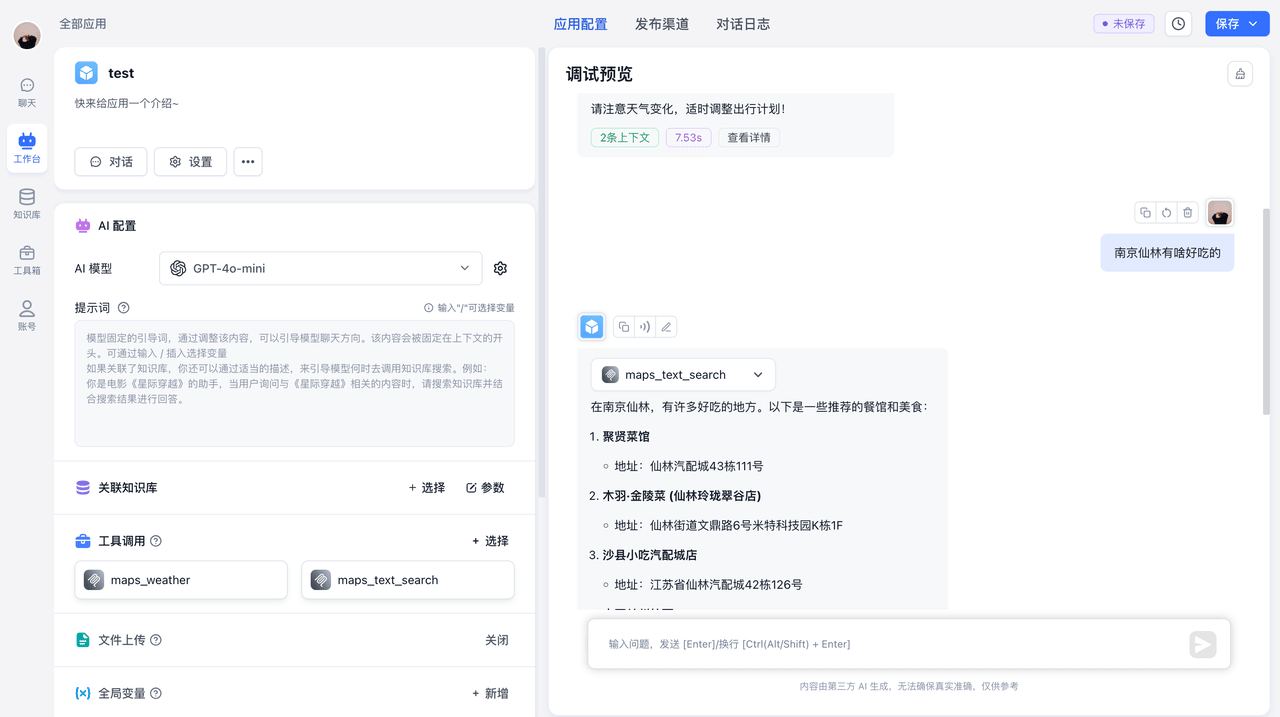 |
Call an Entire Tools Collection
FastGPT also supports calling an entire MCP Tools collection. The AI automatically picks the right tool to execute.
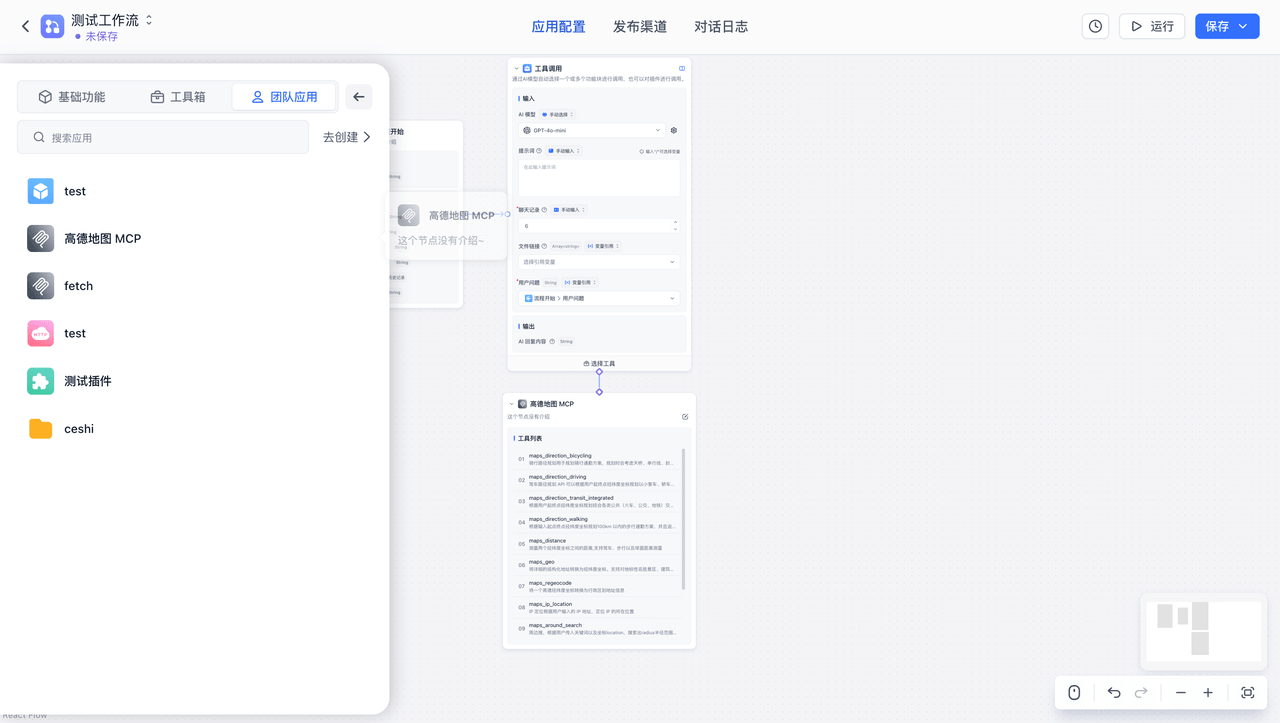
Click the MCP Tools collection to add a collection-type node, then connect it using the Tool Calling node.
 | 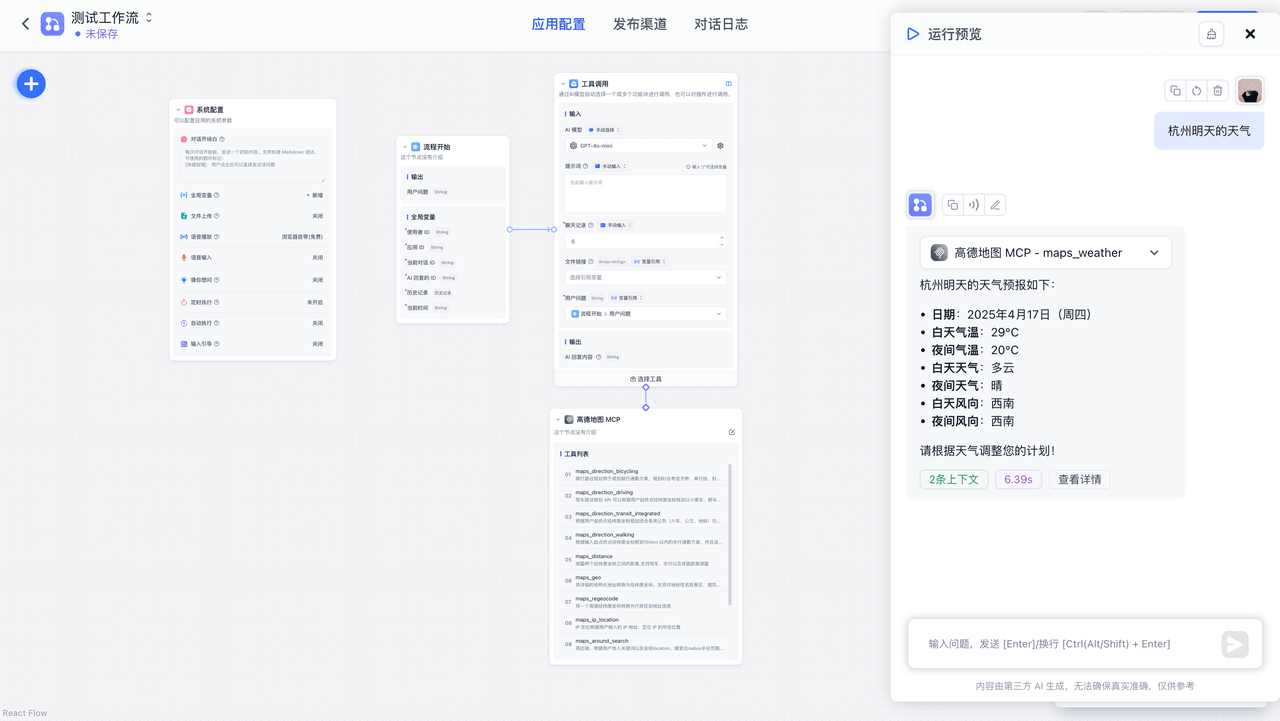 |
The AI similarly selects the appropriate tool, retrieves the needed information, and responds based on the results.
File Updated