Connect Models via OneAPI
Connect Models via OneAPI
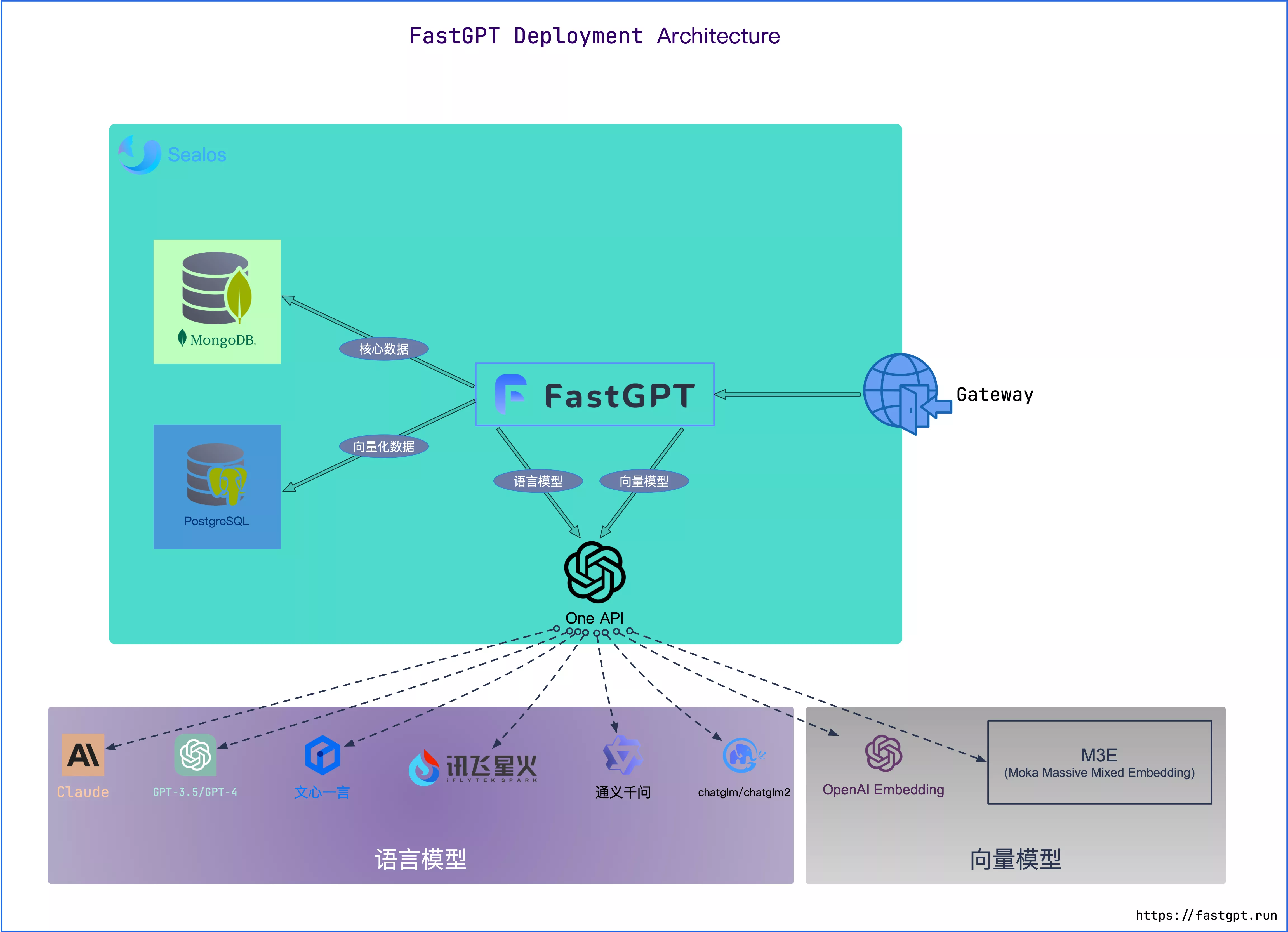
FastGPT uses a model-separated deployment approach. FastGPT only supports the OpenAI model specification (models not available in OpenAI follow a more generic specification), and uses One API to unify access to different model interfaces.
One API is an OpenAI API management and distribution system that provides access to all LLMs through the standard OpenAI API format, ready to use out of the box.
Relationship Between FastGPT and One API
Think of One API as a gateway. The relationship between FastGPT and One API:
Deployment
Sealos Version
- Beijing region: Deploy OneAPI
- Singapore region (GPT available): Deploy OneAPI
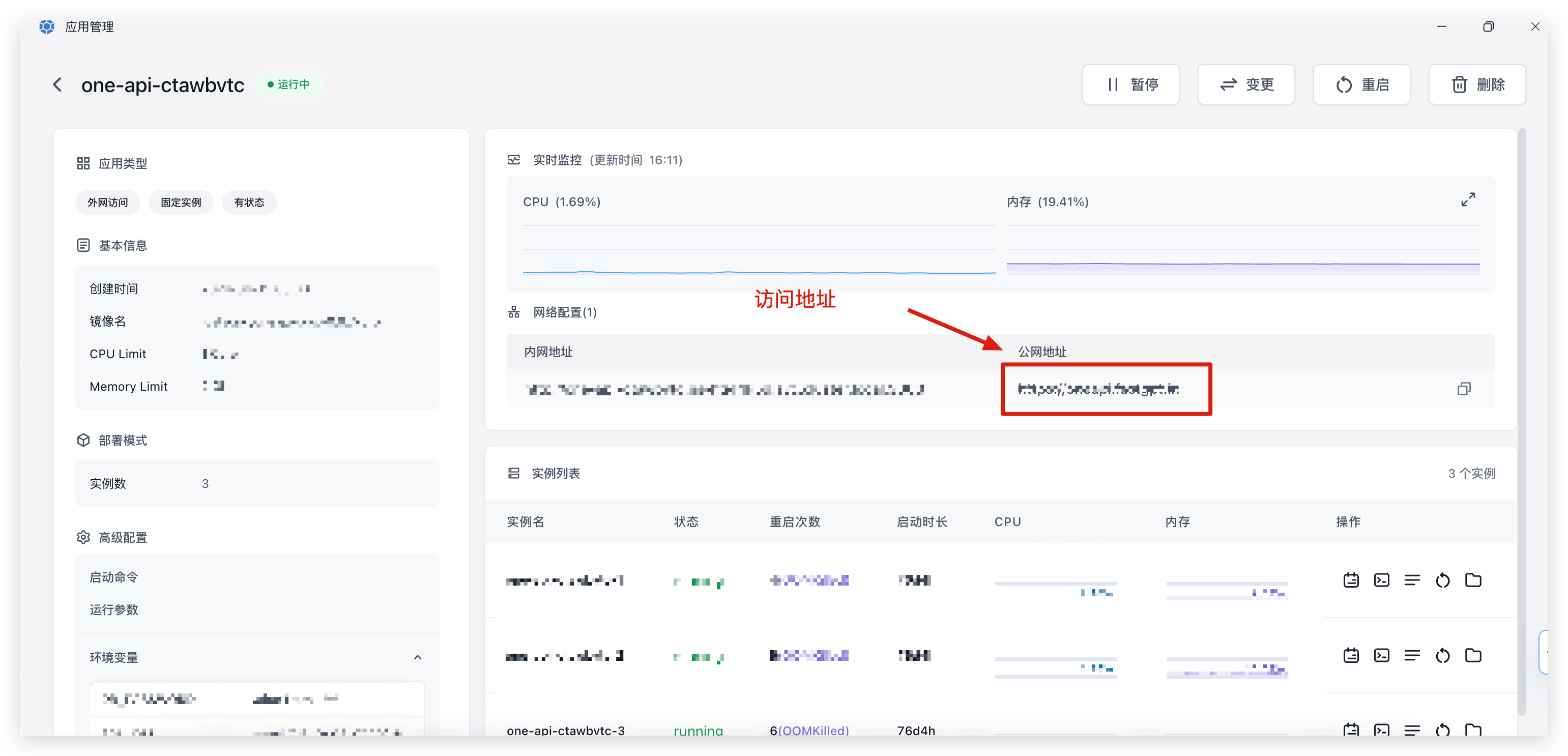
After deployment, open the OneAPI access link to proceed with the next steps.
OneAPI Basic Tutorial
Concepts
- Channels:
- In OneAPI, a channel corresponds to one
Api Key, which can be from GPT, Microsoft, ChatGLM, ERNIE Bot, etc. A singleApi Keycan typically call multiple models from the same provider. - One API routes requests to channels based on the
modelspecified in the request. If a model maps to multiple channels, one is selected at random.
- In OneAPI, a channel corresponds to one
- Tokens: Credentials required to access One API. You only need this single credential to access all models configured in One API. In FastGPT, you only need to configure the
baseurlandtokenfrom One API. Do not set any model scope restrictions on the token, as this can cause errors.
General Workflow
- Client sends a request to One API.
- One API matches the request to a channel based on the
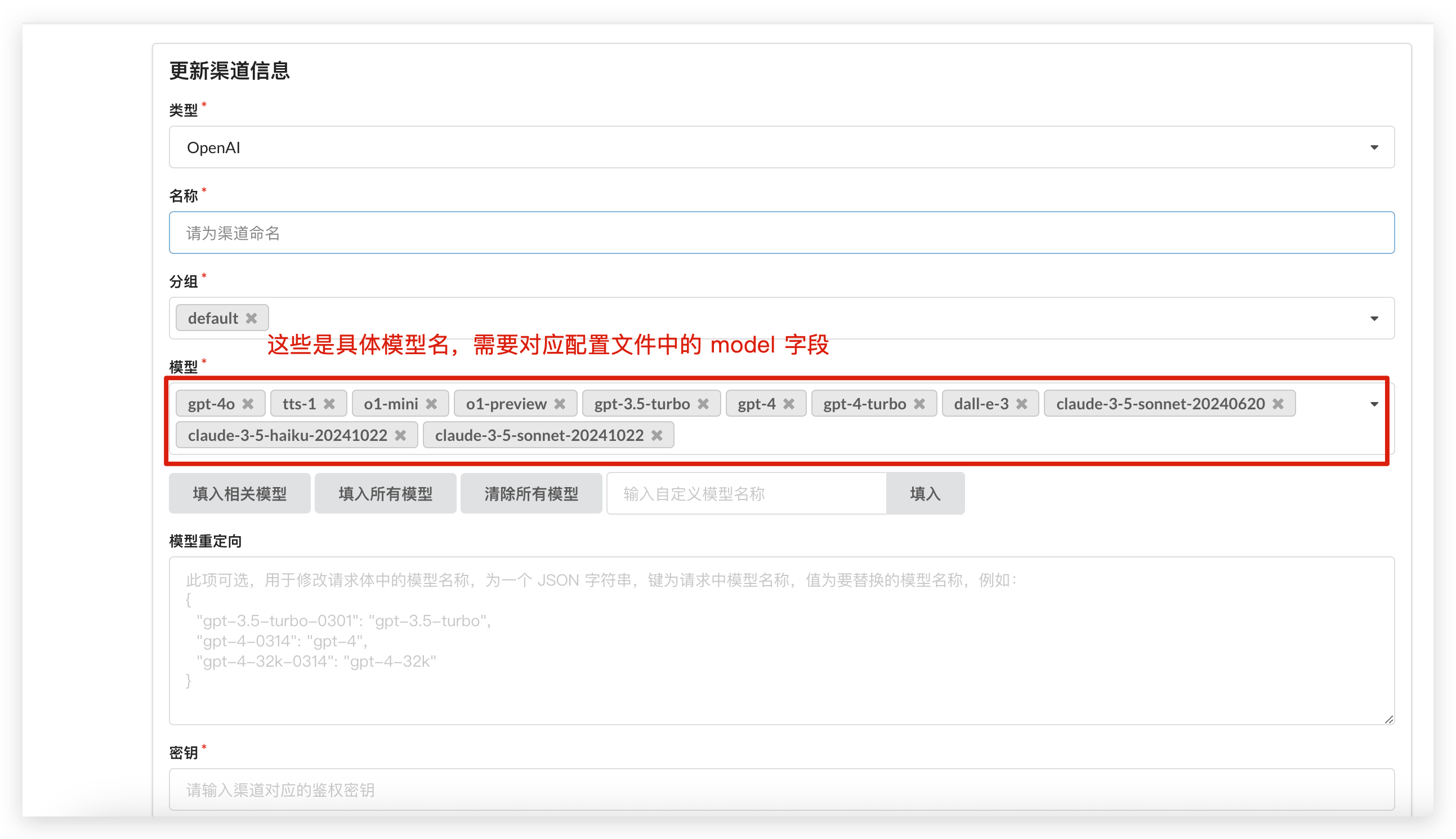
modelparameter (must match exactly with the models in the channel). If multiple channels match, one is selected at random (same priority). - One API sends the request to the actual endpoint.
- One API returns the result to the client.
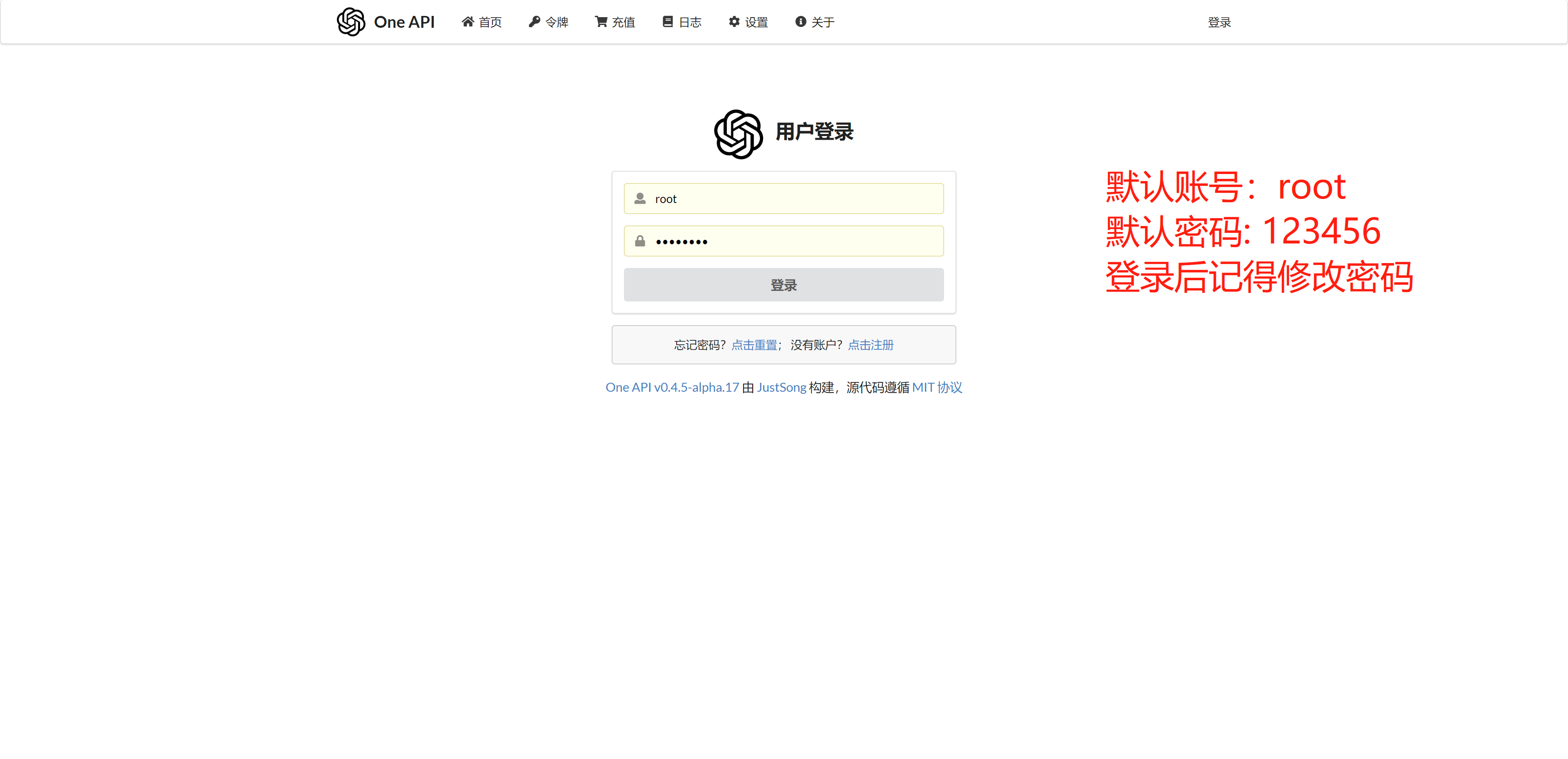
1. Log in to One API
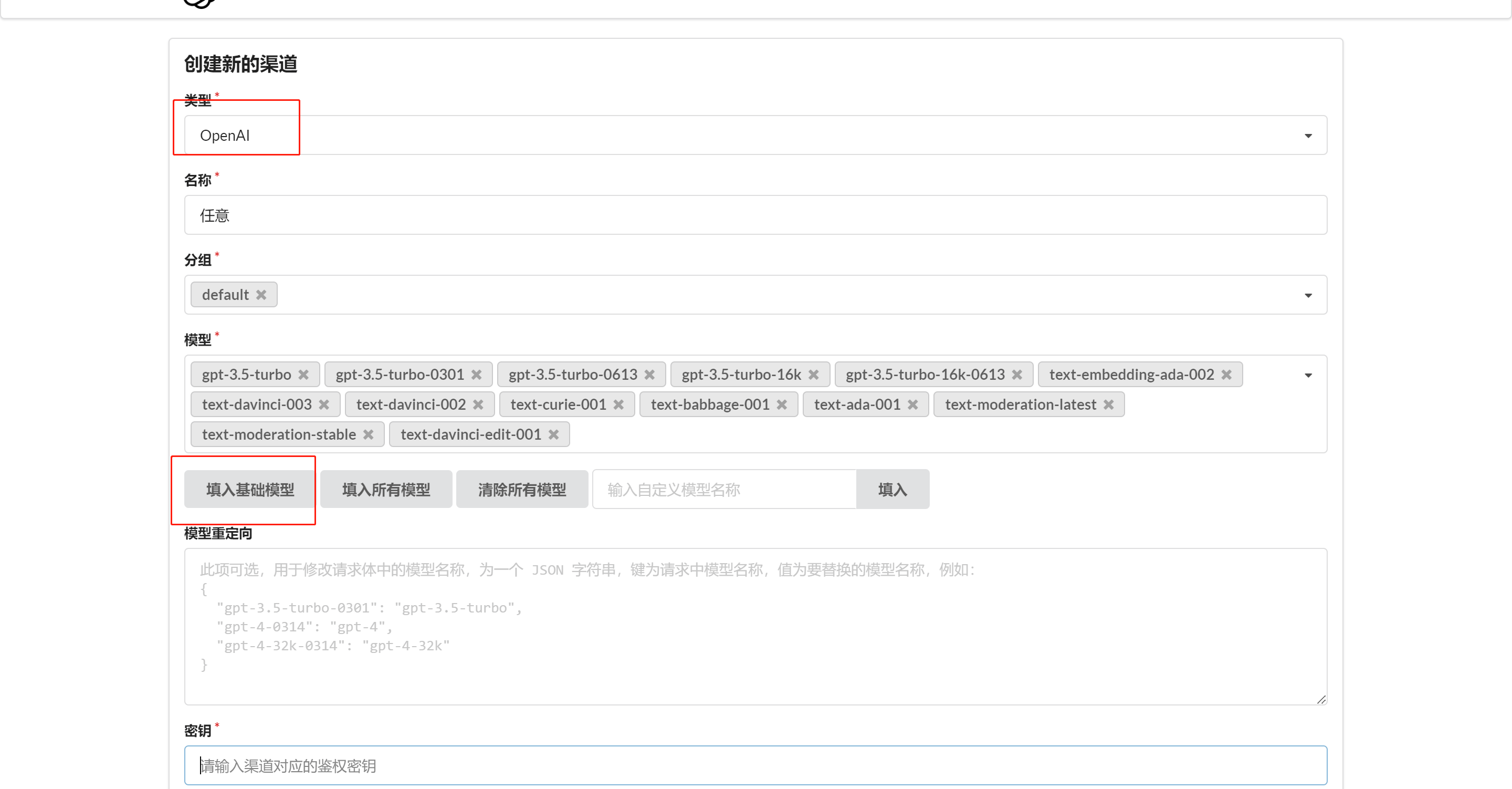
2. Create a Channel
Add a channel in One API. Click [Add Base Models] directly — don't forget the embedding models.
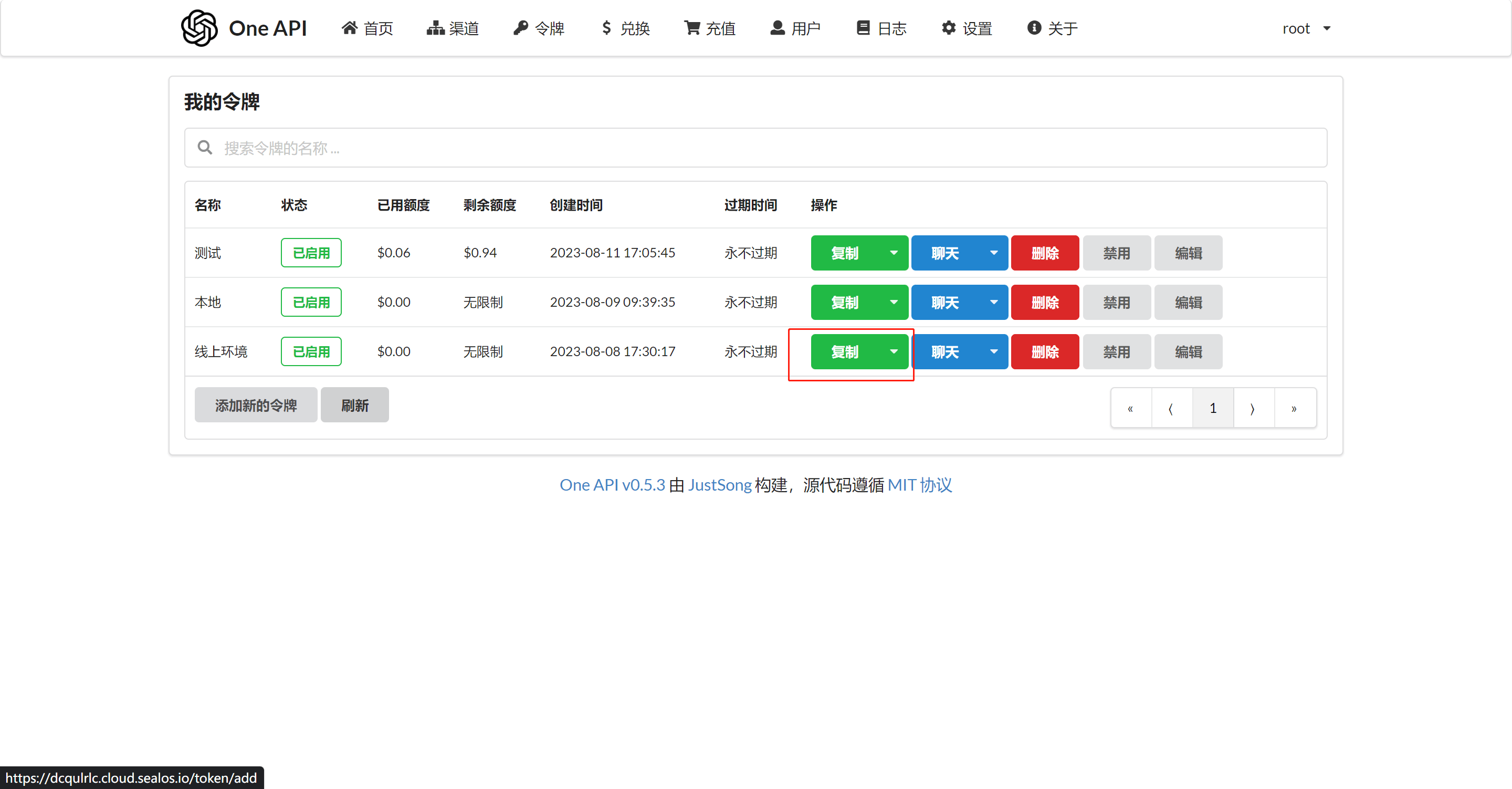
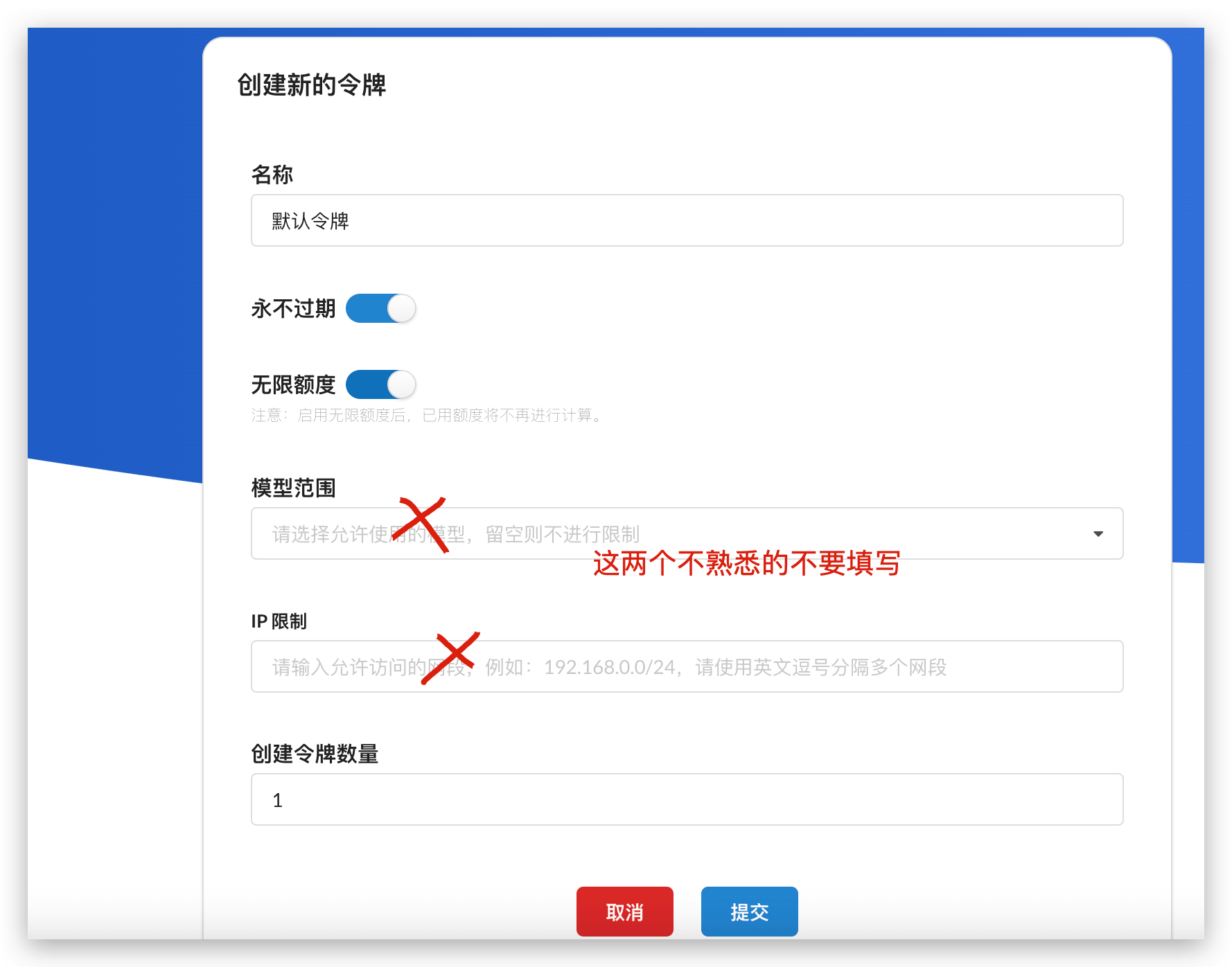
3. Create a Token
 |  |
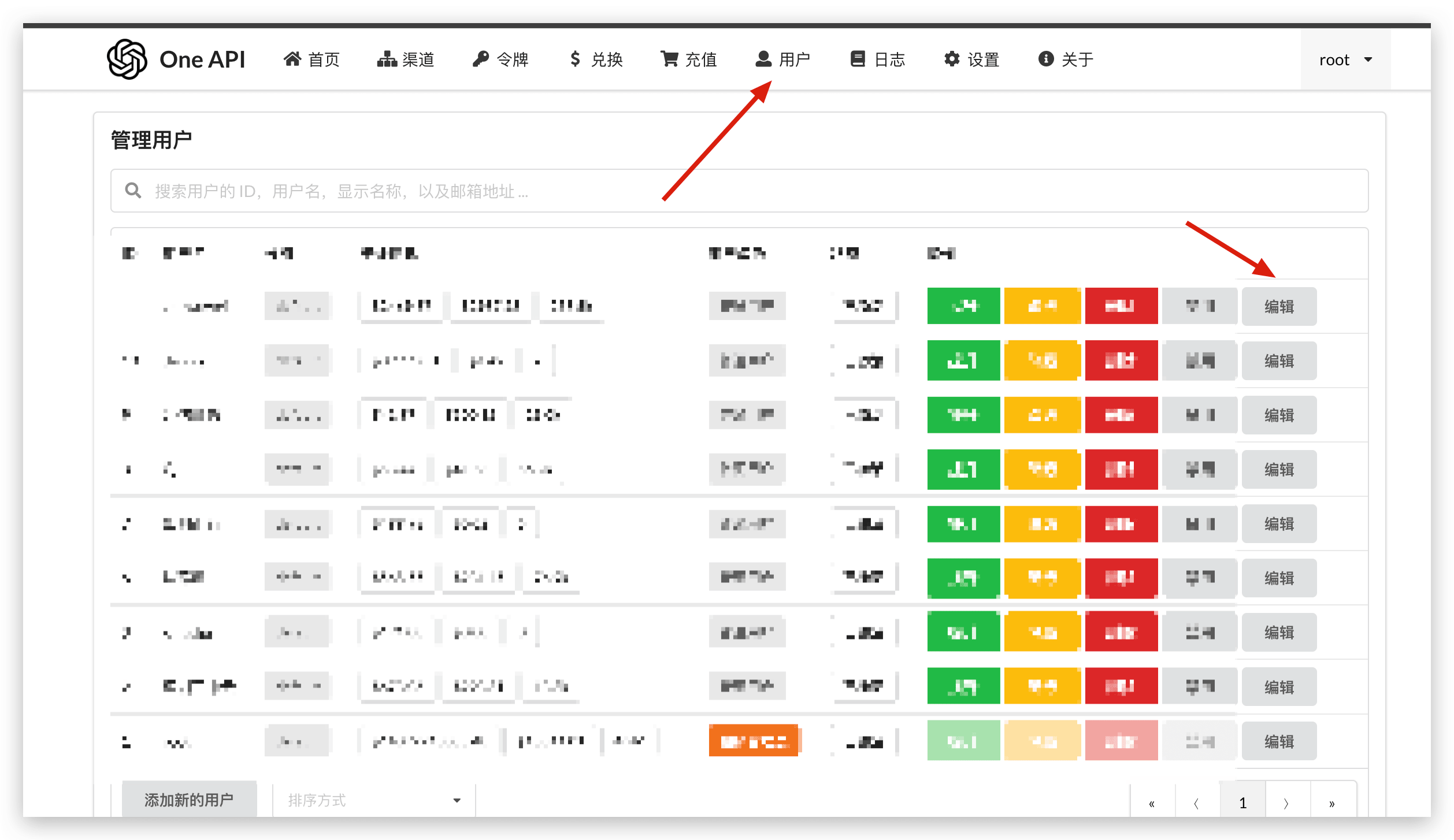
4. Adjust Account Balance
One API defaults to $200 for the root user. You can edit this as needed.
5. Update FastGPT Environment Variables
With the One API token, FastGPT can send requests to One API by modifying the baseurl and key, and One API will forward them to the appropriate models. Update these two environment variables:
# Make sure to include v1. If on the same network, you can use the internal address.
OPENAI_BASE_URL=https://xxxx.cloud.sealos.io/v1
# The key below is the token provided by One API
CHAT_API_KEY=sk-xxxxxx
Connect Other Models
Example: Adding ERNIE Bot:
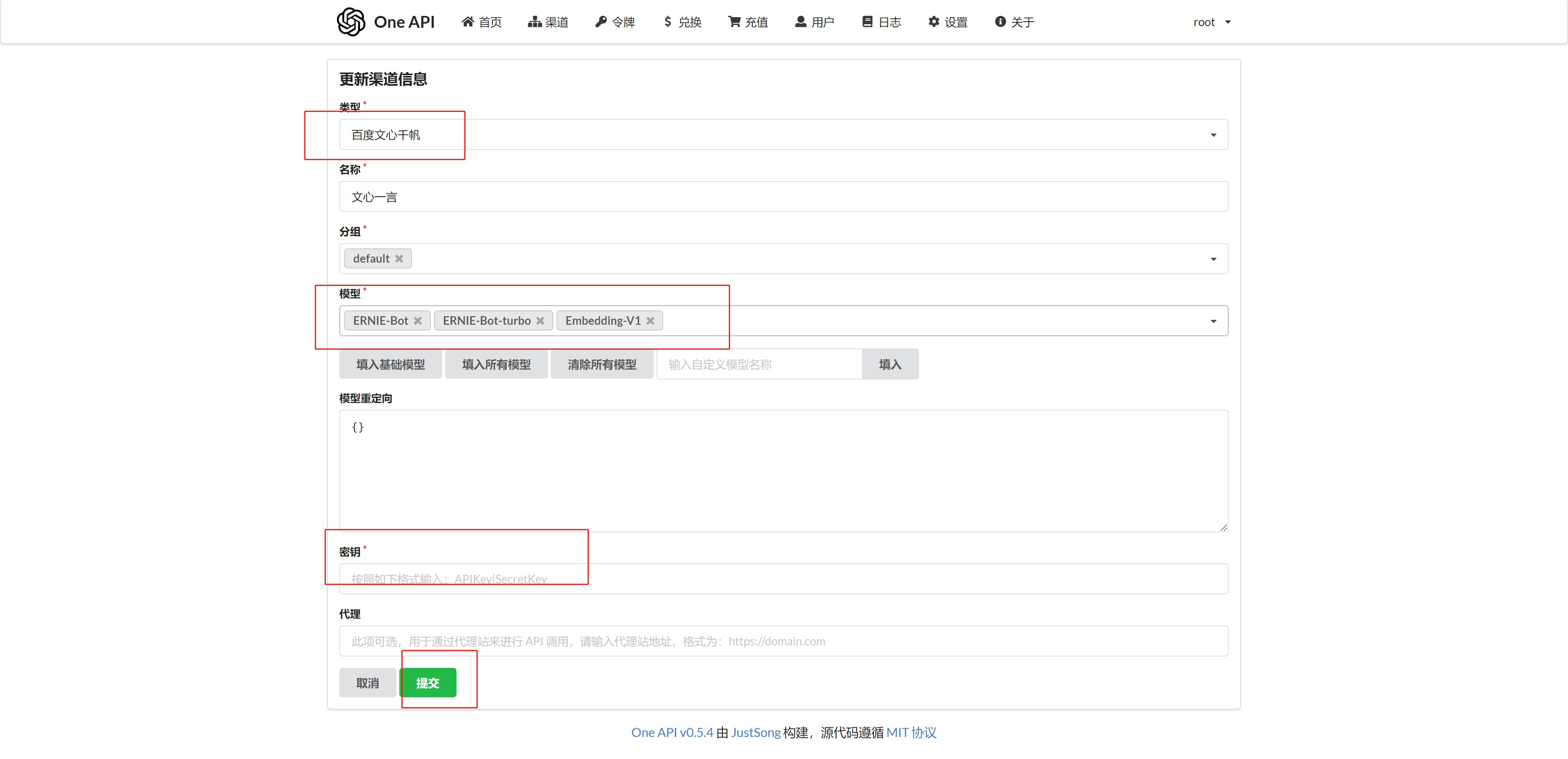
1. Add a Model Channel in OneAPI
Select "Baidu Wenxin Qianfan" as the type.
2. Update FastGPT Model Configuration
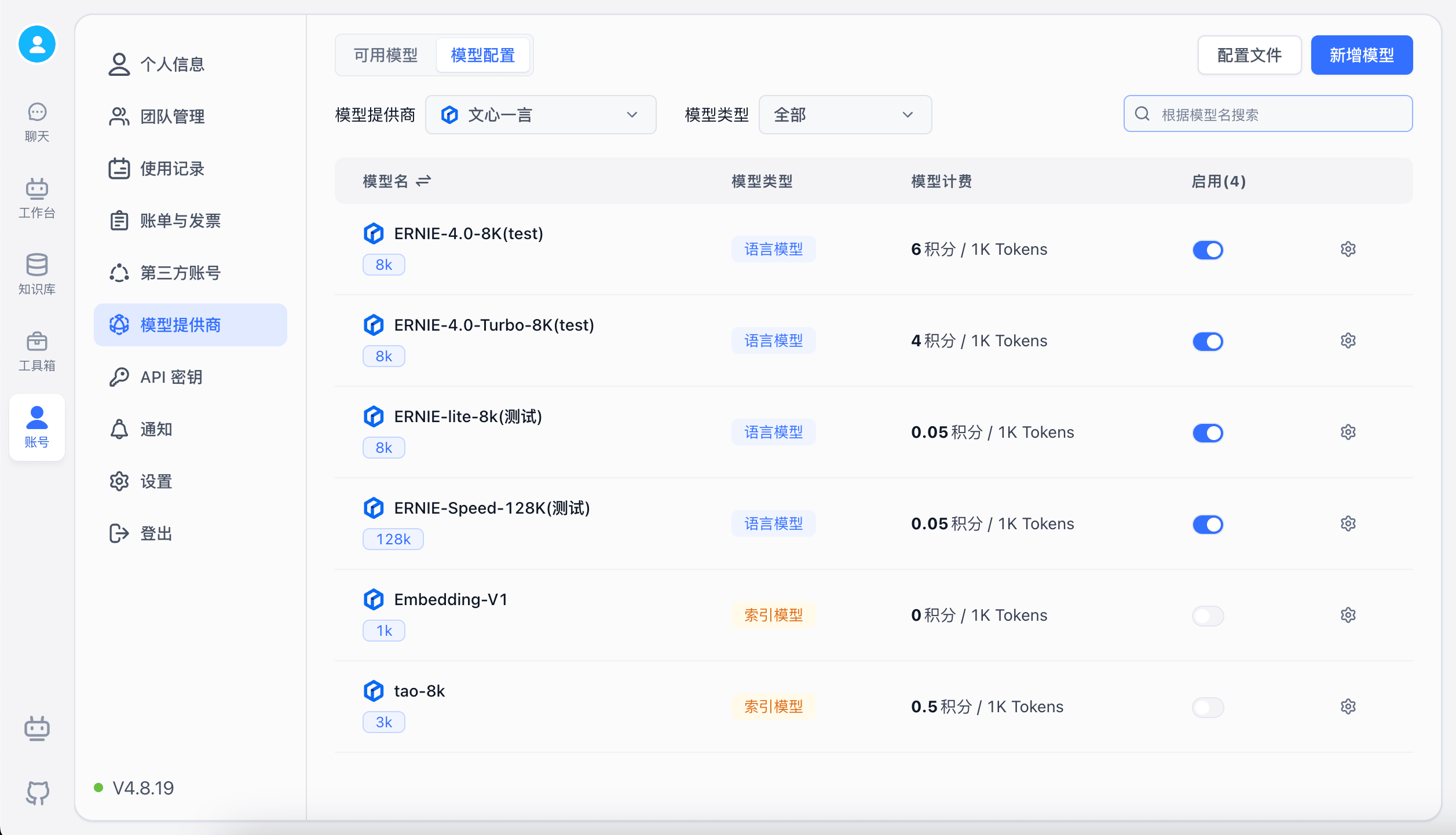
Open FastGPT model configuration and enable the Wenxin Qianfan model. If the model is not built-in, you can add it manually through the "Add Model" option.
Other Provider Integration References
This section covers tutorials for connecting various providers to OneAPI. After configuration, don't forget to enable the models in FastGPT's model configuration.
Alibaba Qwen (Tongyi Qianwen)
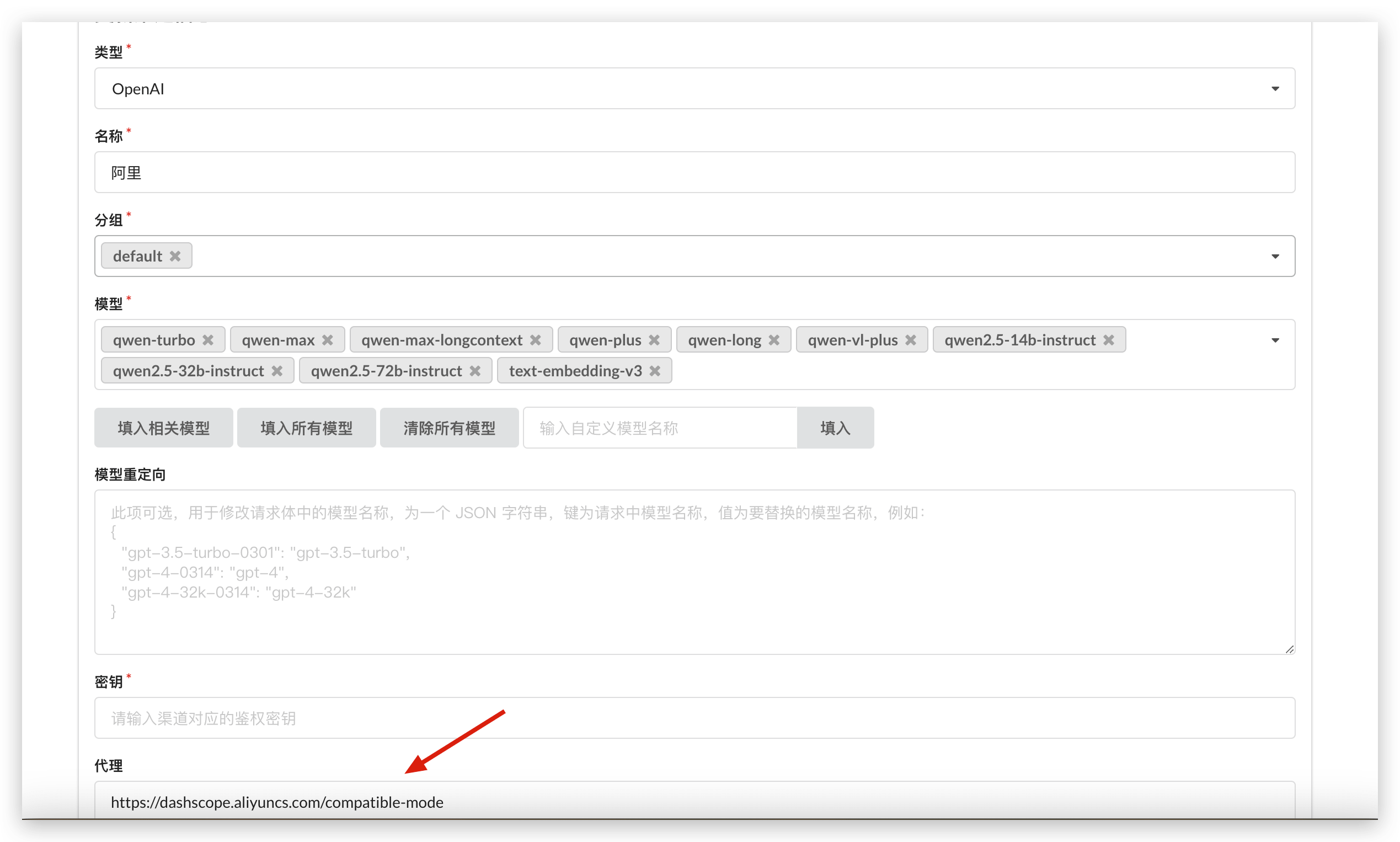
Qwen is now compatible with the GPT format and can be connected directly using the OpenAI type. As shown below, select OpenAI as the type and fill in the Alibaba Cloud proxy address.
You can directly use Alibaba Cloud's language models and the text-embedding-v3 embedding model (confirmed to be normalized and ready to use).
SiliconCloud — Open Source Model Collection
SiliconCloud is a platform specializing in open source model inference with its own acceleration engine. It offers a wide range of models, making it ideal for low-cost testing of open source models. Integration steps:
- Register a SiliconCloud account
- Go to the console and get your API key: https://cloud.siliconflow.cn/account/ak
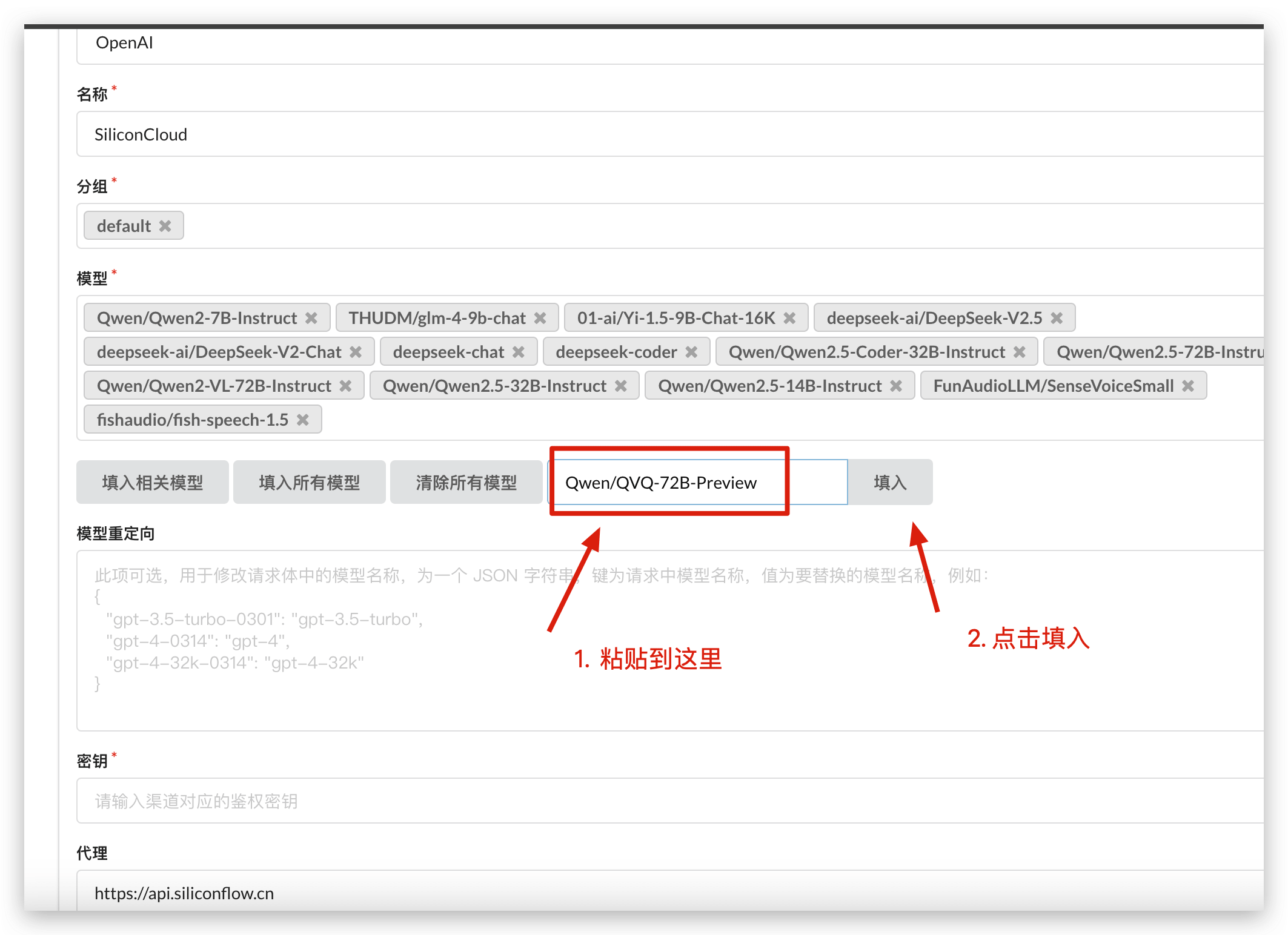
- Add a new OneAPI channel, select
OpenAIas the type, set the proxy tohttps://api.siliconflow.cn, and use the API key from step 2.
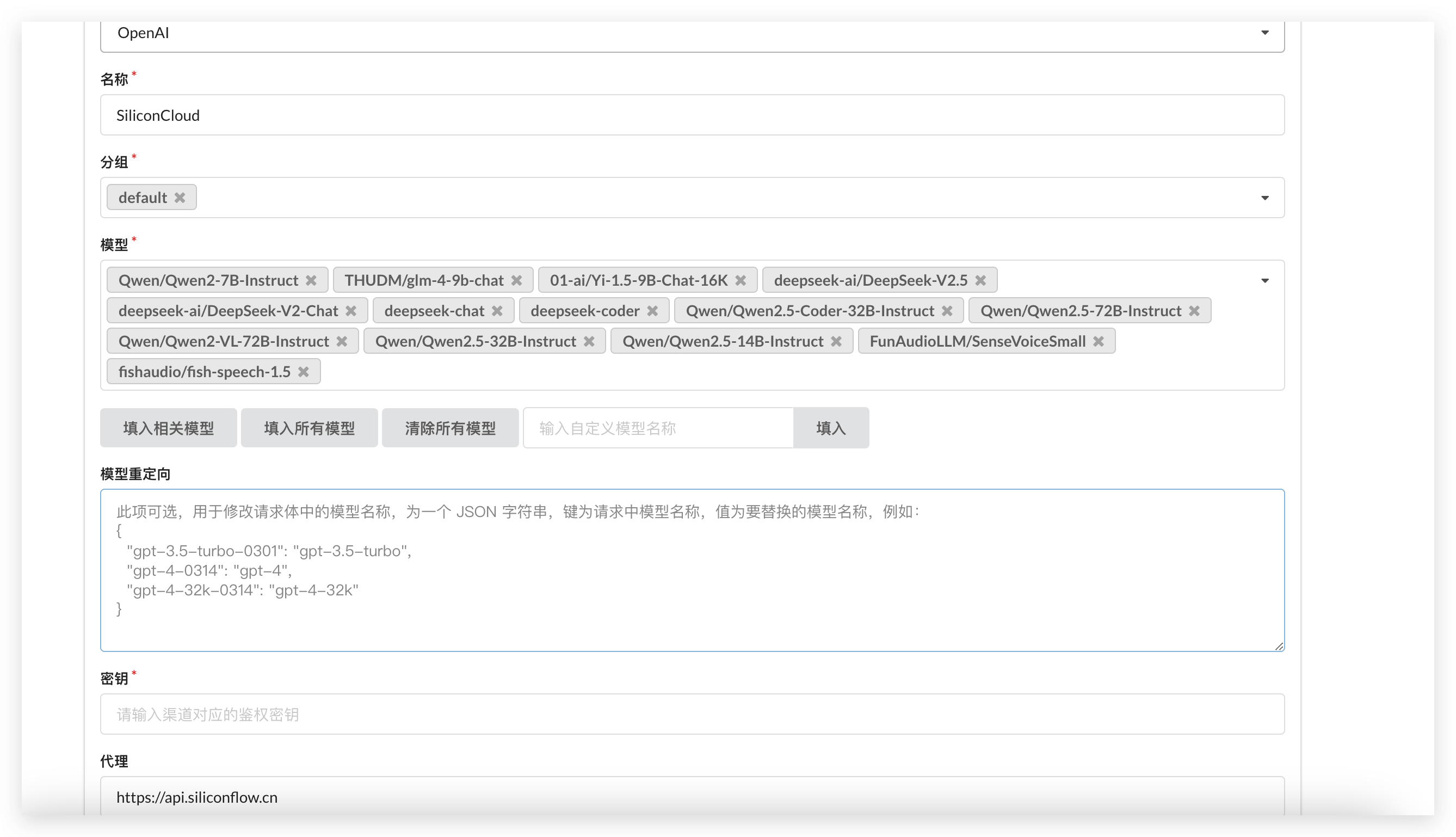
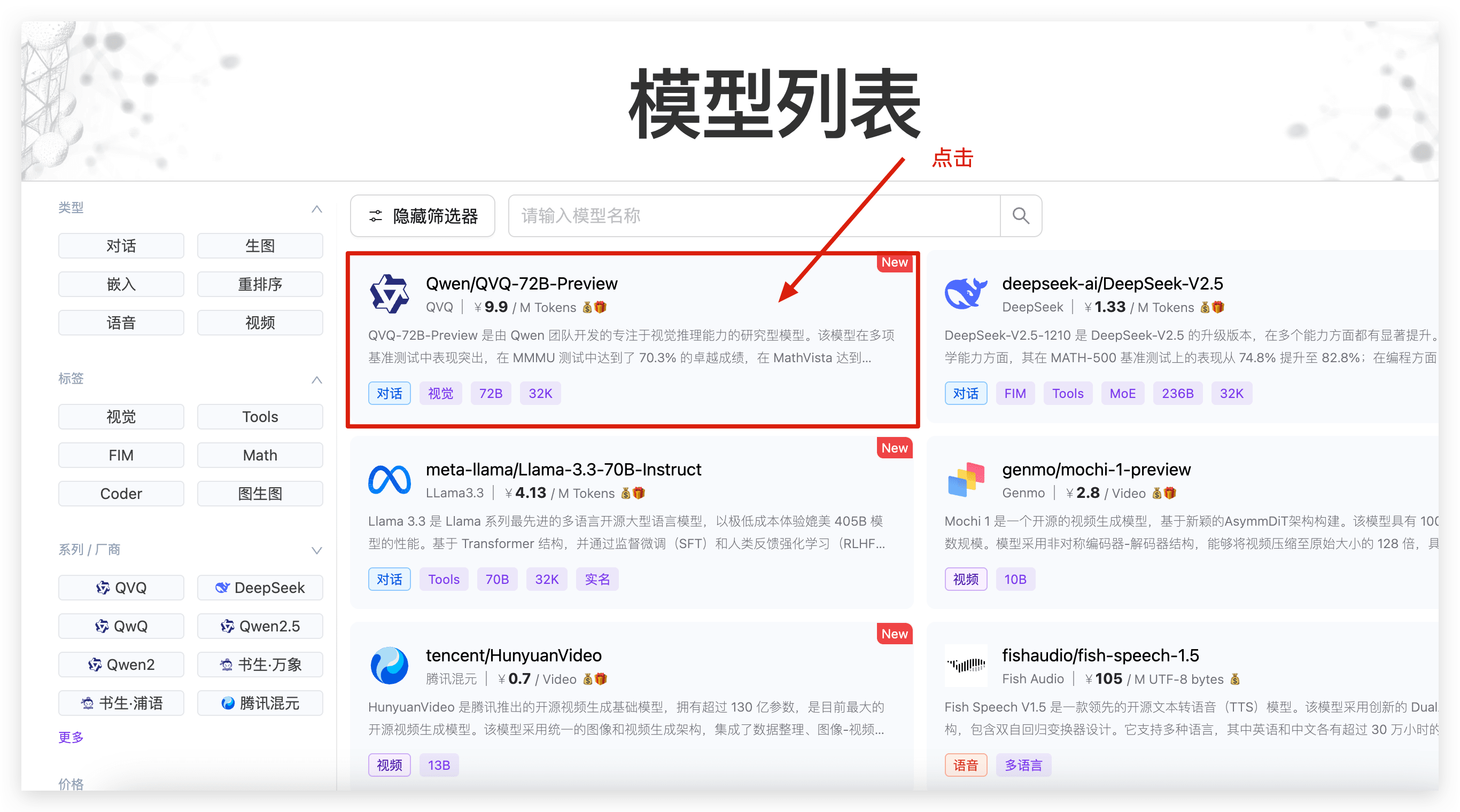
Since OneAPI doesn't include SiliconCloud model names by default, you can enter custom model names. Here's how to find the model names:
- Open the SiliconCloud model list
- Click on a model to open its details.
- Copy the model name into OneAPI.
 |  |  |
File Updated