
AI Configuration Parameters
FastGPT AI configuration parameters explained
The AI Chat module in FastGPT includes an advanced configuration section with various model parameters. This guide explains what each setting does.
 |  |  |
Stream Response (Workflow AI Chat only)
Previously called "Return AI Content," now renamed to "Stream Response."
This is a toggle. When enabled, the AI Chat module streams its output to the browser (API response) in real time. When disabled, the model is called in non-streaming mode and the output is not sent to the browser. However, the generated content can still be accessed via the [AI Reply] output and connected to other modules for further use.
Max Context
The maximum number of tokens the model can handle.
Function Calling
Models that support function calling are more accurate when using tools.
Temperature
Lower values produce more focused, deterministic responses (in practice, the difference is subtle).
Max Output Tokens
The maximum number of tokens in the response. Note: this is the response token limit, not the context token limit.
Typically: max output = min(model's max output limit, max context - used context)
Because of this, you generally don't set max context to the model's actual maximum — instead, reserve space for the response. For example, a 128k model might use max_context=115000.
System Prompt
Placed at the beginning of the context array with role system to guide the model's behavior.
Memory Rounds (Basic Mode only)
Configures how many conversation rounds the model retains. If the context exceeds the model's limit, the system automatically truncates to stay within bounds.
So even if you set 30 rounds, the actual number at runtime may be fewer.
Citation Template & Citation Prompt
After a Knowledge Base search, you can customize how search results are formatted into prompts. This setting is only available in the AI Chat node within workflows, and only takes effect when Knowledge Base content is referenced.

AI Chat Message Structure
To use these two variables effectively, you need to understand the message format sent to the AI model. It's an array structured as follows in FastGPT:
[
    Built-in prompt (from config.json, usually empty)
    System prompt (user-defined prompt)
    Chat history
    Question (composed of citation prompt, citation template, and user question)
]Tip: Click the context button to view the full context composition for easier debugging.
Citation Template and Prompt Design
This feature has been removed from Basic Mode and is only configurable in workflows. Click the settings icon next to the Knowledge Base citation in the AI Chat node to configure it. As models improve, this feature will gradually become less critical.
Citation templates and citation prompts typically work as a pair — the citation prompt depends on the citation template.
FastGPT stores Knowledge Base data in QA pairs (not necessarily in question-answer format — just two variables). When converting to strings, the data is formatted according to the citation template. Available variables include: q, a, sourceId (data ID), index (nth entry), source (collection/file name), and score (distance score, 0-1). Reference them as needed using {{q}} {{a}} {{sourceId}} {{index}} {{source}} {{score}}. Here's an example:
See Knowledge Base Structure for details on how the Knowledge Base is structured.
Citation Template
{instruction:"{{q}}",output:"{{a}}",source:"{{source}}"}Search results automatically replace q, a, and source with the corresponding content. Each result is separated by \n. For example:
{instruction:"Who directed the movie 'Suzume'?",output:"The movie 'Suzume' was directed by Makoto Shinkai.",source:"Manual input"}
{instruction:"Who is the protagonist?",output:"The protagonist is a girl named Suzume.",source:""}
{instruction:"Who is the male lead in 'Suzume'?",output:"The male lead in 'Suzume' is Souta Munakata, voiced by Hokuto Matsumura.",source:""}
{instruction:"Who wrote the screenplay for 'Suzume'?",output:"Makoto Shinkai wrote the screenplay.",source:"Manual input"}
Citation Prompt
The citation template must be used together with a citation prompt. The prompt can describe the template format and specify conversation requirements. Use {{quote}} to insert the citation template content, and {{question}} to insert the question. For example:
Your background knowledge:
"""
{{quote}}
"""
Conversation requirements:
1. The background knowledge is up-to-date. "instruction" provides relevant context, and "output" is the expected answer or supplement.
2. Use the background knowledge to answer questions.
3. If the background knowledge cannot answer the question, respond politely.
My question is: "{{question}}"
After substitution:
Your background knowledge:
"""
{instruction:"Who directed the movie 'Suzume'?",output:"The movie 'Suzume' was directed by Makoto Shinkai.",source:"Manual input"}
{instruction:"Who is the protagonist?",output:"The protagonist is a girl named Suzume.",source:""}
{instruction:"Who is the male lead in 'Suzume'?",output:"The male lead in 'Suzume' is Souta Munakata, voiced by Hokuto Matsumura}
"""
Conversation requirements:
1. The background knowledge is up-to-date. "instruction" provides relevant context, and "output" is the expected answer or supplement.
2. Use the background knowledge to answer questions.
3. If the background knowledge cannot answer the question, respond politely.
My question is: "{{question}}"
Summary
The citation template defines how each search result is formatted into a string, composed of variables like q, a, index, and source.
The citation prompt combines the citation template with instructions that typically describe the template format and specify requirements for the model.
Citation Template and Prompt Design Examples
General Template vs. QA Template
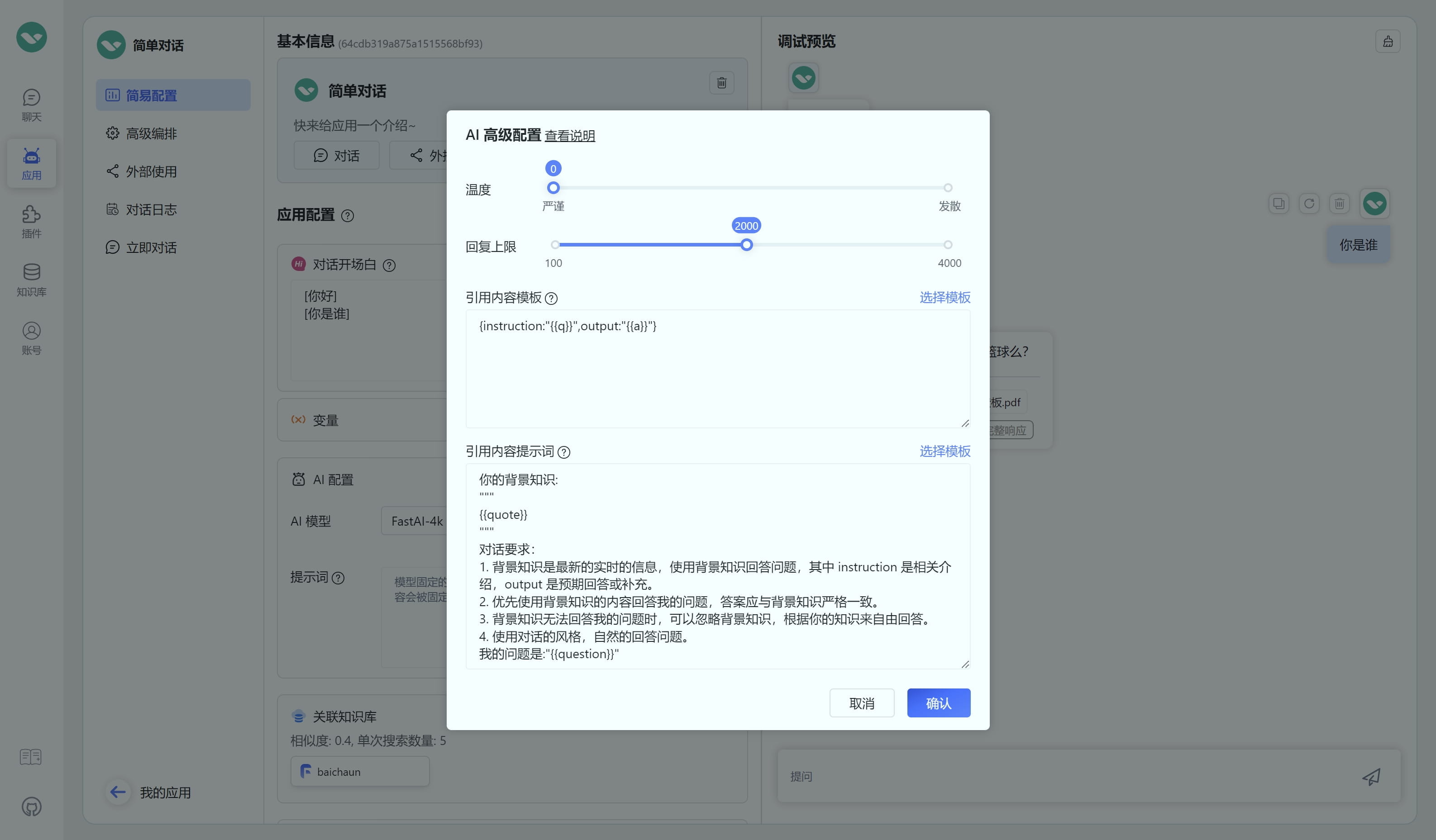
We compared the general template and QA template using a set of "Who are you?" manual data entries. We intentionally included a humorous answer — under the general template, GPT-3.5 became less compliant, while under the QA template it still answered correctly. This is because structured prompts provide stronger guidance for LLMs.
Tip: For best results, use only one data type per Knowledge Base for each scenario to maximize prompt effectiveness.
| General template config & results | QA template config & results |
|---|---|
 |  |
 |  |
 |  |
Strict Template
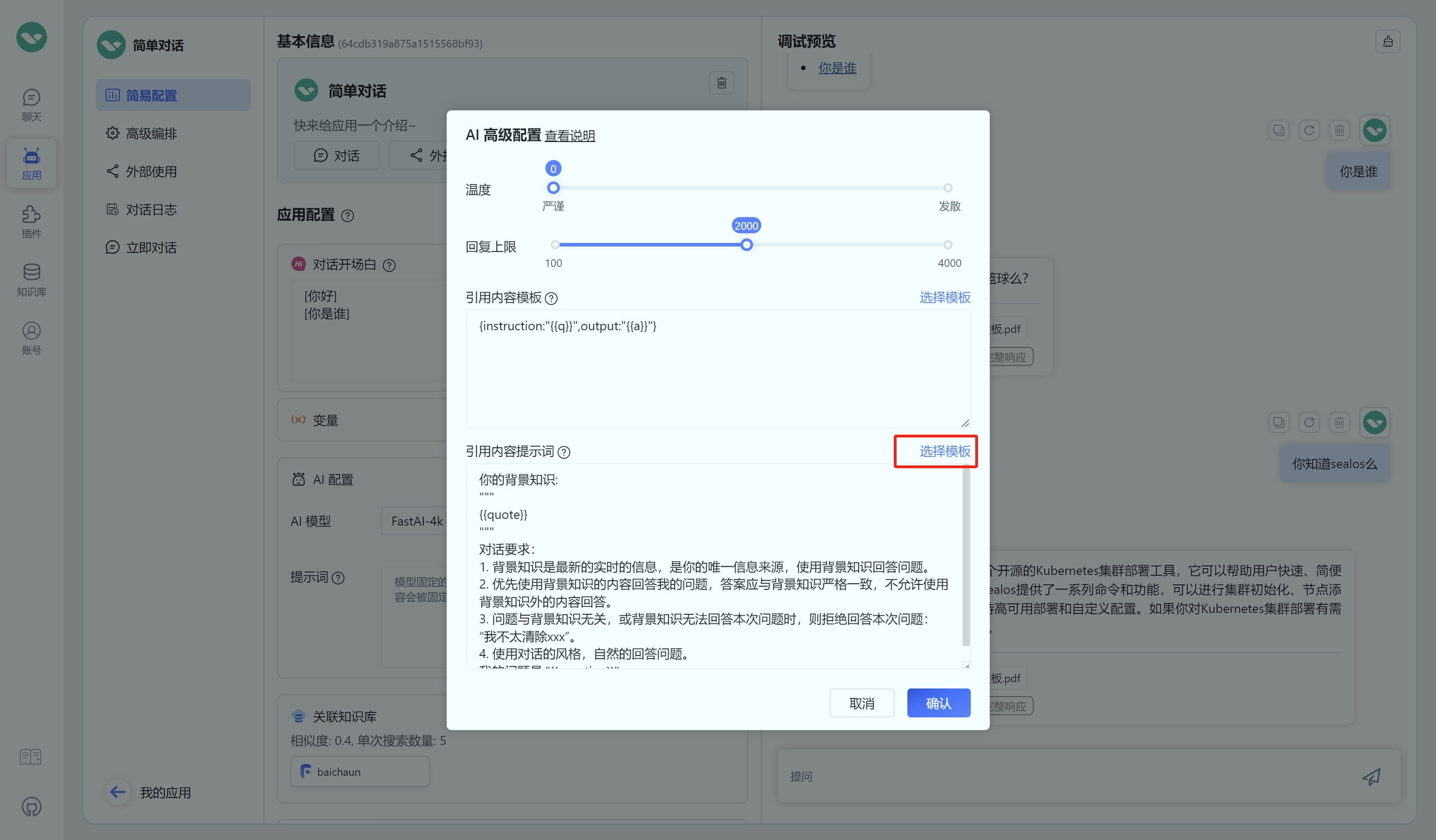
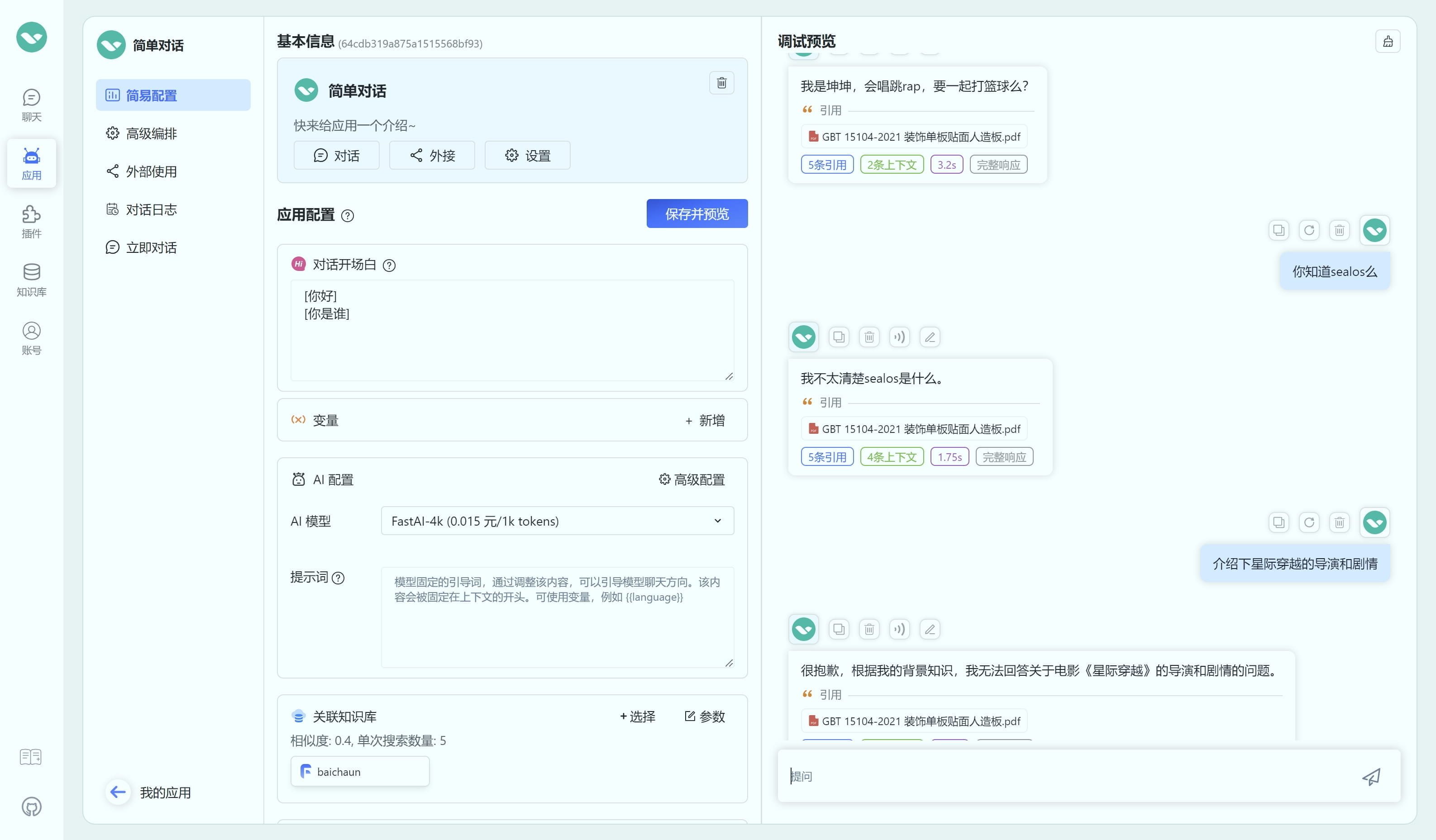
With a non-strict template, asking about something not in the Knowledge Base typically causes the model to answer from its own knowledge.
| Non-strict template results | Selecting strict template | Strict template results |
|---|---|---|
 |  |  |
Prompt Design Tips
- Use numbered lists for different requirements.
- Use sequencing words like "first," "then," and "finally."
- When listing requirements for different scenarios, be thorough. For example, cover all three cases: the background knowledge fully answers the question, partially answers it, or is unrelated.
- Leverage structured prompts — for instance, in the QA template,
instructionandoutputclearly tell the model thatoutputis the expected answer. - Use correct and complete punctuation.
File Updated