
Knowledge Base Collection Tags
How to use collection tags in FastGPT Knowledge Base
Collection tags are a commercial-edition feature in FastGPT. They let you tag and categorize data collections within a knowledge base for more efficient data management.
You can also use tags as collection filters during knowledge base searches for more precise results.
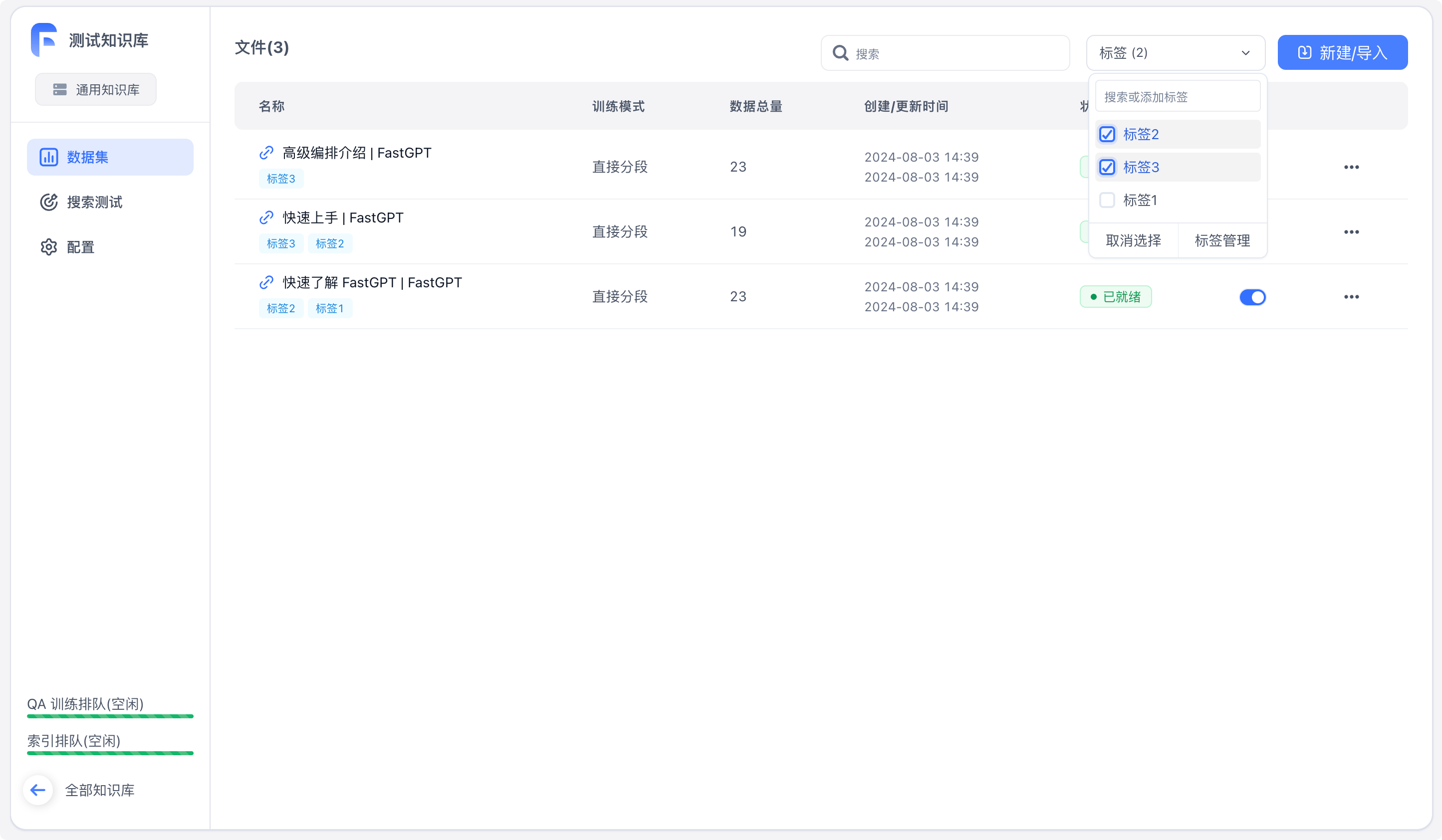 | 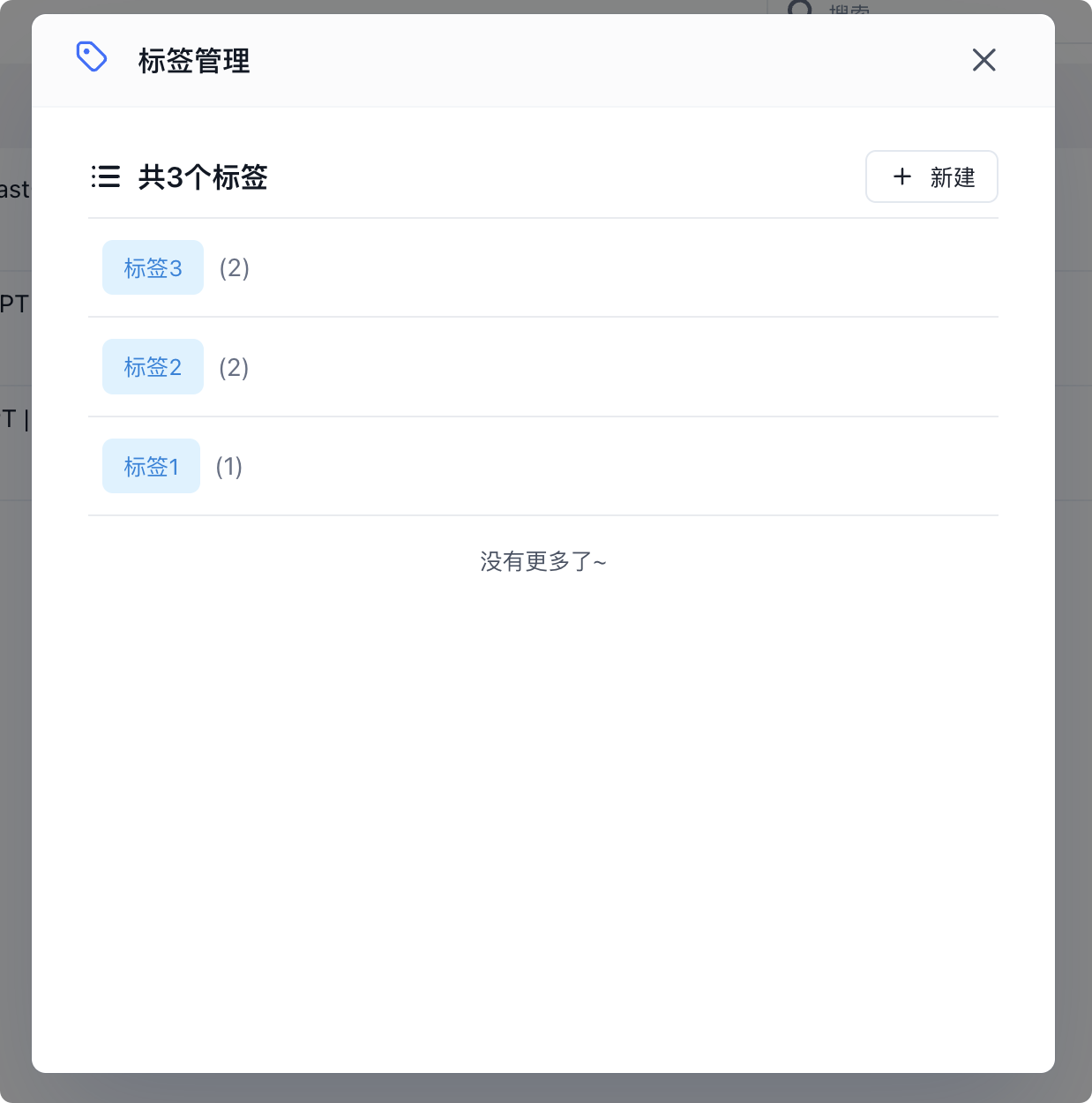 | 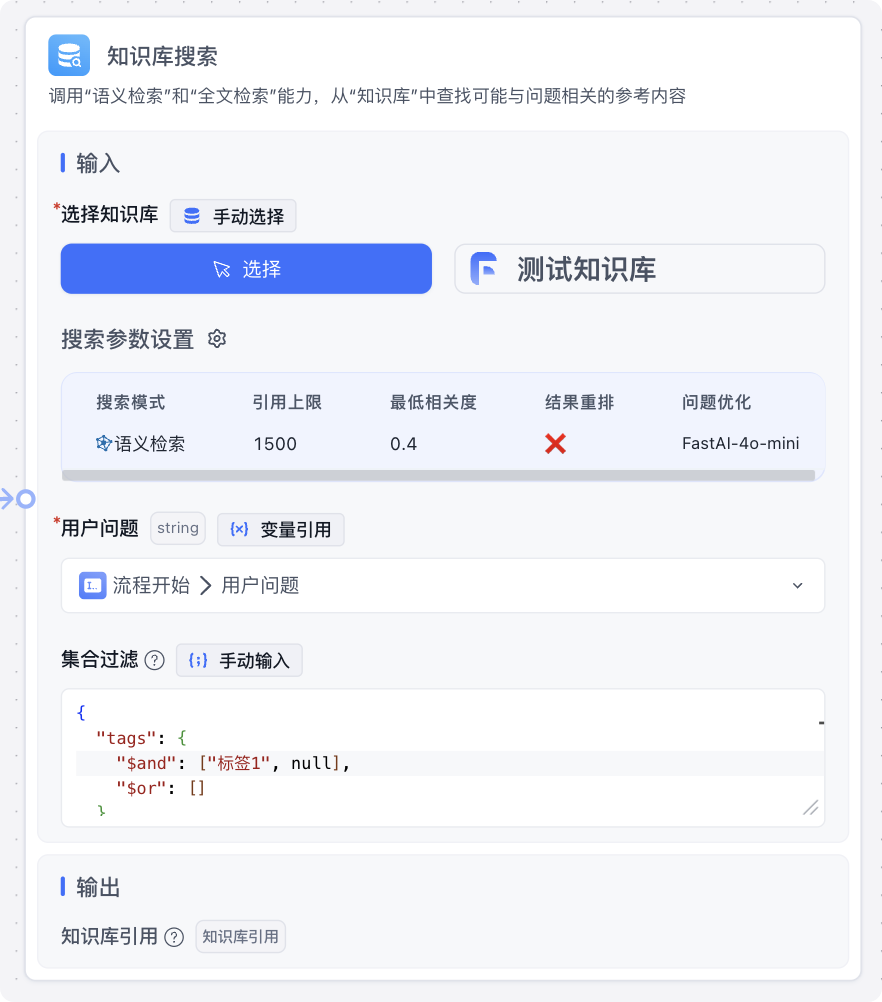 |
Basic Tag Operations
On the knowledge base detail page, you can manage tags with the following operations:
- Create a tag
- Rename a tag
- Delete a tag
- Assign a tag to multiple collections
- Add multiple tags to a single collection
You can also filter collections by tags.
Collection Filtering in Knowledge Base Search
Tags can be used to filter collections during knowledge base searches by filling in the "Collection Filter" field. Here's an example:
{
  "tags": {
    "$and": ["Tag 1","Tag 2"],
    "$or": ["When $and tags are present, $and takes effect and $or is ignored"]
  },
  "createTime": {
      "$gte": "YYYY-MM-DD HH:mm format, matches collections created after this time",
      "$lte": "YYYY-MM-DD HH:mm format, matches collections created before this time. Can be used together with $gte"
  }
}
Two important notes:
- Tag values can be a
stringtag name ornull, wherenullrepresents collections with no tags assigned - There are two filter condition types:
$andand$or. When both are set, only$andtakes effect
File Updated
Knowledge Base Search Methods and Parameters
This section covers FastGPT's knowledge base architecture, including its QA storage format and multi-vector mapping, to help you build better knowledge bases. It also explains each search parameter. This guide focuses on practical usage rather than in-depth theory.
API File Library
Introduction and usage of the FastGPT API File Library